Rich Markdown Editing


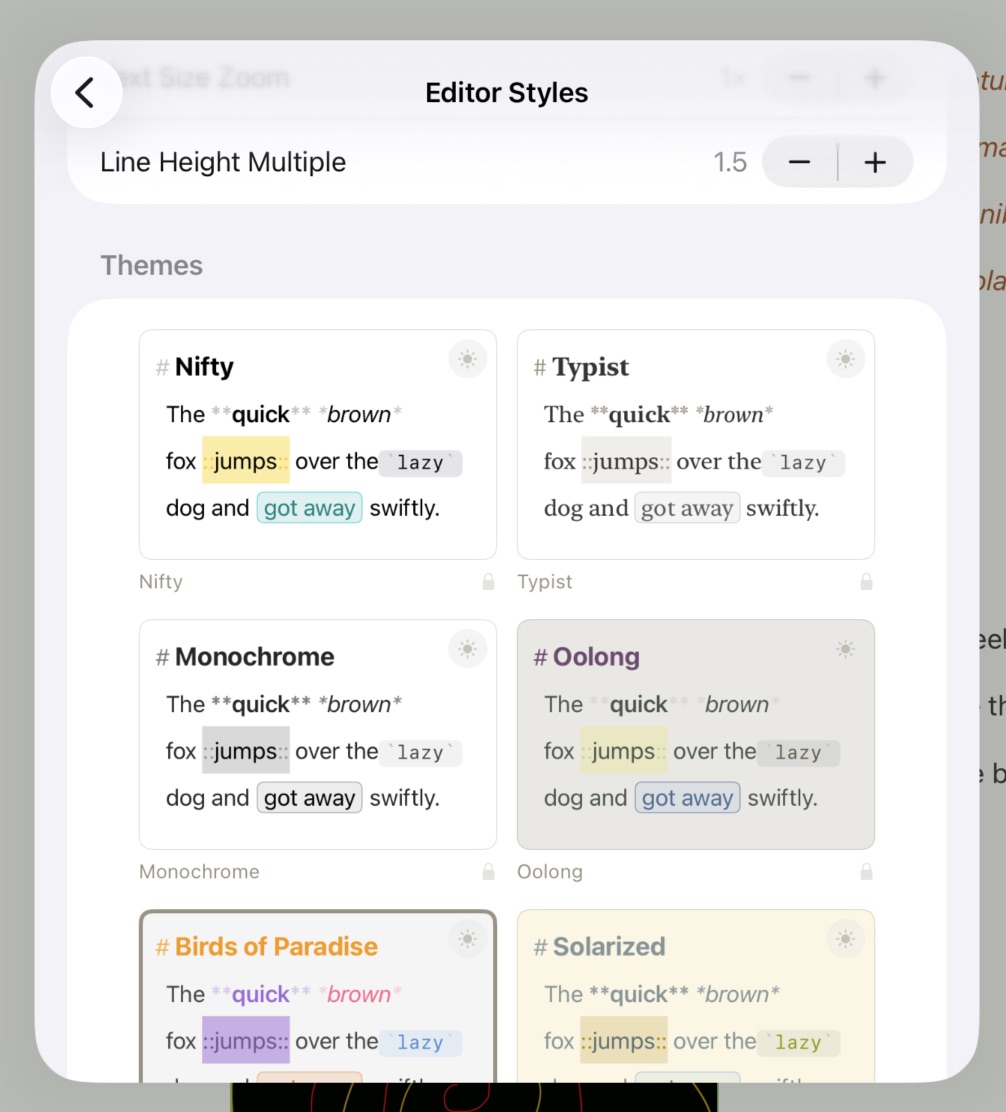
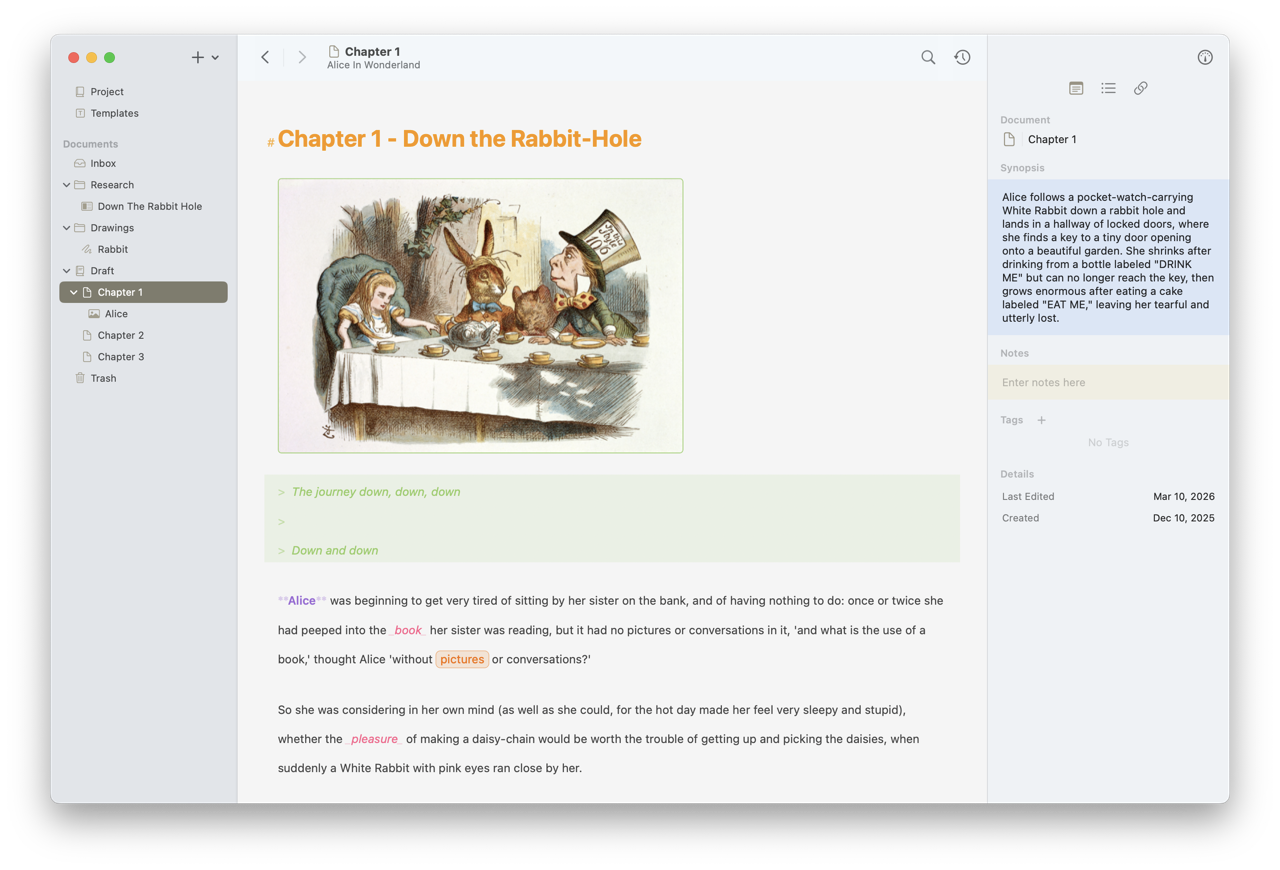
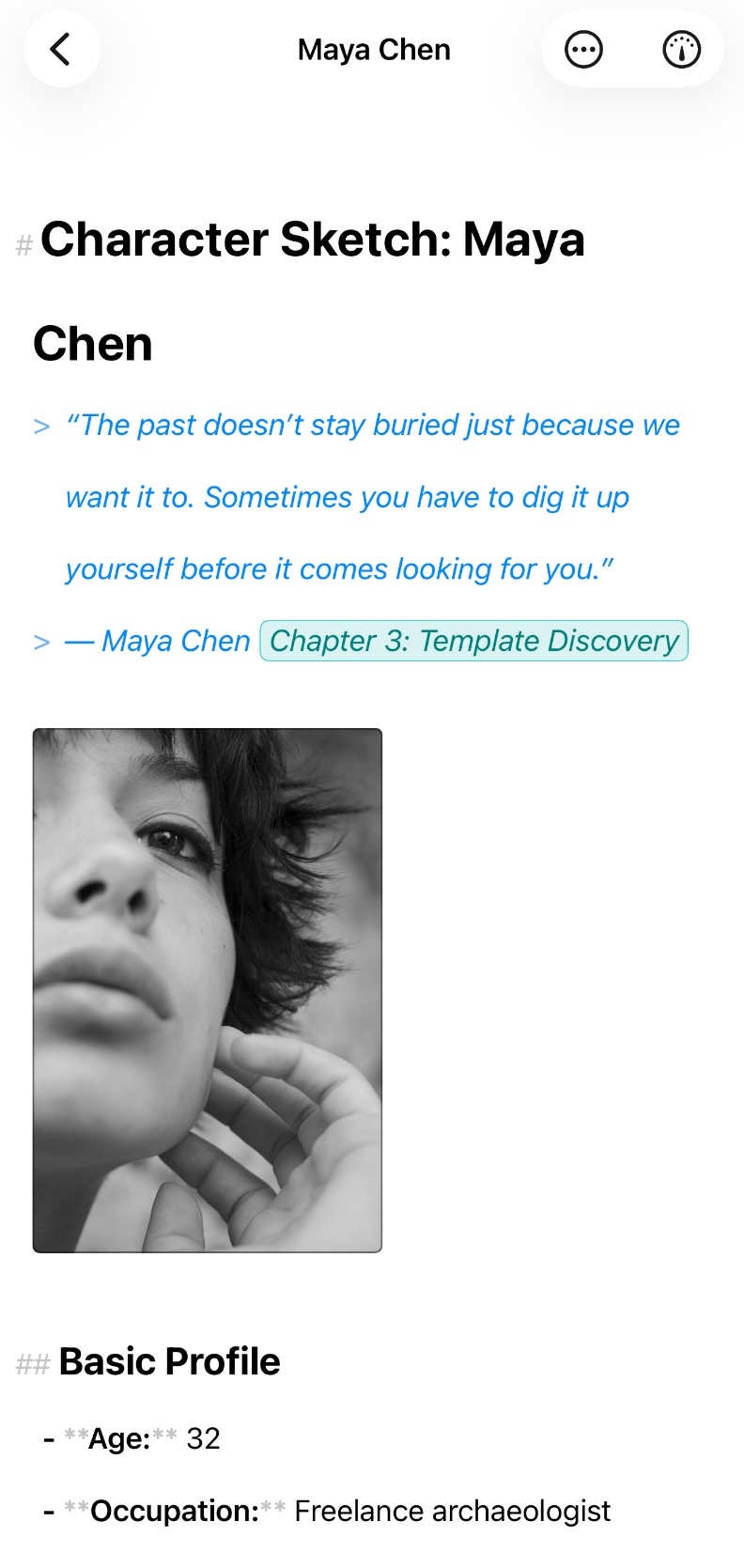
Atlas transforms markdown into a rich writing experience. See your formatting come alive as you type—headings, emphasis, and lists render beautifully without leaving the simplicity of plain text. Images appear inline, document links stay current automatically as you rename and reorganize, and the entire editor adapts to your preferences with customizable themes, typography, and spacing.

Smart Document Linking

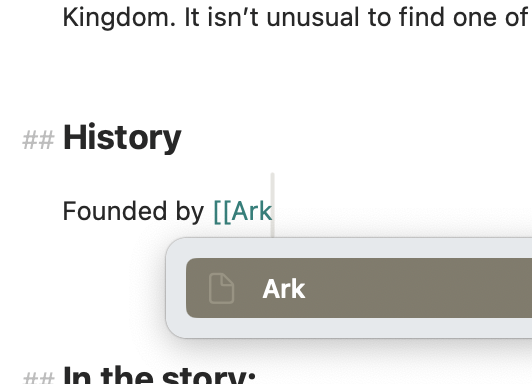
When you link to other documents, Atlas can keep those links current. Rename a document and all references update throughout your project—no find and replace needed.

Export

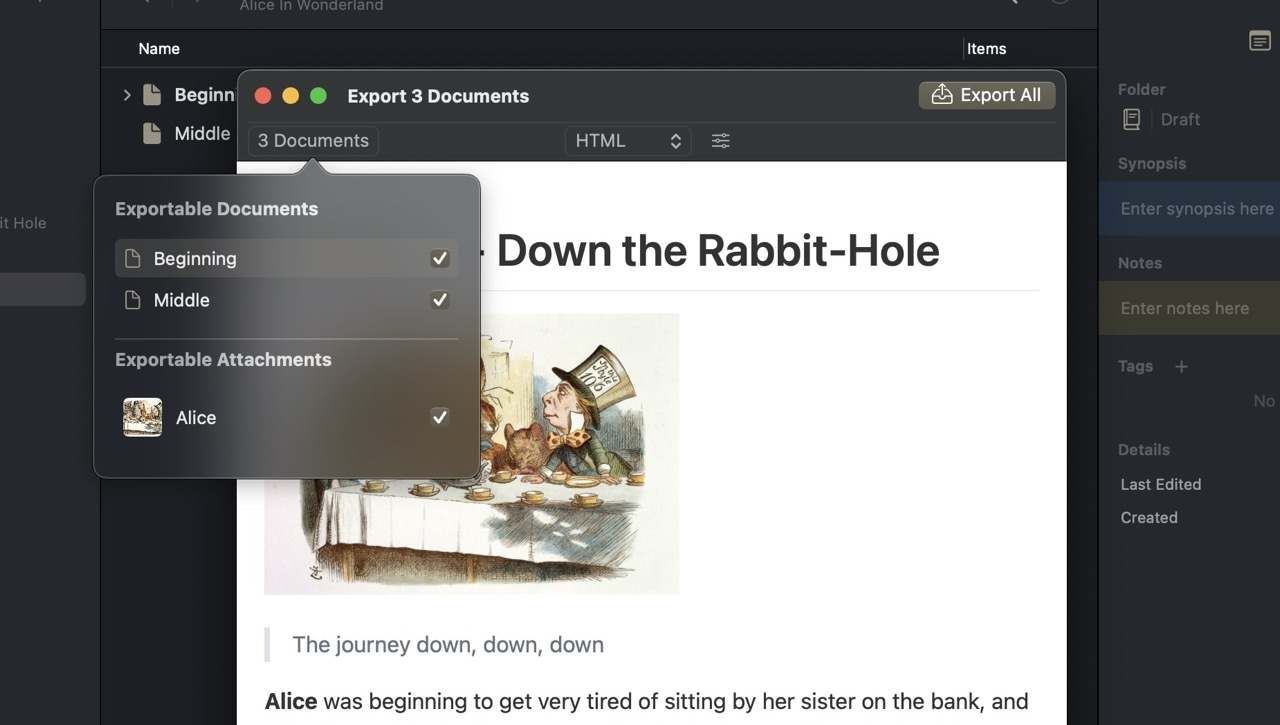
Atlas supports exporting documents in markdown or plain text, with Smart Document Links automatically converted to their current titles. Copy and paste works exactly as you’d expect—markdown stays markdown.

Canvases: Visualize Your Project


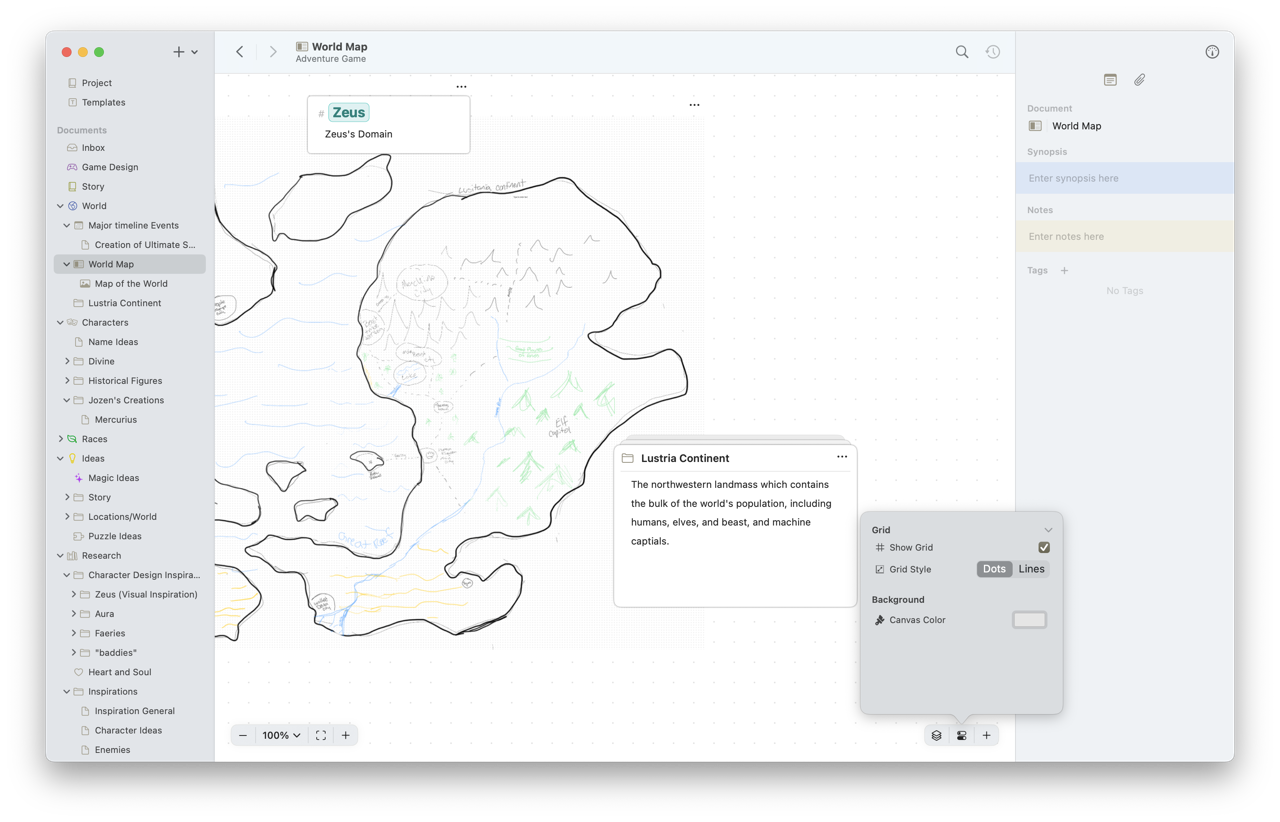
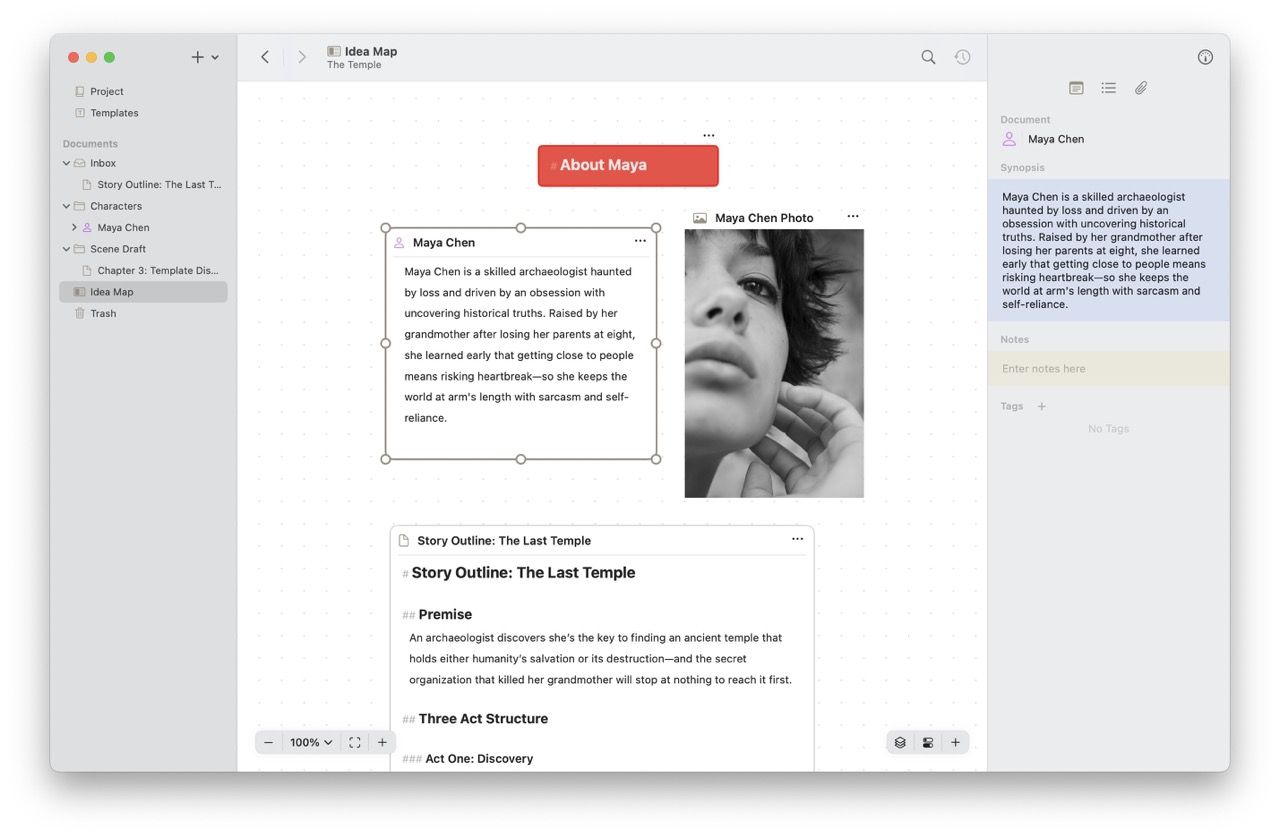
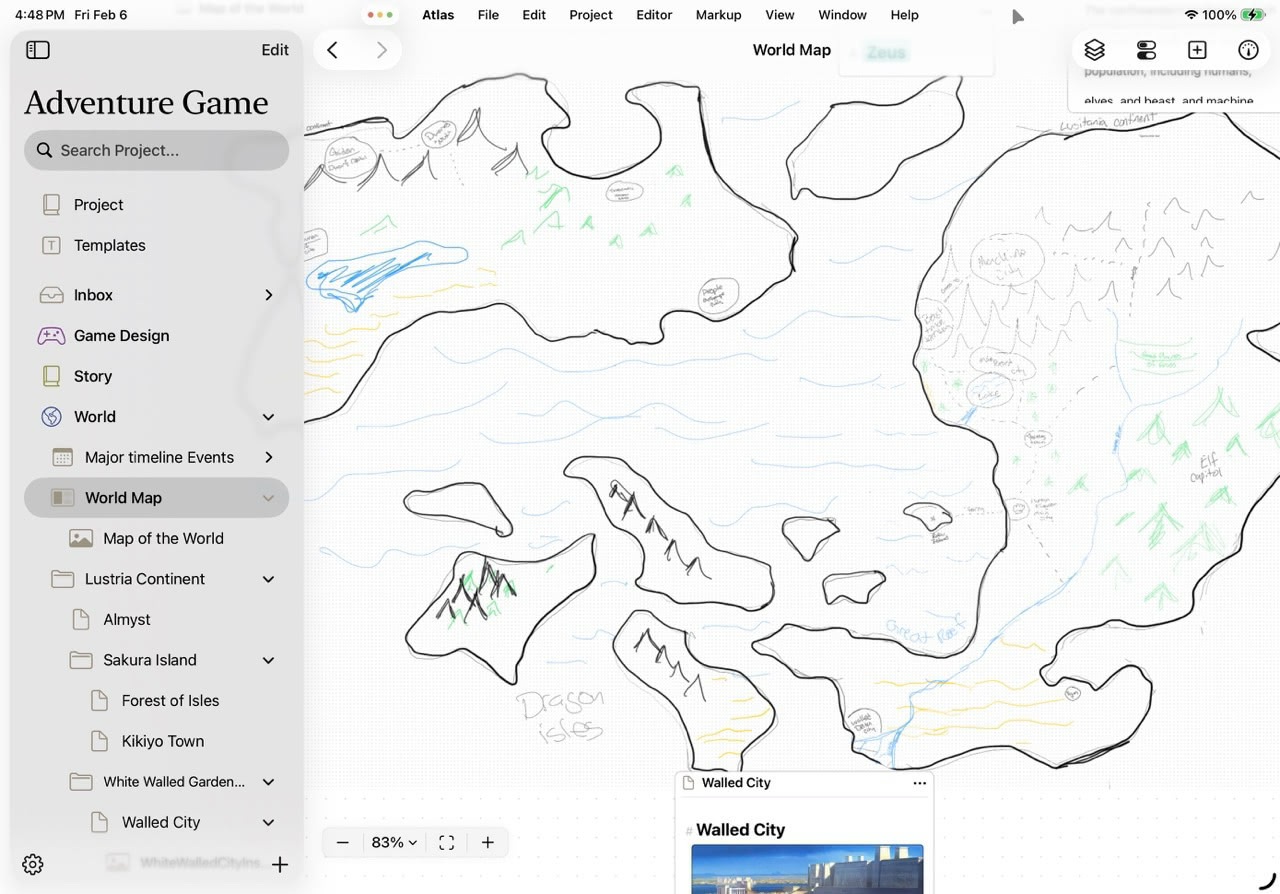
Move beyond linear documents with Atlas’s flexible canvas system. Pin documents, images, and notes anywhere on the canvas. Arrange research materials around your draft, create visual outlines, or build mood boards—whatever helps you think through your project.

Live Edit on Canvas

Click any document on your canvas to edit it in place. No need to jump back to the organizer or lose your context. Make quick edits, jot down ideas, and keep your flow going without switching views.

Add Documents, Images, Labels

Canvases support everything you need to think visually. Add documents from your project, drop in reference images, create color-coded labels for organization, or sketch out connections between ideas.

Work Anywhere

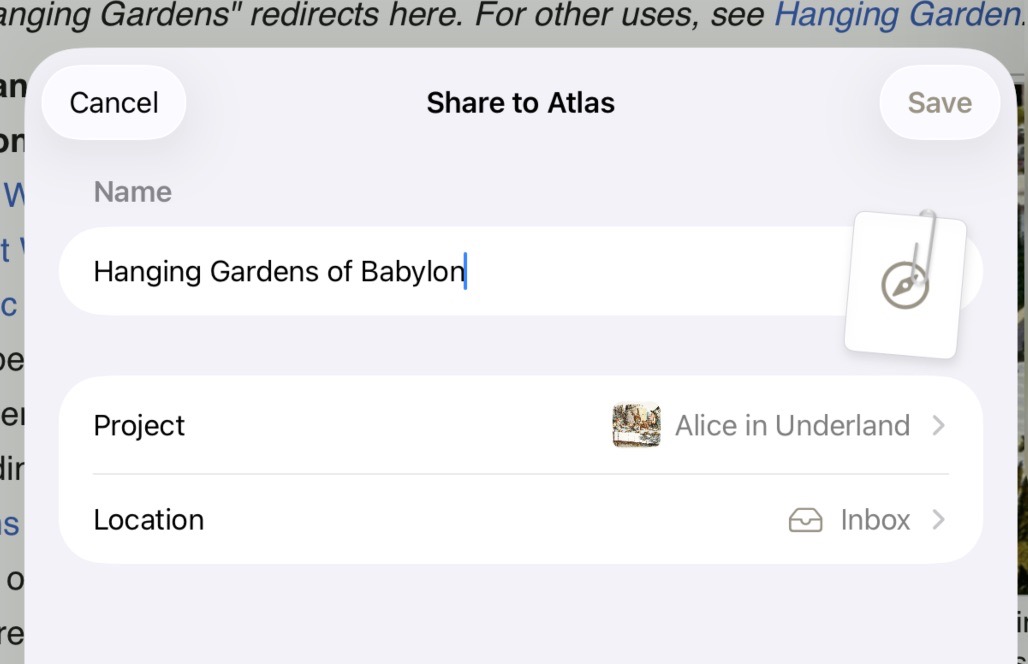
Atlas is built natively for Mac and iOS with full iCloud sync. Start writing on your Mac, refine on your iPad during your commute, and pick up wherever you left off. Your projects, documents, and canvases stay synchronized across all your devices.

Integrated History


Atlas automatically tracks changes to your documents over time. Review previous versions, see what changed, and restore earlier drafts if needed. Your work is never lost, giving you the freedom to experiment and revise without fear.

Conflict Resolution


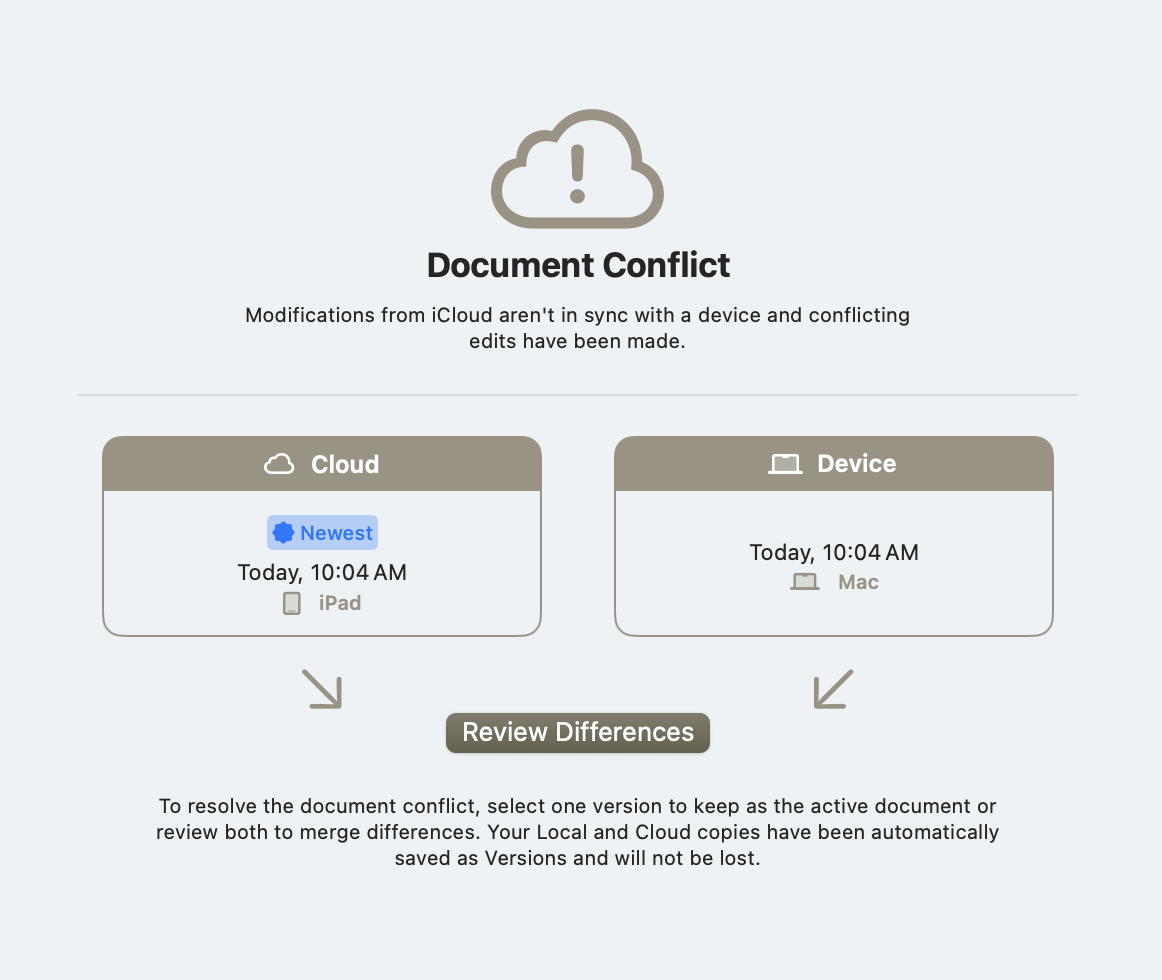
When edits happen on multiple devices, Atlas helps you merge changes gracefully. Review conflicts side-by-side and choose which version to keep, or combine the best of both. iCloud sync stays reliable even when you’re working offline.

Similar Projects

BenchmarkiOS

Benchmark is a fitness companion to support your workout journey. Log and automatically set rest times during sessions, create routines for frequent workouts, and dive into your workout history to witness your achievements and stay motivated as you stack weight and add time to your exercises.

More
With Contagious

FoxiOS + Mac

A simple project manager for simple developers. Designed as a way to escape expensive and complicated management systems, Fox Issue Tracker strives to be an effective tool at keeping projects in order.

App StoreMore
With Contagious

Always Taking Inquiries

At the moment I am not taking on many new projects, but am still available for inquiry or questions.

Reach Out To Dan