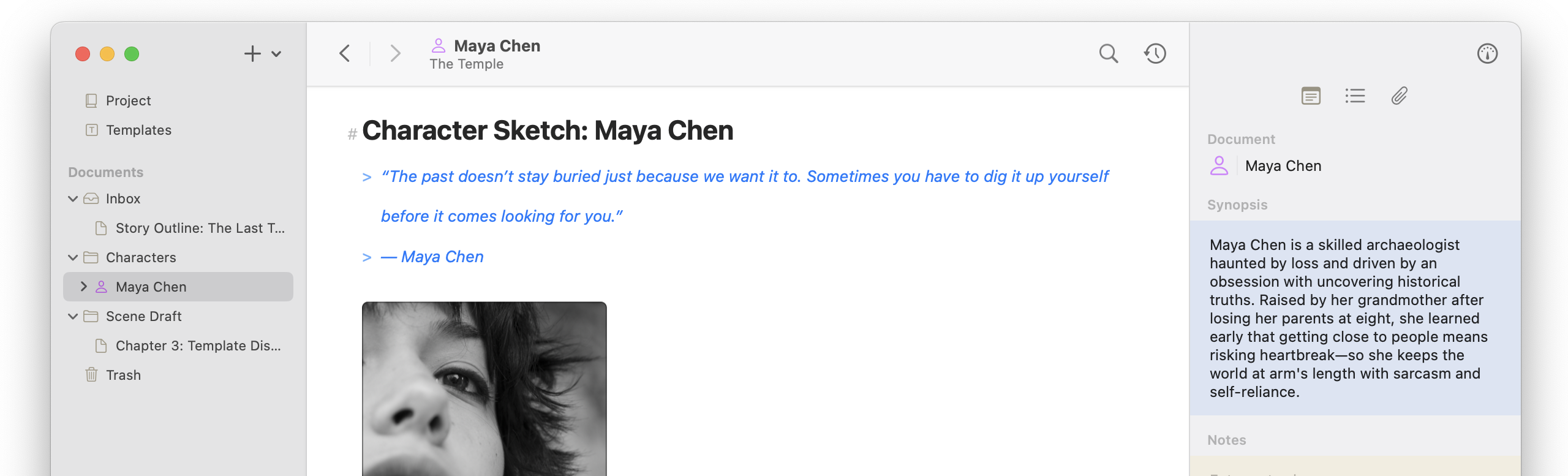
Math might not be my thing, but it is Altas’s! Now LaTeX support allows for full integrated equations in documents. We also managed to sneak in a bunch of other updates including to the image and link editors, improved writing statistics, ease of life improvements, and several bug fixes across both macOS and iOS.
Math Equations
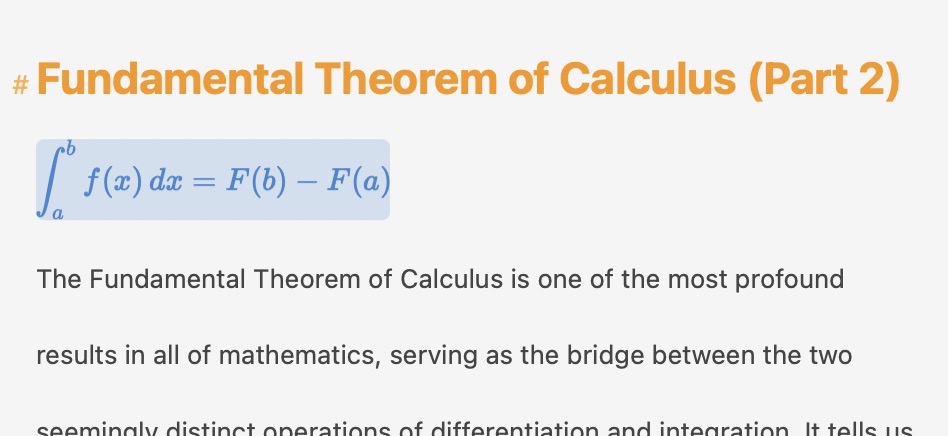
Atlas now supports mathematical equations powered by LaTeX.
- LaTex Equation Support — Write math expressions directly within your text or in entire blocks using
$$to start. - Equation editor — Dedicated equation editors on both iOS and macOS for composing and previewing math content.
- Placeholder display — Empty equation blocks show a √ symbol so you can easily spot and fill them in.
- Export support — Equations export cleanly to HTML, ePub, and PDF as rendered images.
- Theme support — Customize equation appearance (text color, background, and selection colors) for both inline and block equations independently in the Theme Editor.
Link & Image Editor
The link and image editors have been redesigned with an updated interface and new capabilities.
- Image previews — See a preview of images directly in the link editor before inserting or when reviewing them.
- Edit URLs in place — Faster access to a link or image URL.
- Explicit open button — Links now include a dedicated button to open the destination.
- Loading indicators — Visual feedback while link and image previews are being fetched.
- iOS and macOS parity — Link and image popovers now offer a consistent experience across platforms.
Writing Statistics
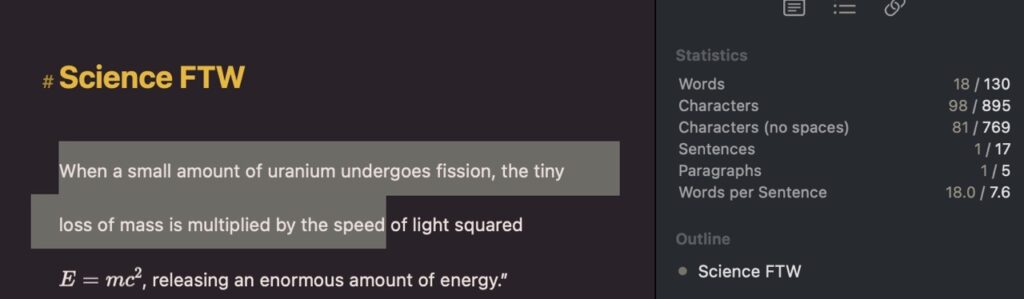
- Improved accuracy — The text statistics engine has been rebuilt and thoroughly tested to ensure markdown characters and other non-visible items are excluded.
- Selection statistics — Select text to see live word and character counts for just your selection.
Editor Improvements
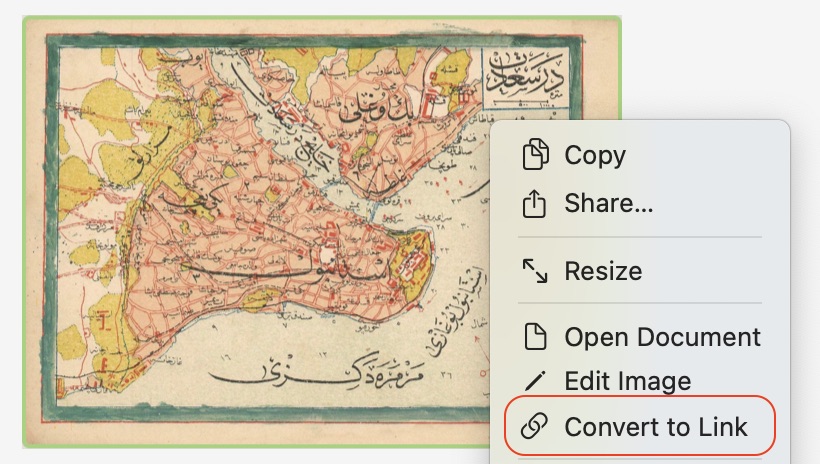
- Convert between links and images — Easily switch a link to an image or vice versa using either the “Convert to Link” or “Convert to Image” command, OR quickly convert a link by inserting a “!” before it. (Thanks Tas for this suggestion!)
- External link navigation — Clicking an external link in the Inspector Link overview now scrolls to that link’s location. A context menu now allows you to open links directly from this view.
- Improved auto-linking — URLs in your text are detected and linked automatically with a refined approach. Right-click or long-press an auto-linked URL to edit it.
- Pasted URL support — Paste a URL and it will be recognized as a tokenized link automatically.
- Better cursor positioning — Improved cursor placement after paste operations on macOS.
- Inline alignment — Images and equations now align properly with the text baseline for cleaner, more polished documents.
Canvas & Conflict Resolution
- Read-only previews — Link and image content now displays correctly in read-only editors, including during conflict resolution.
Performance
- Image caching — Images and rendered equations are now cached to disk, reducing load times on repeated views.
- Faster image editing — Fixed a timing issue that could cause incorrect options to appear when switching between images quickly.
Bug Fixes
- Inspector typing — Fixed an issue where typing in the inspector’s document or notes field quickly could cause overwrites to text you were actively editing.
- Link preview display — Fixed cases where link previews for Atlas documents weren’t appearing.
- Link and image removal — Fixed an issue preventing links and images from being properly removed and instead removed other content.
- URL saving — Fixed a bug that prevented newly entered URLs from saving correctly.
- Auto-link alignment — Fixed a visual inconsistency where auto-detected links could lose their paragraph alignment.
- iOS editor offset — Fixed an issue on iOS where content could appear offset in certain scrolling conditions.