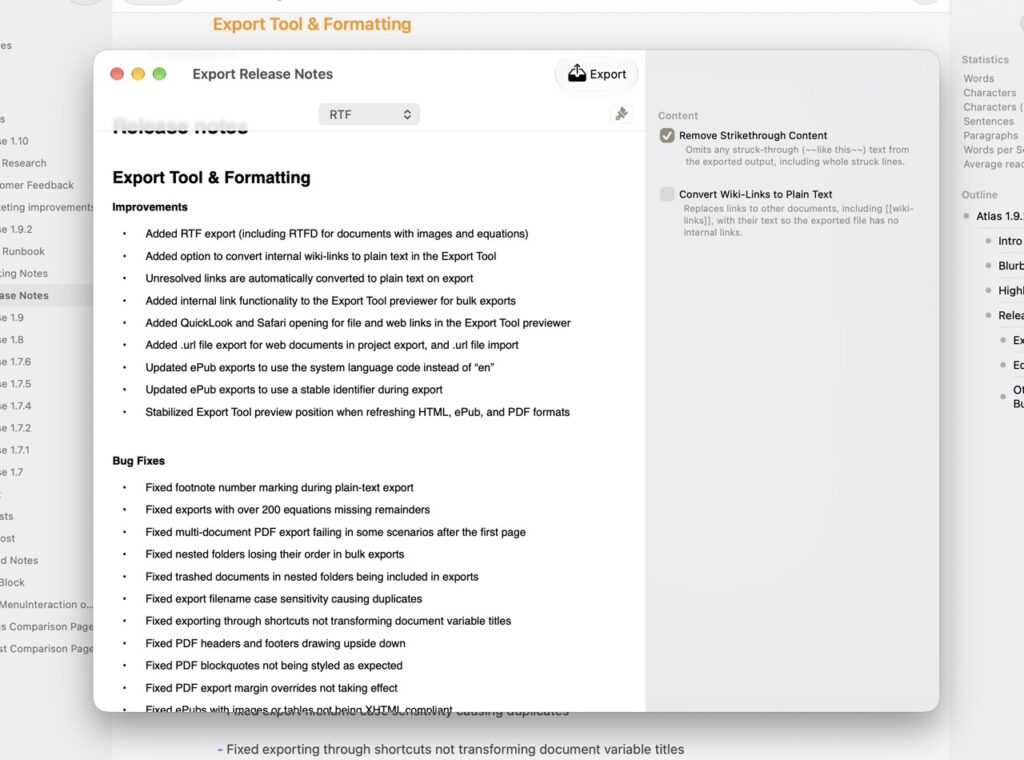
This is a big one, and most of it is about getting your work out the door with major focus on the Export Tool which got a cleanup and pipeline refactor. Notable things include inconsistent wiki-link conversion, upside-down PDF headers, broken internal links, and a handful of ePub quirks are all fixed. There’s also new RTF export, a Reading Speed statistic, and handy clip shortcuts. Along with a round of editor and supporting tool improvements, this release should make Atlas feel a lot more solid in the corners.
Export Tool & Formatting
Improvements
- Added RTF export (including RTFD for documents with images and equations)
- Added option to convert internal wiki-links to plain text in the Export Tool
- Unresolved links are automatically converted to plain text on export
- Added internal link functionality to the Export Tool previewer for bulk exports
- Added QuickLook and Safari opening for file and web links in the Export Tool previewer
- Added .url file export for web documents in project export, and .url file import
- Updated ePub exports to use the system language code instead of “en”
- Updated ePub exports to use a stable identifier during export
- Stabilized Export Tool preview position when refreshing HTML, ePub, and PDF formats
Bug Fixes
- Fixed footnote number marking during plain-text export
- Fixed exports with over 200 equations missing remainders
- Fixed multi-document PDF export failing in some scenarios after the first page
- Fixed nested folders losing their order in bulk exports
- Fixed trashed documents in nested folders being included in exports
- Fixed export filename case sensitivity causing duplicates
- Fixed exporting through shortcuts not transforming document variable titles
- Fixed PDF headers and footers drawing upside down
- Fixed PDF blockquotes not being styled as expected
- Fixed PDF export margin overrides not taking effect
- Fixed ePubs with images or tables not being XHTML compliant
- Fixed internal link mapping in HTML, ePub, and PDF continuous and multi-file exports
- Fixed escaped wiki-links diverging from the editor during export
- Fixed previously selected HTML style not restoring in the Export Tool
- Fixed Export Tool preview flashing when refreshing
- Fixed Export Tool preview not refreshing document contents in continuous mode
- Fixed Export Tool toolbar not matching dark mode in all formats (macOS only)
Editor Improvements
Improvements
- Added Reading Speed statistic to Inspector Statistics for Text Documents
- Added spelling and grammar checking not appearing in table cells
Bug Fixes
- Fixed table freezing when the Inspector was open and text reflowed (iOS only)
- Fixed crash when leaving the Markdown Editor during grammar checking
- Fixed text selection background leaving artifacts (macOS only)
Other Improvements and Bug Fixes
Improvements
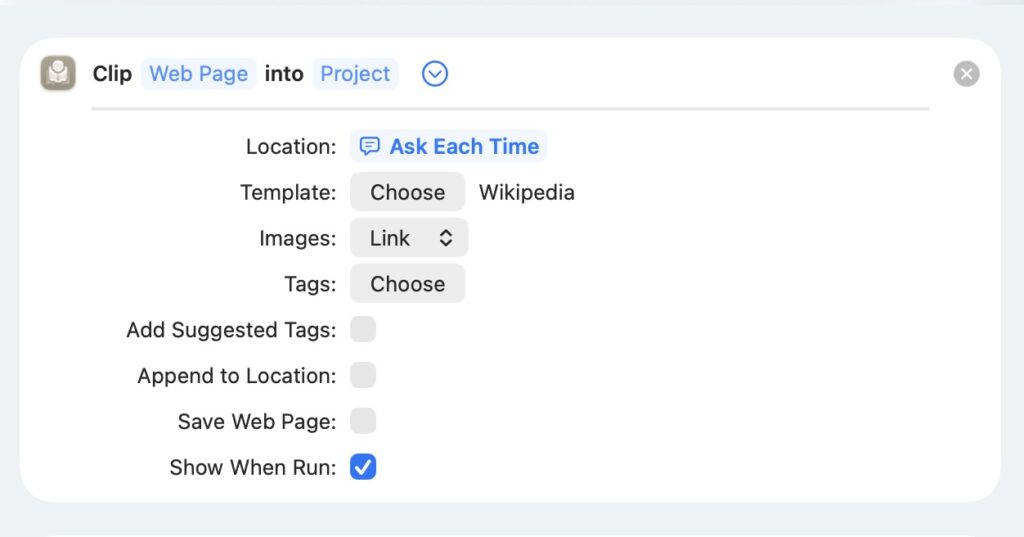
- Added new “Clip Web Page” and “Get Web Clip” shortcuts
- Added “Open in Continuous Editor” option to Folders when multiple items are selected
- Added Cmd + Down shortcut to open selected items in Folders
- Removed alert when canceling document import (macOS only)
- Improved visuals in Project Information, the Inspector, and metadata Popovers
- Improved Project Import and Export support for Atlas-specific canvas features
- Fixed project export failing when names contained “/“ characters
- Fixed export filename case sensitivity causing duplicates during project export
Bug Fixes
- Fixed tag order being inconsistent after manual moves
- Fixed tag titles not saving when changed in the Tag list (macOS only)
- Fixed keyboard arrow selection in the metadata add popover (macOS only)