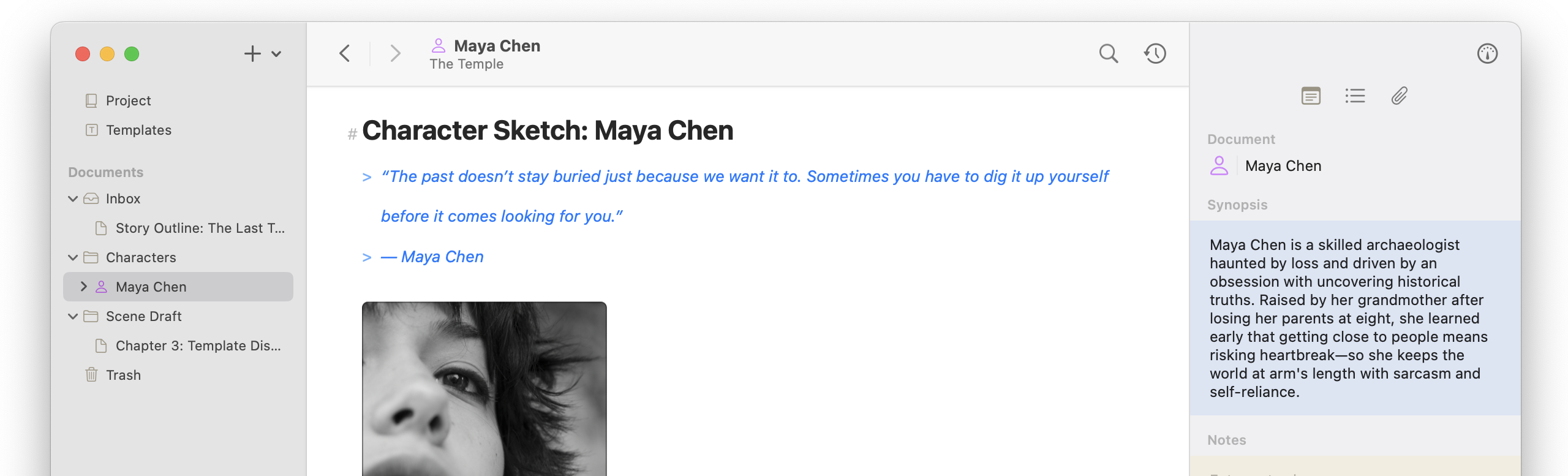
This update brings an easier way to get an overview of your work, both visually and temporally. Folders have an updated design, the Outline gains customizable columns, plus a new gallery mode makes your media and content cards easier to see at a glance. Document versioning also got big updates: the version browser was redesigned, version snapshots are created at smarter intervals, and version thinning keeps your history and storage manageable as it grows. New “Revert to Last Saved” and “Revert to Last Opened” options in the File also make it easier to step back in time. Along with all of the above, this release also adds print support (finally), smarter Web Clipper handling of chatbot conversations and images, and a round of list and PDF export refinements.
Release Notes
Folder Outline and Gallery
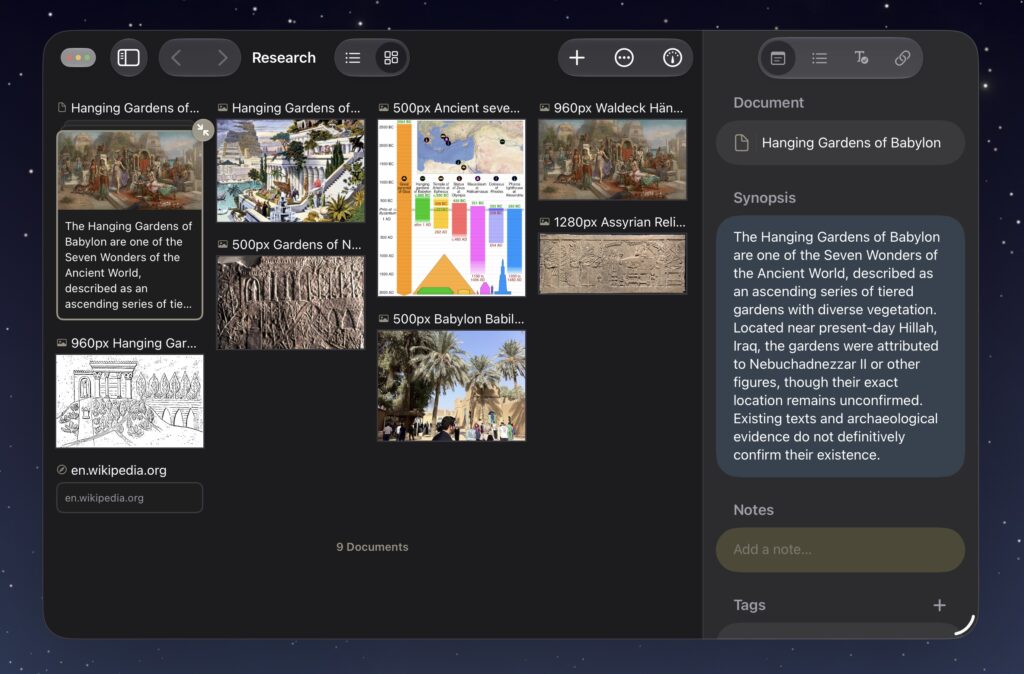
- Expanded Outline mode with additional columns and improved design
- Added Gallery view mode to Folders
- Added Outline column customization and reordering, including by property, metadata, statistics, or goal information
- Improved Outline row distinction and sizing
- Fixed selection loss when renaming documents in Outline (macOS)
- Fixed dropping documents onto a folder in the Inbox or Trash not nesting inside it (iOS)
Versioning Browser and Snapshotting
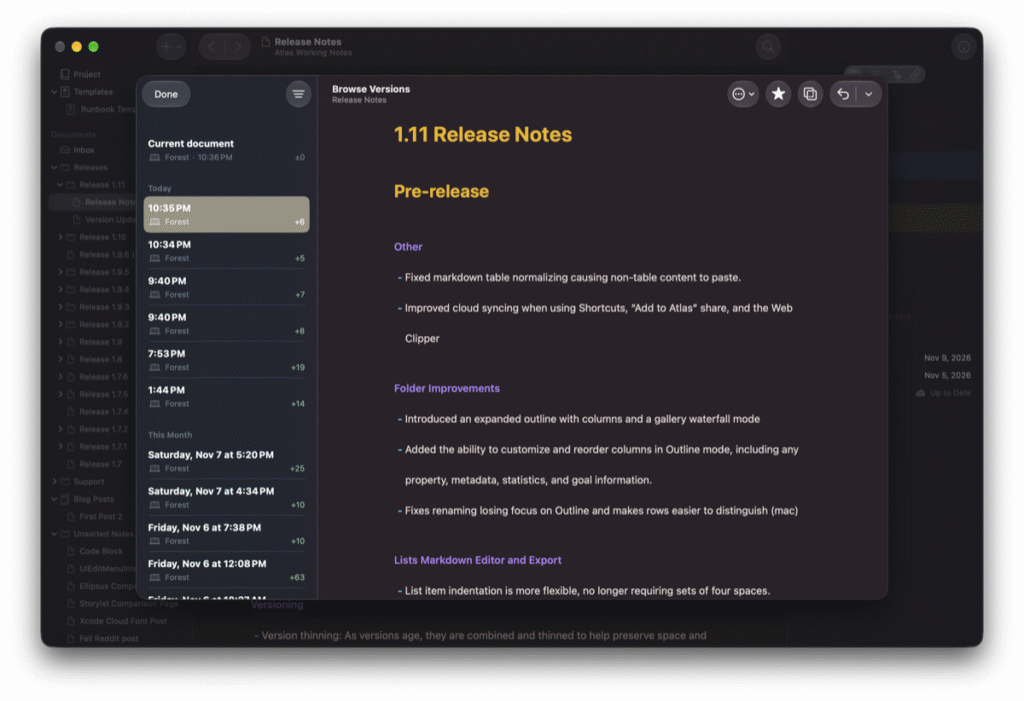
- Redesigns the document history browser for improved readability and details
- The version browser now lists the word count differences between versions
- Added version thinning, which combines and thins versions as they age to preserve space and simplify navigation
- Excluded named, starred, and conflict-created versions from thinning
- Added “Revert to Last Saved” and “Revert to Last Opened” options to the file versioning menu
- Added version snapshots before shortcuts or the clipper edit content
- Marked extension-created versions in history
- Updated Version Browser, Comparison, and Conflict editors to use main editor settings
- Fixed sketch versions being created without changes
- Fixed next/previous buttons in the Version Browser (iOS)
- Fixed unresponsive delete button in the sketch Version Browser (iOS)
Lists in Editor and Exporting
- Loosened list item indentation rules to no longer require sets of four spaces
- Fixed space-based indents not collapsing to logical indents in PDF exports
- Added PDF export style control over spacing between bullets and text and improved default spacing
- Fixed misplaced nested lists in HTML exports
- Improved list bullet and number alignment in PDF exports
- Fixed PDF Export Style exports not including table details
Web Clipper and Sharing
- Improved cloud syncing when using Shortcuts, “Add to Atlas” share, and the Web Clipper
- Improved Web Clipper support for clipping chatbot conversations
- Added Web Clipper support for clipping blob images from web pages
Other Improvements and Fixes
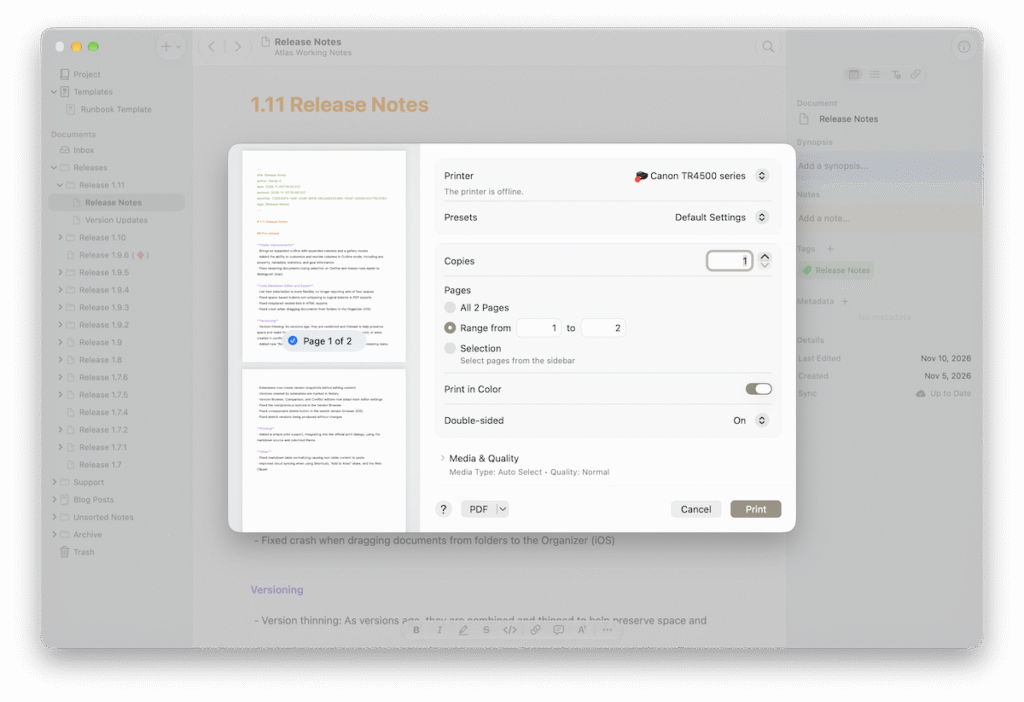
- Added simple print support using Markdown source with a colorized theme, integrated with the system print dialogs
- Fixed Markdown table normalizing causing non-table content to skip pasting
- Updated the Inspector to show time for recent created and last edited dates
- Fixed duplicated media documents moving instead of duplicating