Atlas is here to help you start a bad writing habit. I’m funny… right?
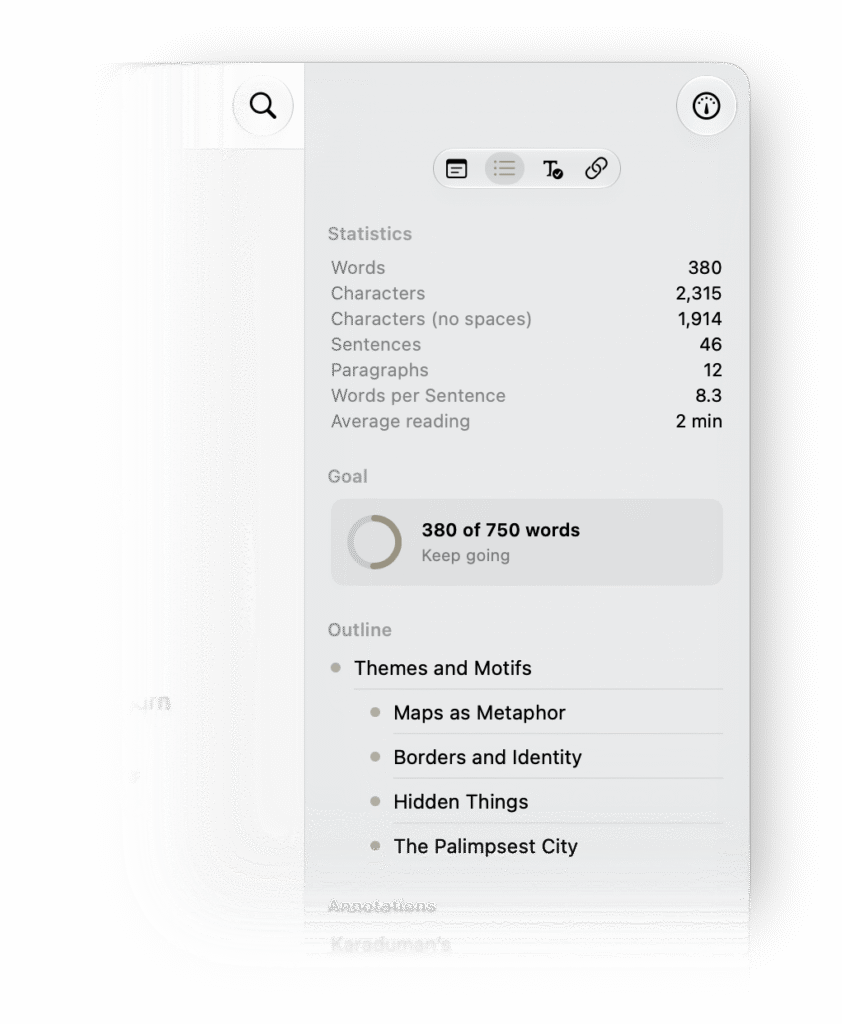
The new writing goals let you set targets and monitor your progress on all documents in a folder or individual documents, right from the Outline in the Inspector. You can also track goals across your whole project from Project Home, review your Goal History in Project Settings, and turn on Writing Reminders to keep you on track.
Additionally, this version is notable as it brings large improvements across the sync system to make updates smaller, faster, and more reliable. Several minor fixes, rejigging, and improvements come together for a snappier experience we are sure you’ll see.
New Features
Writing Goals (New Feature)
- Added Writing Goals to monitor progress on folders and text documents, accessible in the Outline under the Stats section and backed by a synced ledger to stay consistent across devices as you work.
- Added Project Home Goals card to track goals across all documents
- Added Goal History section in Project Settings
- Added Writing Reminder notifications
Clipper Improvements
- Improved paragraph reflowing in Clipper transcripts
- Added heading markers for chapters in Clipper transcripts
- Improved HTML to Markdown conversion of nested tables in the Clipper and when pasting HTML
- Improved HTML to Markdown extraction of superscript and subscript in the Clipper and when pasting HTML
Editor Improvements
- Fixed titled Markdown links disrupting background alignment
- Fixed Semitic text next to links disrupting background alignment
- Fixed cursor occasionally jumping to the start of the next paragraph (macOS)
- Fixed hang when selecting text with several hundred markers while hidden syntax is enabled
General
- Fixed text body content not being indexed
- Fixed remote changes during Find & Replace causing searches to return incorrect positions (macOS)
- Improved sync efficiency by sending only required information during sync
- Fixed many sync issues that could occur under specific conditions
- Fixed several instances which sync could get “stuck” until relaunch
- Now opens the purchase screen when launching from the App Store promotion