The larger feature introduced in this version of Atlas is expanded Folder Outline and Galleries in Folder Cards in the canvas, giving you the ability to browse properties and see a visual waterfall just like folders themselves. Basically, placed in the canvas, the cards act like mini folders now!
Otherwise, we focused on improvements to the light / dark theme and appearance overrides on Themes with Liquid Glass elements on iOS, and fixed several bugs that ensure the Organizer and Inspector’s size stays on iOS as well. The Mac version wasn’t left out of fixes either!
Release Notes
Folder Cards on the Canvas
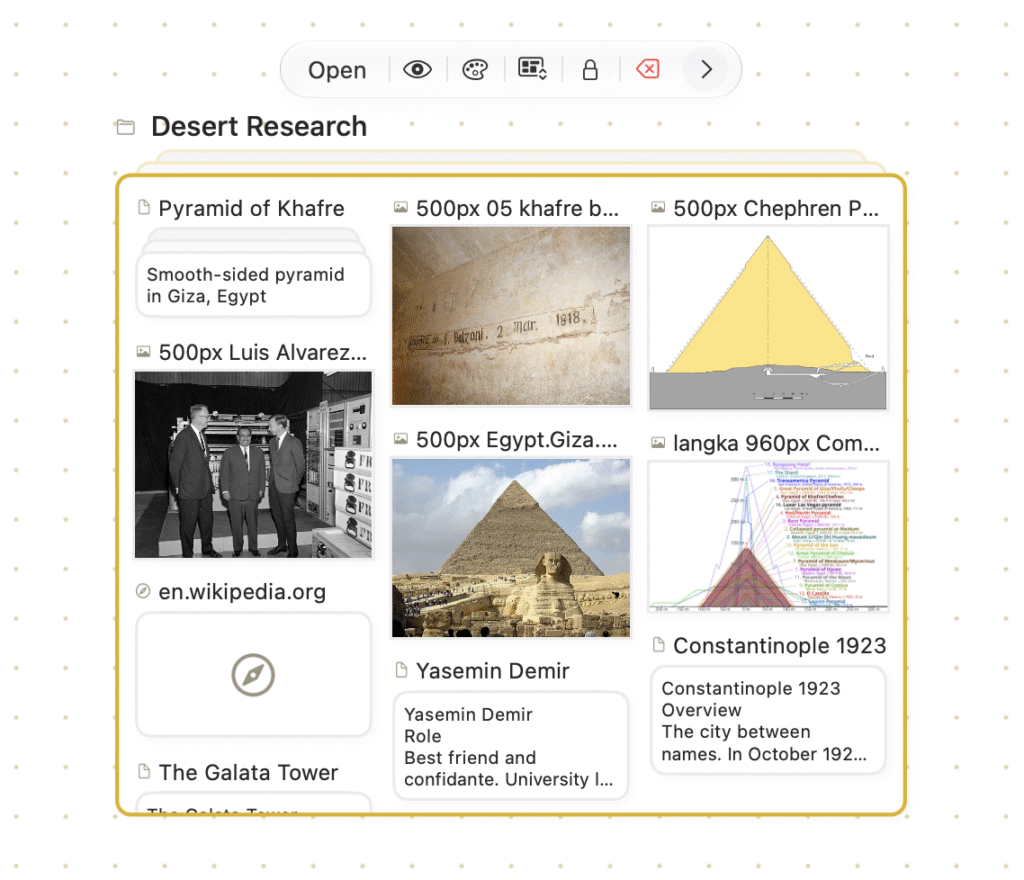
- Added gallery view support to folder cards
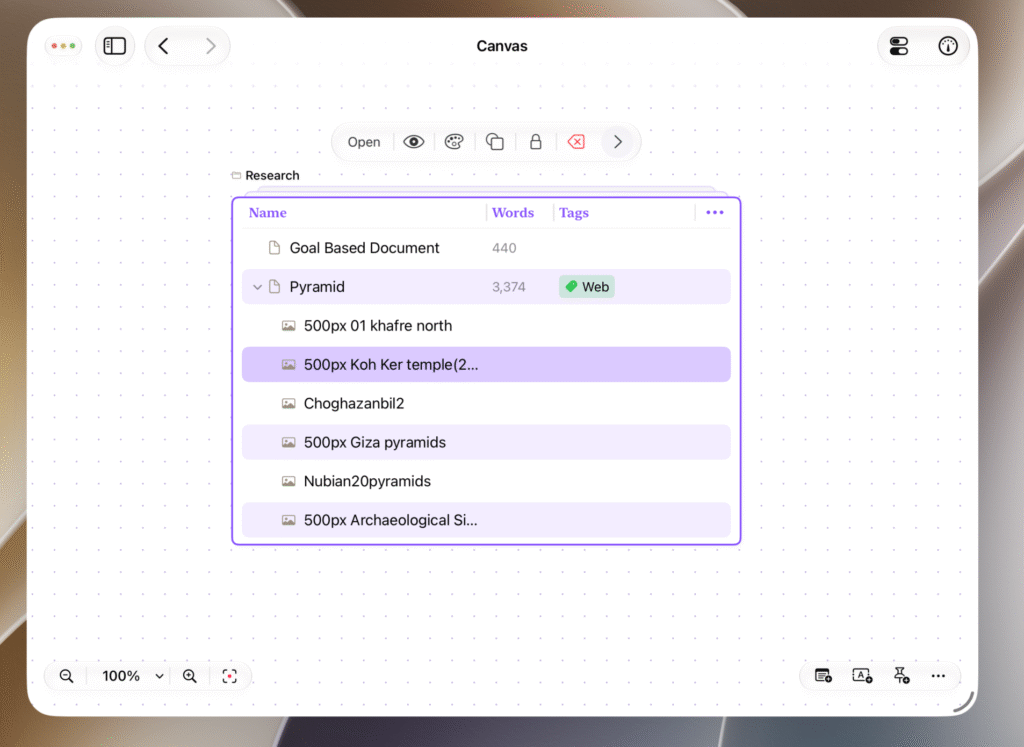
- Added expanded column support to folder cards
- Updated the Display as… button icon to show the current card display: document, synopsis, list, or gallery
- Fixed Display as… menu not appearing on folder cards (macOS)
- Improved folder performance in large projects and in canvases
Canvas
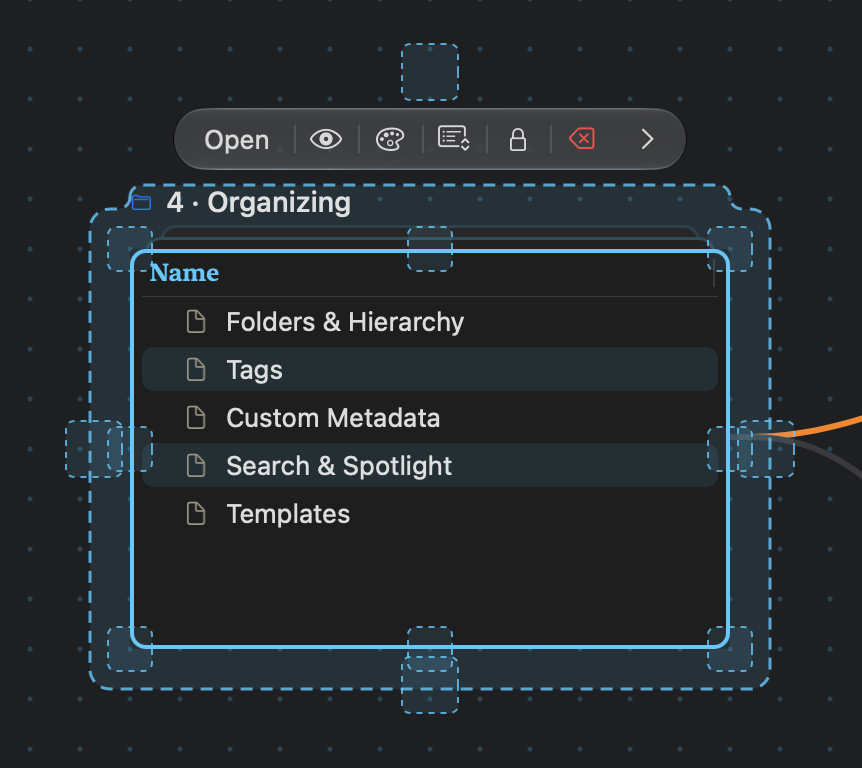
- Improved and redesigned Interactive Zone mode visuals
- Added card display changes, pin editor changes, and label background hiding to undo/redo
- Fixed Canvas Bar not tracking selected elements in some cases (iOS)
Inspector
- Added Inspector resizing with saved width (iOS)
- Fixed Inspector not moving to the Sidebar when changing from compact to regular horizontal size (iOS)
- Fixed grammar checker causing Inspector section changes to lag one tap behind on iPhone and in narrow iPad windows (iOS)
- Fixed Tags and Metadata pickers not opening from the Inspector on iPhone and in narrow iPad windows (iOS)
Themes and Appearance
- Improved Inspector to follow the active theme’s appearance (dark or light)
- Fixed flash on iOS 26 when changing editors using dark themes in light mode (iOS)
- Fixed inverted editor buttons when using dark themes in light mode or light themes in dark mode (iOS)
- Fixed Document Title visibility when using dark themes in light mode or light themes in dark mode
- Fixed Document Titles in continuous editor visibility when using dark themes in light mode or light themes in dark mode
General Improvements
- Improved search ranking so exact title matches appear higher in top results
- Improved pluralization in localizations for other languages
- Fixed Organizer size resetting on launch (iOS)
- Fixed Text Editor margins not adjusting to non-window size changes (iOS)
- Fixed Inbox or Trash being replaced by an empty editor after narrowing and widening an iPad window (iOS)
- Fixed narrow iPad document windows missing their title, More menu, and inspector button (iOS)
- Fixed Inspector closing when narrowing an iPad window; it now becomes a sheet and returns to the side when widened (iOS)
- Moved Go Back and Go Forward from the More menu in narrow iPad windows (iOS)