Wouldn’t be nice to know that when your Martha (cat) stepped across your keyboard, erased everything and then closed the window, your work was saved? Or you could go back and find that paragraph you trimmed out and thought you wouldn’t ever want back? Well, Atlas has got your back.
As you make changes, Atlas automatically creates snapshots (or you can use CMD+S to create one manually), and stores them separately from your document. But this isn’t just saving—this is an entire history for your document tracked over time.
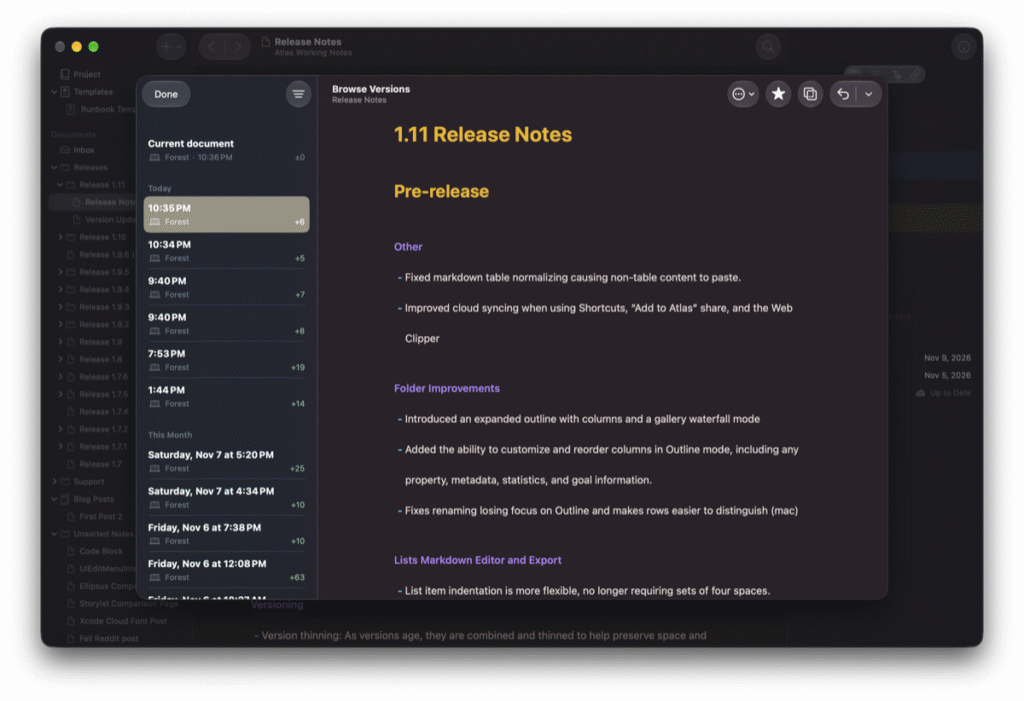
These versions can be marked, starred, and also represent the comprehensive list of changes that have been made across all of your devices, including those made by the sharing, the web clipper, or shortcuts. This gives you the chance to go back and look at anything that might have changed, and how.
Compare Versions
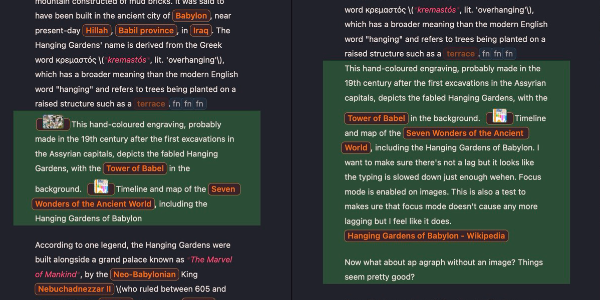
Even better, you can compare older versions to your current, restore back, or even edit your current document side-by-side with the historical version of the text! This makes it easy to jump around in the past and pull ideas that you may have disposed of back into the current context, or even just bring back that sentence you thought wasn’t up to par at the time. And with the ability to jump around your past, no one will ever accuse your hard work of being AI when they see that stream of edits.
Smart Versioning
Left alone, a long-running document would collect hundreds of versions. As versions age, Atlas combines them so the history stays understandable and easy to scan. However, if there’s a particular version you want to keep, you can star or name it, and it’ll stick around until you manually dispose of it.