Shortcuts (New Feature)
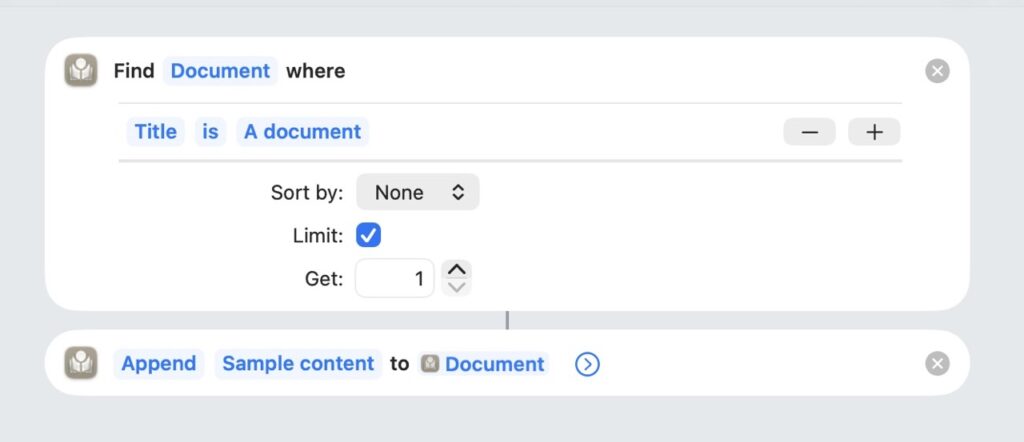
- Added Shortcuts support with actions for Canvas, Documents, Projects, and Metadata (iOS + macOS)
- Canvas: Add to Canvas, Find Canvas, Find Canvas Item, Get Canvas Items, Manipulate Canvas Item, Remove from Canvas
- Documents: Add Media Document, Create Document, Open Document, Find Document, Move Documents, Move Documents to Trash, Move or Copy to Project, Restore Documents, Edit Document Text, Modify Document Property
- Metadata & Tags: Create Metadata Field, Add Tags to Document, Remove Metadata, Remove Tags from Documents, Set Metadata, Find Metadata Field, Find Tag, Get Document Metadata, Get Document Tags
- Statistics & Export: Get Document Statistics, Get Document Text, Get Project Documents, Export as Markdown
Web Clipper Improvements
- Added “summarize” and “prompt” variable support to the Web Clipper, backed by Apple Foundational Models (iOS + macOS)
- Added “Generate synopsis” button to the Web Clipper, backed by Apple Foundational Models (iOS + macOS)
Markdown Improvements
- Improved Wiki-link importing and Markdown export parsing (iOS + macOS)
- Imported Markdown documents with wiki-links now attempt to match documents within Atlas or an included batch (iOS + macOS)
- Expanded Markdown Frontmatter support: exporting adds additional front matter properties, and importing parses front matter as properties, tags, or metadata (iOS + macOS)
- Statistics, links, and other metadata are now parsed automatically on document import (iOS + macOS)
Bug Fixes
- Fixed configuration issue preventing the Atlas Clipper from appearing on macOS Sequoia (macOS)
- Fixed issue where the Equation preview in the editor popover didn’t update between light and dark mode (macOS)
- Fixed issue causing import of multiple photos or files to fail after the first (iOS + macOS)
- Fixed crash in the Markdown Editor when pasting a link (iOS + macOS)
- Fixed crash in the Markdown Editor on launch when the active theme was edited on another device (iOS + macOS)
- Fixed critical CloudKit sync issue where Themes, Clip Templates, and Export Styles didn’t update after initial sync (iOS + macOS)
- Fixed critical UI issue where changing metadata type caused the interface to lockup (macOS)