I silently launched my collection, canvas, and writing app, Atlas, into App Stores in the middle of last month and have spent a few weeks working out kinks to the point I feel more comfortable talking about it! Yay! It’s only been… 2.5 years in the process, but we are here! A custom markdown engine, canvas system, iCloud syncing with conflict resolution. It’s ambitious!
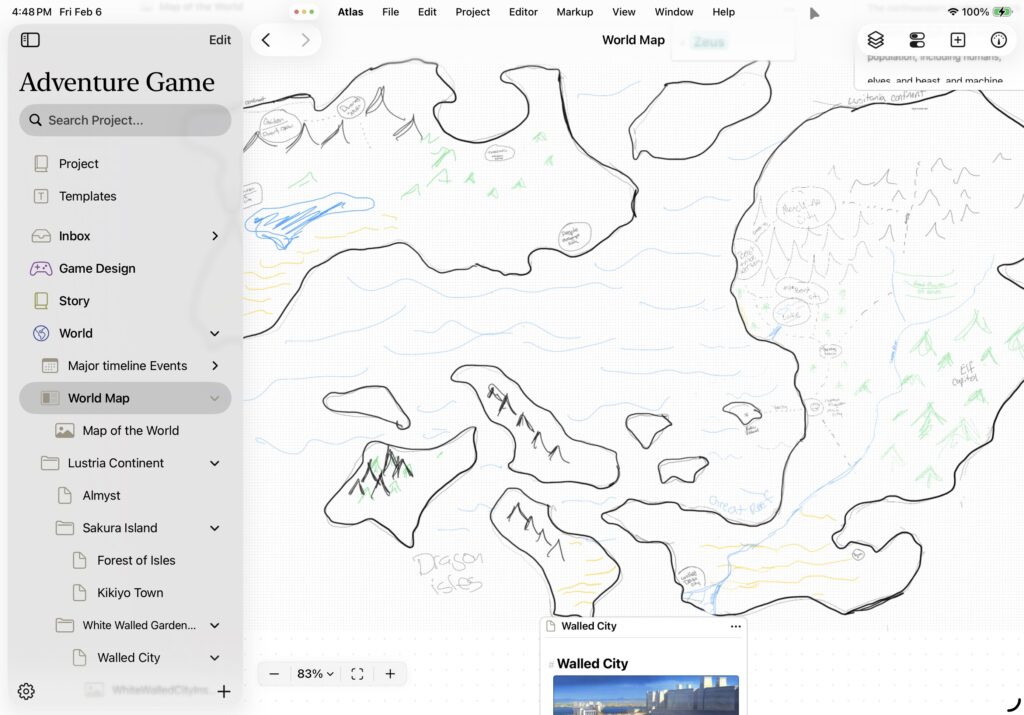
Atlas: Collect and Write your Story
Atlas is a native Mac and iPad app for people whose creative projects need a single home. If you’ve ever found yourself juggling a writing app, an image bucket, a web clipper, and a separate tool for visual mapping — all for the same project — Atlas was built to solve that problem.
I wanted everything in one place. Documents, folders, canvases, images, PDFs, web pages, and audio files all live together in a single project hierarchy. You can nest anything inside anything — a chapter can hold its own research notes, a character profile can contain reference images. Your project structure mirrors how you actually think, not how software usually assumes you should.
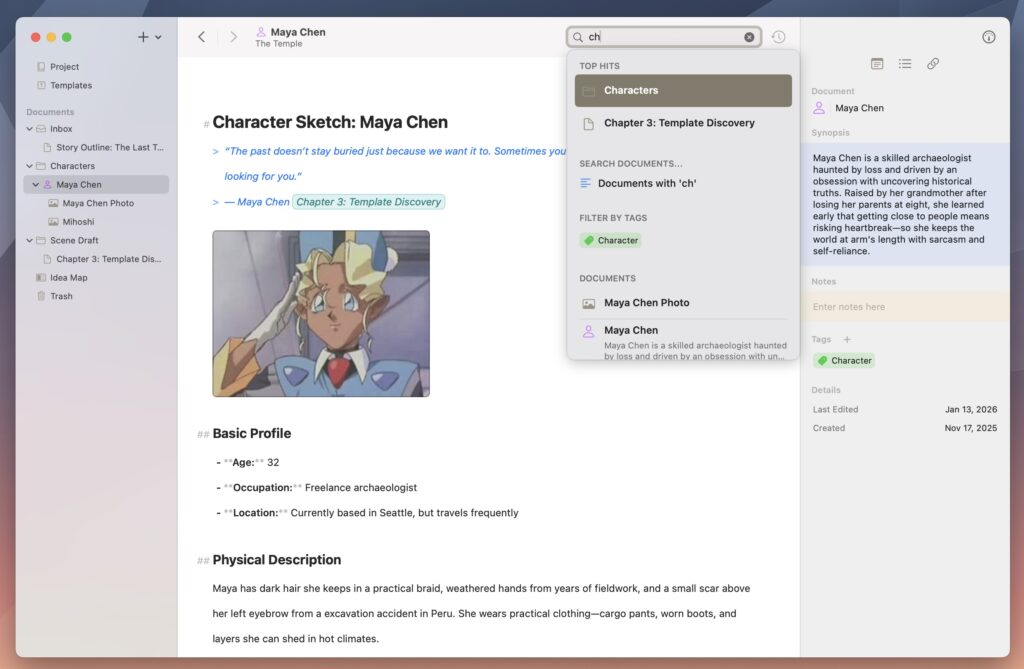
Markdown is the way of Atlas. Headings, emphasis, and lists render live as you type, so you get visual feedback without toolbars or formatting dialogs getting in the way. And because it’s standard markdown, your content is never locked in. Export to Markdown, ePub, PDF, HTML, RTF, or plain text whenever you need.
Thinking visually is just as important. Drop documents, images, and notes onto canvases. Arrange research beside your draft, map story arcs, or build mood boards. Connect card together to create flow charts. Edit anything directly on the canvas without breaking your flow. Canvases aren’t an afterthought bolted onto a text editor — they’re a core part of how Atlas works.
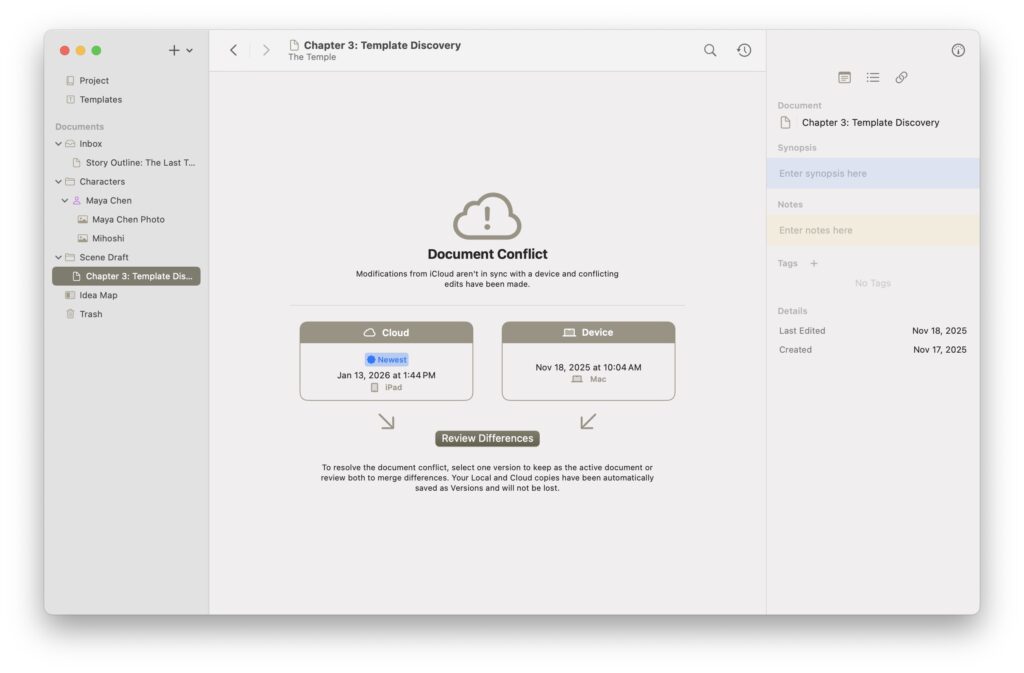
Sync just happens. iCloud keeps your Mac, iPad, and iPhone in perfect sync. Start writing anywhere, continue everywhere. I built thoughtful conflict resolution so that if the same document gets edited on two devices, your work is always protected. Find something that inspires you on the go? Snap a photo on iPhone and pick it up on your Mac. The goal is to be able to work as inspiration hits.
I originally built Atlas for my world-building needs and it’s evolved into a tool to help novelists mapping plot threads across dozens of chapters, researchers managing sources alongside their own writing, other world-builders weaving together lore and histories, and anyone whose project has enough scope that organization matters as much as the writing itself. Tags, smart linking, and deep search help you find and connect ideas across your entire project.
The business model is simple. Atlas offers a 30-day free trial with every feature available — nothing gated, nothing disabled. After that, a subscription keeps things going. And if your subscription ever lapses, Atlas enters read-only mode. You can always access, browse, and export your work. Your data is never held hostage.
It’s been a long road to get here, and there’s so much more I want to build. But the foundation is something I’m genuinely proud of, and I’d love for you to try it.
App Store: https://apps.apple.com/us/app/atlas-write-and-collect/id6755169090
Learn more: https://contagious.dev/product/atlas/