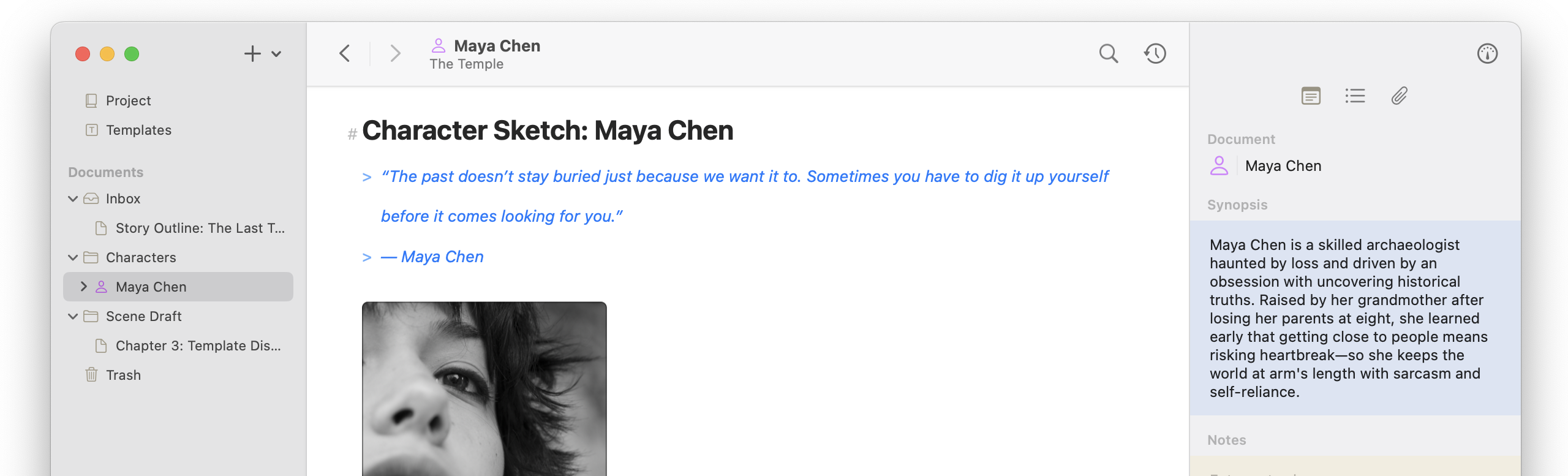
Continuing the trend of expanding the Markdown editor’s capabilities, we are introducing tables. Like other rich text attachments, they render inline and support the same formatting as the main body text. Additionally, full support across the publishing pipelines has been added, so you can customize editor themes and export styles to best reflect your content.
The Save to Atlas functionality has been expanded to macOS and both systems now get a shiny new web clipper! It is a rich tool designed to help you extract information from web pages and bundle it into structured content. See more about its capabilities in the help documentation.
There are a handful of other small features and improvements, including custom metadata for documents, significant improvements to the Canvas, and so many bug fixes.
And a special thanks to Tas for taking the time to write out recommendations and contribute to improving Atlas.
Tables
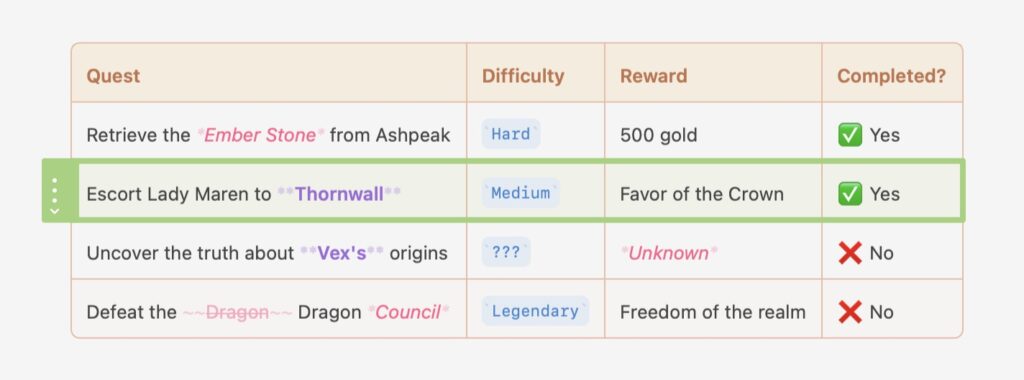
Tables bring live, interactive grids to the Atlas editor — insert a table from the Markup menu and start editing immediately, with row and column controls built right into the document.
- Added table support to the editor via the Markup menu (iOS + macOS)
- Added table export across all supported formats, including PDF, HTML, and ePub (iOS + macOS)
- Added column alignment controls — Left, Center, Right, or Default — applied per column including the header (iOS + macOS)
- Added keyboard navigation between cells using Tab, Shift+Tab, Return, and Option+Return for line breaks within a cell (iOS + macOS)
- Added automatic table detection when pasting HTML tables, tab-separated values from Numbers or Excel, and GFM Markdown tables (iOS + macOS)
- Added table color controls to the Theme Editor — border, header background, header text, row background, alternate row background, and selected cell (iOS + macOS)
- Added table export across all supported formats (Markdown, HTML, ePub, and PDF) with column alignment and inline formatting preserved (iOS + macOS)
Web Clipper & Share Extension
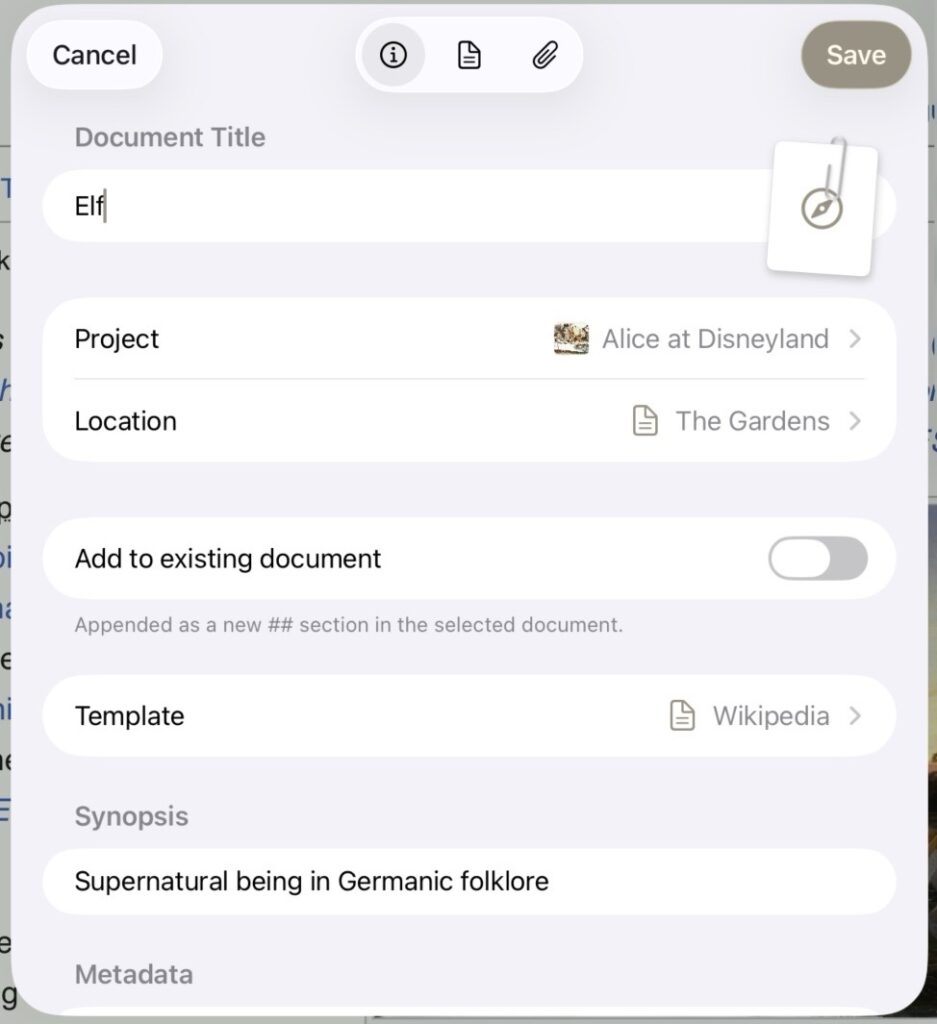
The Web Clipper is a dedicated extension for saving web pages directly into Atlas projects that compliments the existing share extension — it extracts content, images, and metadata before anything is saved, so you can review and edit everything first.
- Added Web Clipper Action for clipping web content from Safari and other browsers (iOS + macOS)
- Added selection support, image extraction, and tag and metadata assignment at clip time (iOS + macOS)
- Added Share Extension for sharing content directly from Safari or any supporting app (macOS)
- Added Markdown editor to the Share sheet for editing text content before saving (iOS + macOS)
- Added option to save shared content as a new card on a canvas (iOS + macOS)
- Added option to append shared content to an existing text document (iOS + macOS)
Clip Templates
- Added Custom Clip Templates for controlling what metadata and tags are pre-filled when clipping (iOS + macOS)
- Added template management in Settings (iOS + macOS)
- Added iCloud sync for Clip Templates across devices (iOS + macOS)
- Added support for importing Obsidian-compatible web clipper templates (iOS + macOS)
Metadata
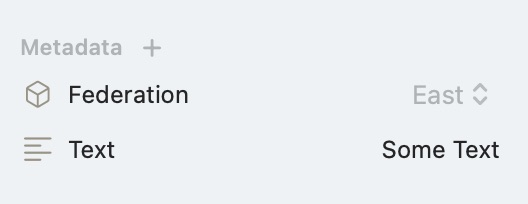
Metadata lets you attach typed, searchable values to any document — define fields once per project and apply them from the Inspector. Writers can track point-of-view characters, factions, narrative arcs, or revision status; researchers can tag sources by date, topic, or credibility; anyone can set word targets, due dates, or custom flags across an entire project. These can be edited in Project Settings.
- Added custom metadata fields to documents via the Inspector (iOS + macOS)
- Added metadata search using Query Tokens in the search bar (iOS + macOS)
- Added metadata export as YAML front-matter when exporting to Markdown (iOS + macOS)
- Added metadata values to template definitions, so new documents inherit fields automatically (iOS + macOS)
Canvas
Atlas 1.3.0 includes a significant rebuild of the canvas engine, improving zoom behavior, pan boundaries, and rendering consistency.
- Rebuilt the canvas to remove artificial pan boundaries and improve zoom behavior (iOS + macOS)
- Improved pinch-to-zoom to anchor to the pinch midpoint (iOS + macOS)
- Rewrote grid rendering to support improved alignment with content at all zoom levels (iOS + macOS)
- Added canvas content caching on load for faster revisits (iOS + macOS)
- Added 10% and 25% as explicit zoom level options (iOS + macOS)
- Added trackpad pinch-to-zoom support (macOS)
- Improved trackpad zoom sensitivity (iOS)
- Improved Fit to Contents reliability, including framing when the sidebar is open (iOS + macOS)
- Adds consistent edge connection chevron sizing at all zoom levels (iOS + macOS)
Other Improvements and Bug Fixes
Editor
- Reorganized Markup menu for consistency across platforms (iOS + macOS)
- Improved performance of image-heavy documents in the Markdown editor (iOS + macOS)
- Fixed Inspector background not extending behind the keyboard (iOS)
- Fixed bottleneck causing lag when opening large documents (60k+ characters) (iOS + macOS)
Webpage Cards
- Added webpage cards to the canvas from the Add Media menu (iOS + macOS)
- Fixed web views on canvas cards responding to interaction before the card was selected (iOS + macOS)
- Fixed web views auto-playing media (iOS + macOS)
Search
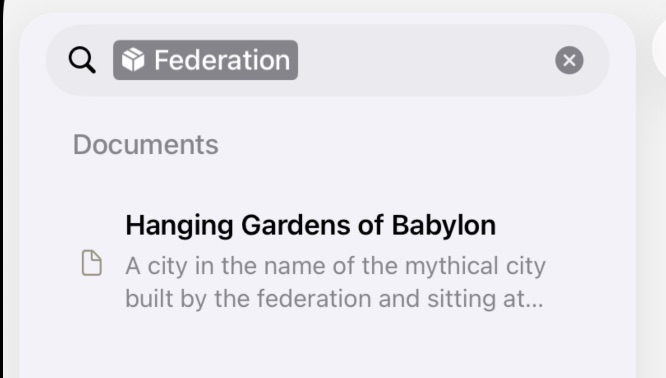
- Expanded Query Token search to correctly match across all metadata fields (iOS + macOS)
- Fixed an issue where Tags changes weren’t immediately reflected in the Search (iOS + macOS)
Help
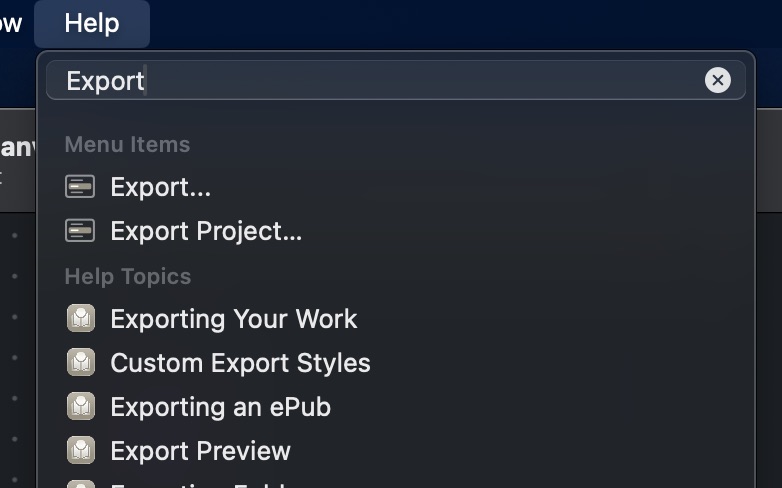
- Added searchable help topics to the Help menu (macOS)
Bug Fixes
- Fixed projects failing to open after dismissing the subscription window (iOS)
- Fixed media shared from Safari importing as a webpage card instead of the correct media type (iOS + macOS)
- Fixed external drag and drop into the canvas (iOS)
- Fixed canvas save and load state for specific canvas configurations (iOS + macOS)
- Fixed toolbar zoom tools repositioning the canvas view unexpectedly (iOS + macOS)
- Fixed pinch zoom anchor causing the view to jump (iOS + macOS)
- Fixed scrollable canvas area not adjusting until the first scroll (iOS + macOS)
- Fixed canvas deselection not registering in some cases (iOS)
- Fixed back-tap navigation blocked in certain states (iOS)
- Fixed label and icon alignment in canvas UI elements (iOS + macOS)
- Fixed sidebar “+” button not appearing in some states (iOS + macOS)
- Fixed icon sizing inconsistencies across platforms (iOS + macOS)