Atlas Icon

A Modern Writing
and Collecting Workspace

Atlas is built around being a better, modern interpretation of Scrivener with iCloud sync, so no fumbling with Dropbox or keeping track of a bunch of files. Better text merging, no more randomly duplicated documents. Visual and writing separation with improved interoperability using Markdown. A modern interface. And so much more.

Download NowLearn More

Available for macOS, iPad, and iPhone

A glance at how Atlas raises the bar

Real Syncing

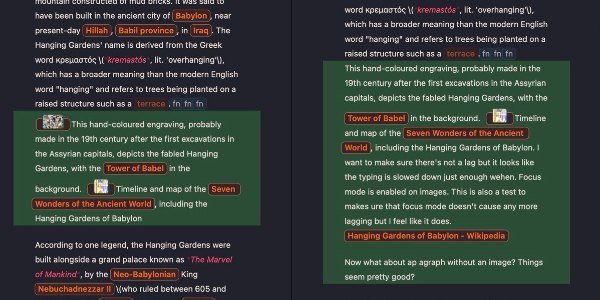
A syncing interface on Atlas

Open a Project in multiple places without worry of losing a thing. Using iCloud, Atlas treats your documents carefully with a unified history from each device, and instead of dumping all of your content into duplicate recovery folders or duplicating entire projects, works with you to ensure nothing is ever lost.

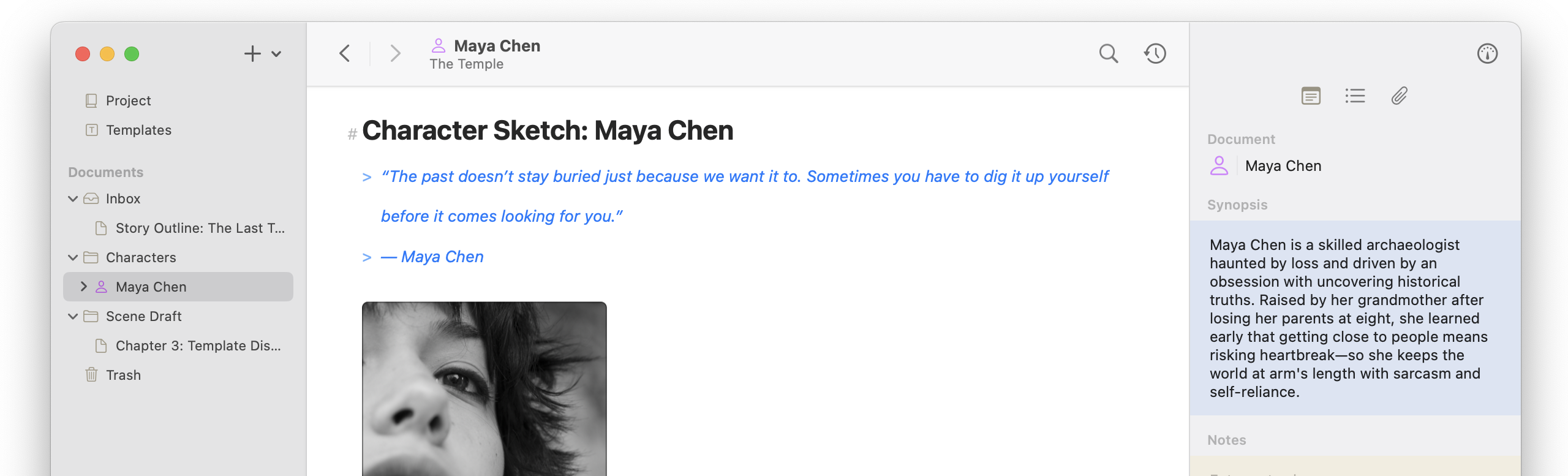
Benefiting from Markdown

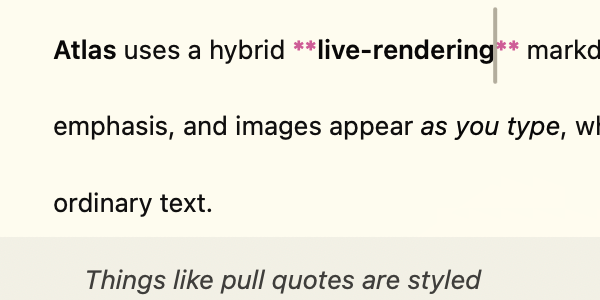
A powerful markdown editor rich object (table) in Atlas

A bespoke editor that’s easier to use than any WYSIWYG text editor. Content transforms during export, so the editor can be set up to best encourage your creativity, and unlike pure markdown editors, no need to flip between an editor and viewer to see your rendered content like tables and images. Atlas’s editing experience is designed to feel good to write in.

A Smart Web Clipper

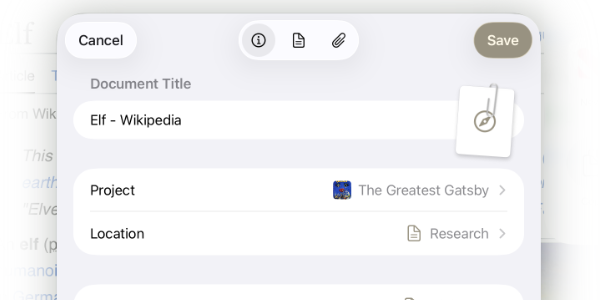
The Atlas Web Clipper

The Web Clipper pulls webpages into Atlas as clean, readable Markdown with article text extracted, images pulled out, the navigation and ads left behind, and lets you choose where it lands and what to keep.

Canvases to Inspire

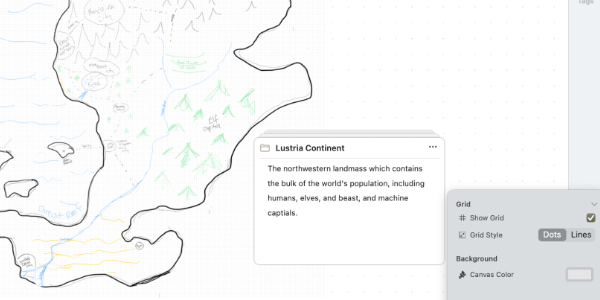
A canvas on Atlas

More than a board, Canvases in Atlas are infinite spaces to lay out work on: place cards, labels, images, sketches, draw connections between them, and even edit documents directly. They can be maps, family trees, or anything else you think of.

The nitty gritty

Feature Atlas Scrivener
One-time purchase option
Lifetime Availability Sales
Live Markdown editing WYSIWYG
Editor Theme Customizer
Wiki-style links & backlinks
Native, auto-updating
Apple Pencil sketching
Custom Metadata
Convertable to MD Frontmatter
Infinite canvas with connections
Corkboard
Built-In Web Clipper
iPhone & iPad app
Sold separately
Windows Support
Cross-device sync
Seamless through iCloud

Manual Push/Pull via Dropbox
Easy Sync Conflict Resolution
Concurrent Project Editing
Document History
Detailed with Comparisons
& Integrated Between Devices

Simple List
Import/Export Open, portable formats
Markdown + JSON Canvas
Proprietary .scriv
Publishing / Exporting
Flexible Export Tool

Compiling Function
Dynamic Export Styling
Shortcut & Intents Support

Frequently Asked Questions

Is Atlas a good alternative to Scrivener?

Atlas has been built from day one to improve on the industry standards that Scrivener has set by refining and expanding its feature set. It is also built for the modern day and updated to meet the part. We are biased, but without a doubt, if you use Scrivener, you will be pleasantly surprised with the familiarity yet fresh take Atlas presents.

Can’t I just save .scriv files to my iCloud Drive / Dropbox / Sync Service with Scrivener to sync?

Of course you can! But you’ll be seeing this warning to the right at least once, if not often, depending on how you work:

Meanwhile in Atlas, you can open even the same document and make edits simultaneously between devices, and they will seamlessly merge when possible. Where they can’t, Atlas will help you compare, edit, and ensure copies are snapped into the document’s history so nothing is ever lost.
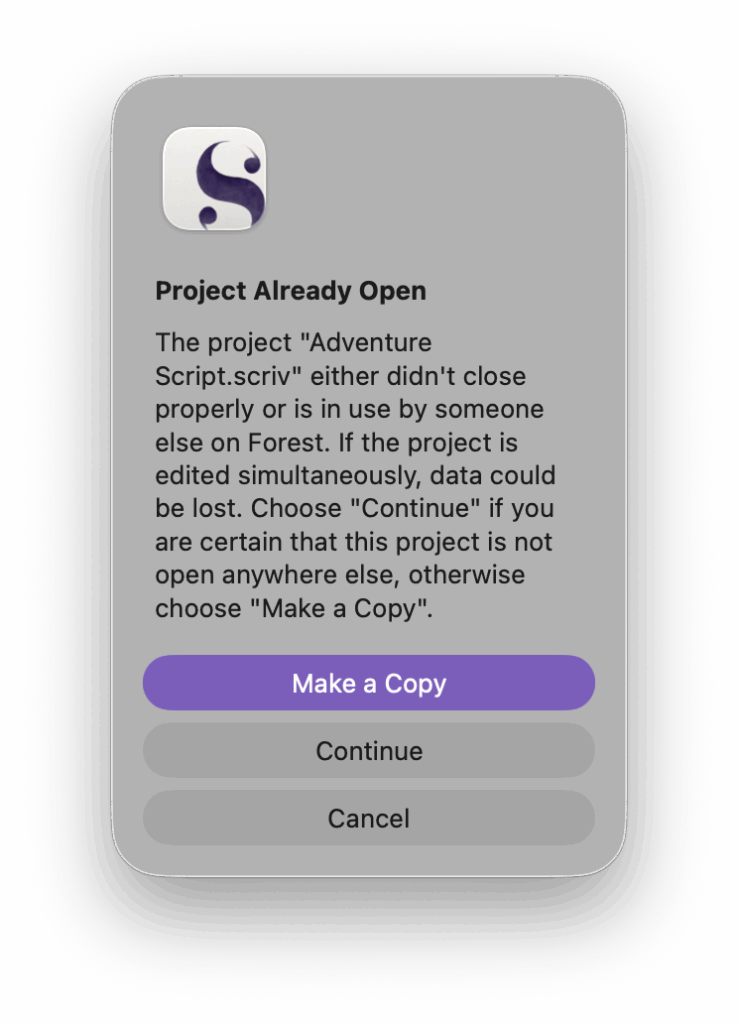
The Scrivener Opened In Multiple Places Error

The Scrivener Opened In Multiple Places Error

Where is my content stored?

Atlas stores your content on device, and when iCloud is enabled, synced through your private iCloud container, which can only be accessed by you. On the filesystem, Atlas’s content is found in ~/Library/Group Containers/group.dev.contagious.atlas/. Keep in mind: files edited directly outside of Atlas won’t be updated through iCloud until the next time opened in Atlas.

Import / export / compiling—what’s the sitch?

While Atlas holds your documents in its own space, it can seamlessly import and export Markdown documents, including Metadata-to-Frontmatter conversion. However, the Export tool is a much more capable compiler, able to produce full MD, ePub, or PDF documents with swappable styling and customizable in various ways across the available formats. Even more, Atlas also supports importing and exporting canvases via Canvas format for maximum compatibility.