
A Rich Writing Experience
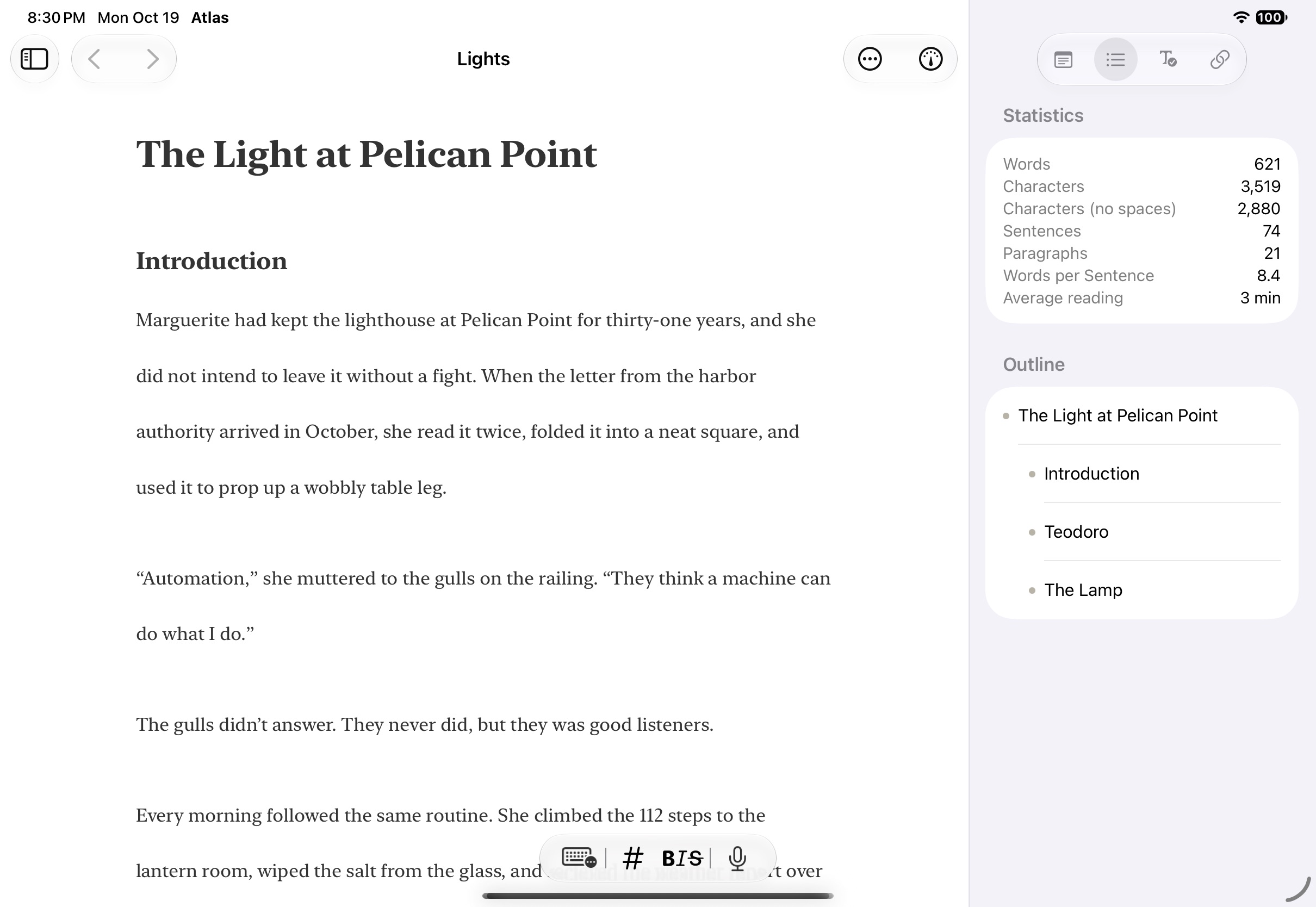
Atlas transforms Markdown into a rich writing experience so you can focus on your content and write the way you want. See your formatting come alive as you type with headings, emphasis, and more without leaving the simplicity of plain text. Rich text objects like tables, equations, and even images are fully rendered inline; document links update automatically as you rename and reorganize files; and the entire editor adapts to your preferences with customizable themes, typography, and spacing.
Toggle Markdown Syntax, Resizable Images, Rich Tables, and More
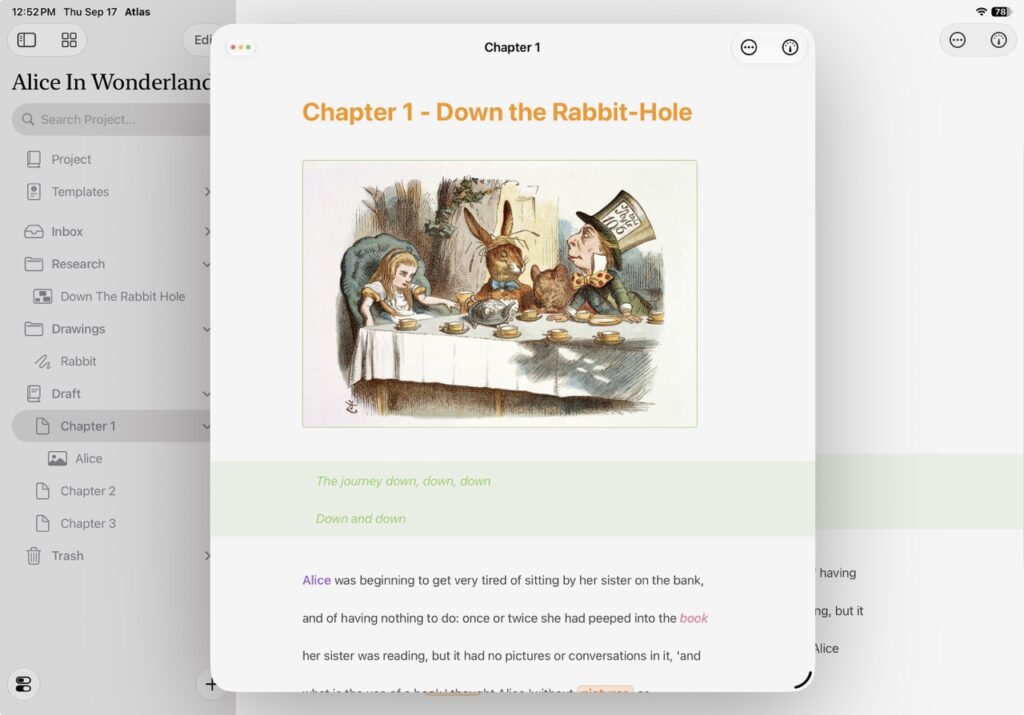
A Markdown editor that’s familiar, but better with the perfect mix of plain-text and rich objects to create a single editor that you can work in. No need to flip back and forth between a viewer and editor, and no need to write tables, images, LaTeX, or other tedious things by hand.
Focus Mode and Typewriter to Keep You Aligned
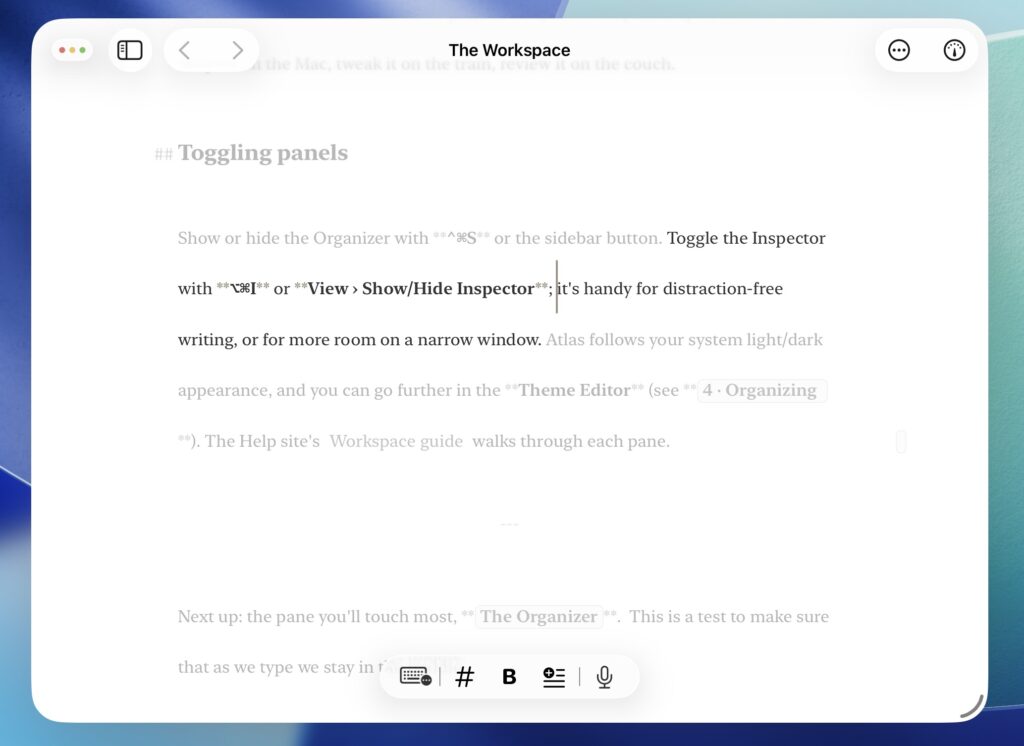
Use Atlas’s Focus Mode to dim text outside of the cursor and Typewriter Scrolling to keep the content you are working on positioned in the same place.
On Device Grammar Check Suggestions
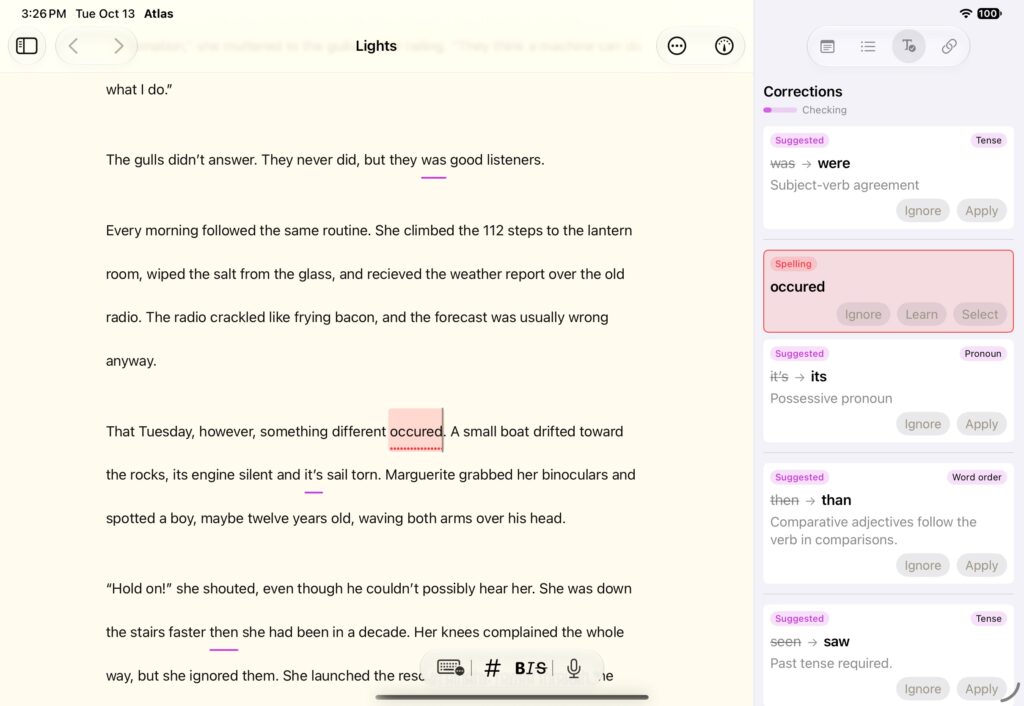
Check your spelling and grammar on device and get detailed results and suggestions on what to fix. All powered by Apple Intelligence to keep things private.
A Customizable Writing Experience with Themes and More
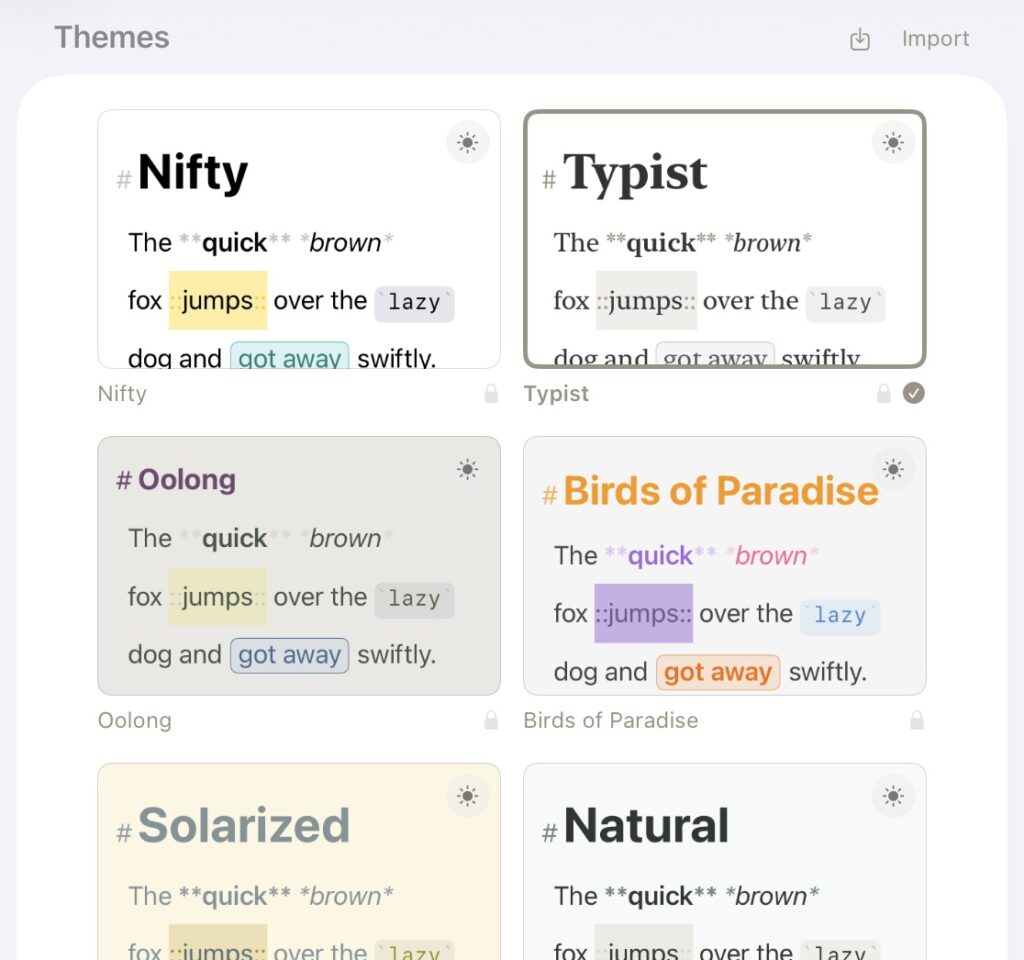
Powerful theme customization enables you to set up the editor how you would like. Build and share themes with others and import other prebuilt themes from editors like Ulysses.
Never Lose a Word with Document History
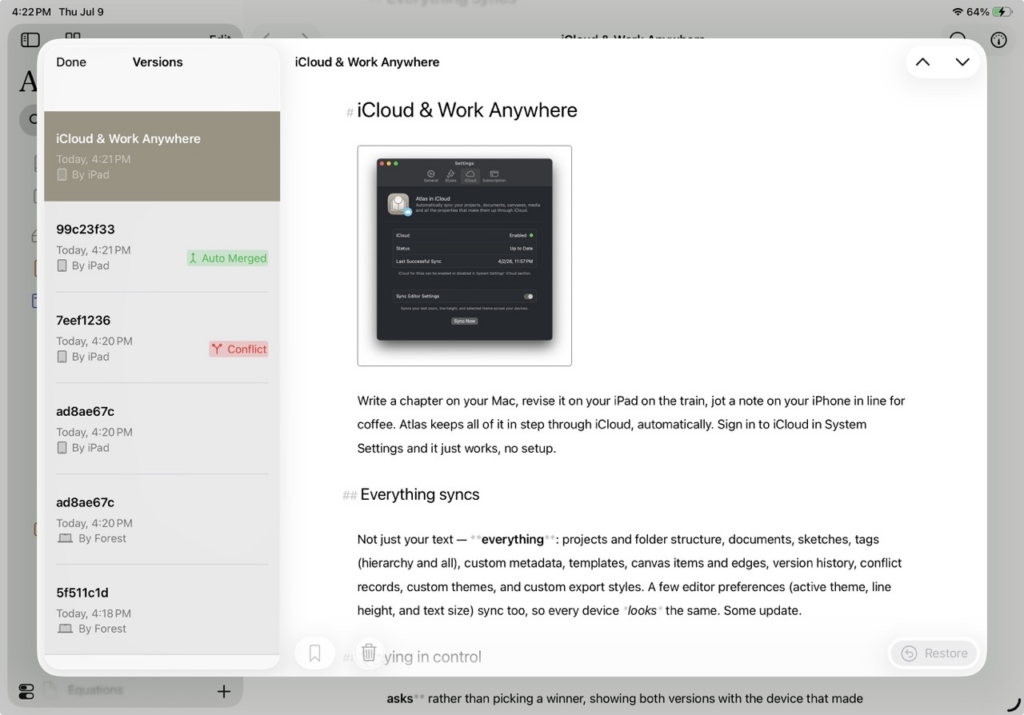
Atlas saves a version every time you do, building a history you can return to anytime. Restore an earlier draft in place, or pull it into a new document so the original stays untouched. History between devices is clearly marked and if two devices edit the same content at once to cause a conflict, Atlas saves a version of each then presents you with both copies in a simple editor so a conflict is a choice, never a loss.
Powerful Linking with Updating Titles
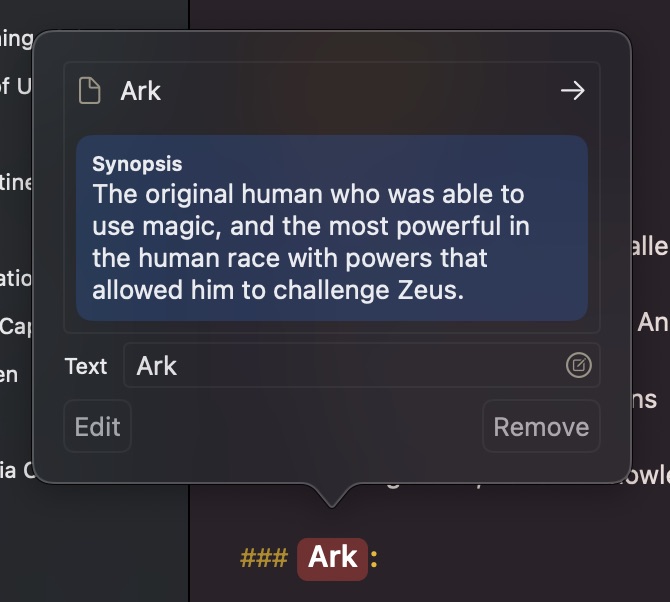
Quickly create automatically updating links between documents to build connections without lifting a finger from your keyboard using the Wiki-Link format. Additionally, links which are connected to other documents update in real-time as their titles change.
Academic Aspirations with Footnotes, Annotations, and LaTeX
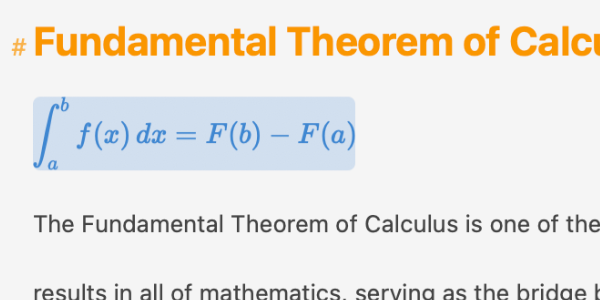
Atlas is ready for serious, source-driven writing. Write in LaTeX equations, inline or as blocks, and watch them render inline. Add footnotes for citations, numbered automatically, and annotations to comment on a passage without disturbing the text. Both collect in the Inspector, making tracking them easy.
A Creative Workspace
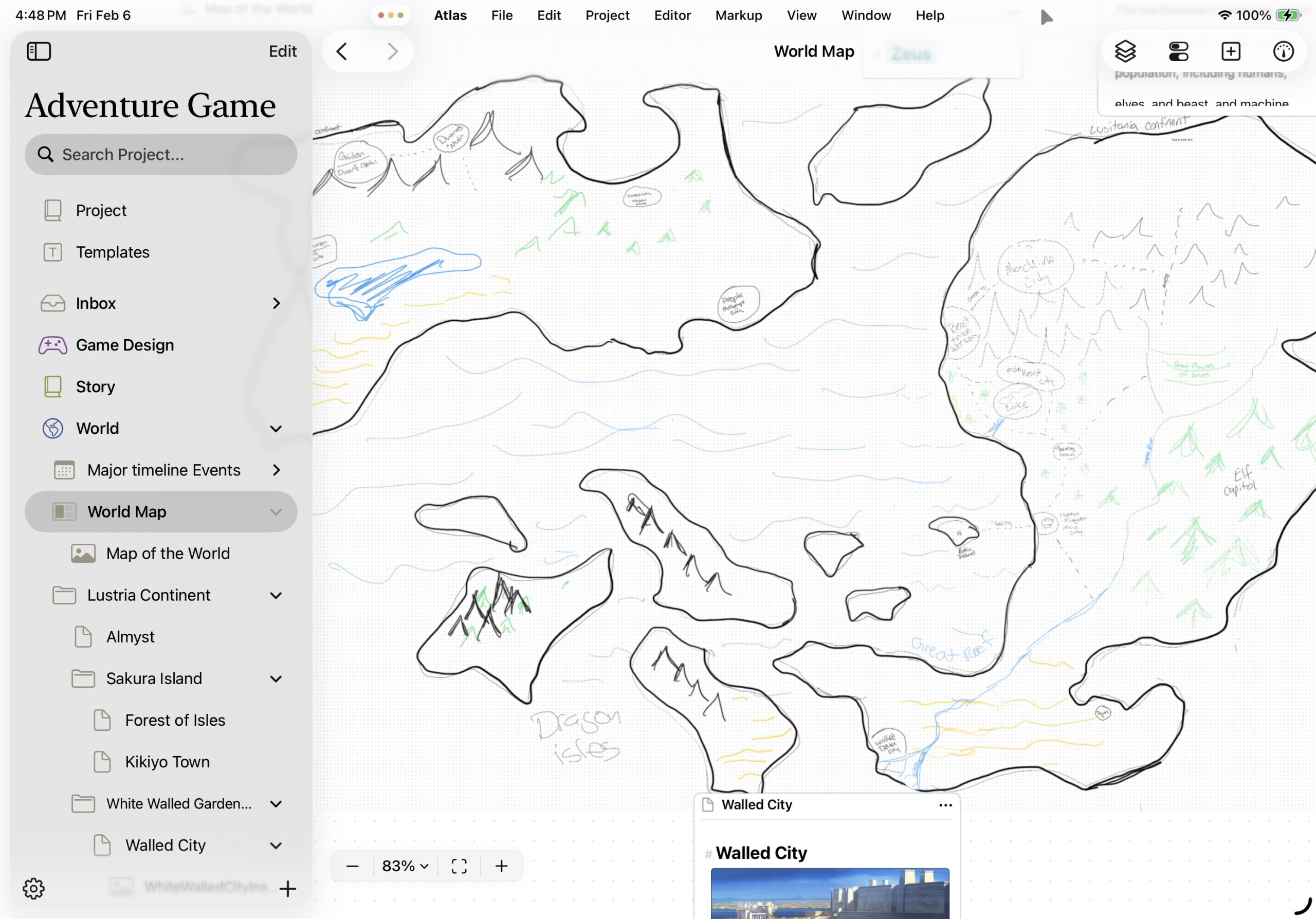
Atlas provides a creative workspace where you collect material, organize it, and write — all in one project, instead of scattered across several apps that never quite talk to each other. Chapters, research, images, PDFs, web pages, and sketches live side by side, structured the way you think about the work.
Metadata, Tags & Search: Nothing Lost
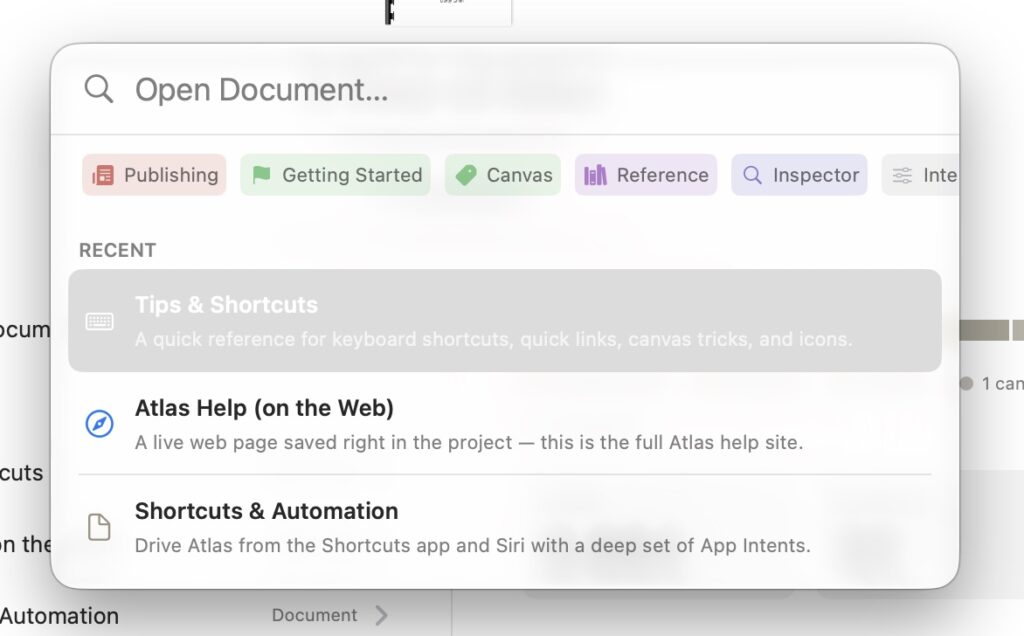
Define custom metadata fields — a point-of-view character, a word target, a release date, whatever your project needs — and attach them to any document. Organize with tags that nest into hierarchies as detailed as you like. Then find any of it through full-text search, narrowed with tokens that filter by tag, by metadata, or by what a document contains.
Clip to Collect: A Powerful Web Clipper
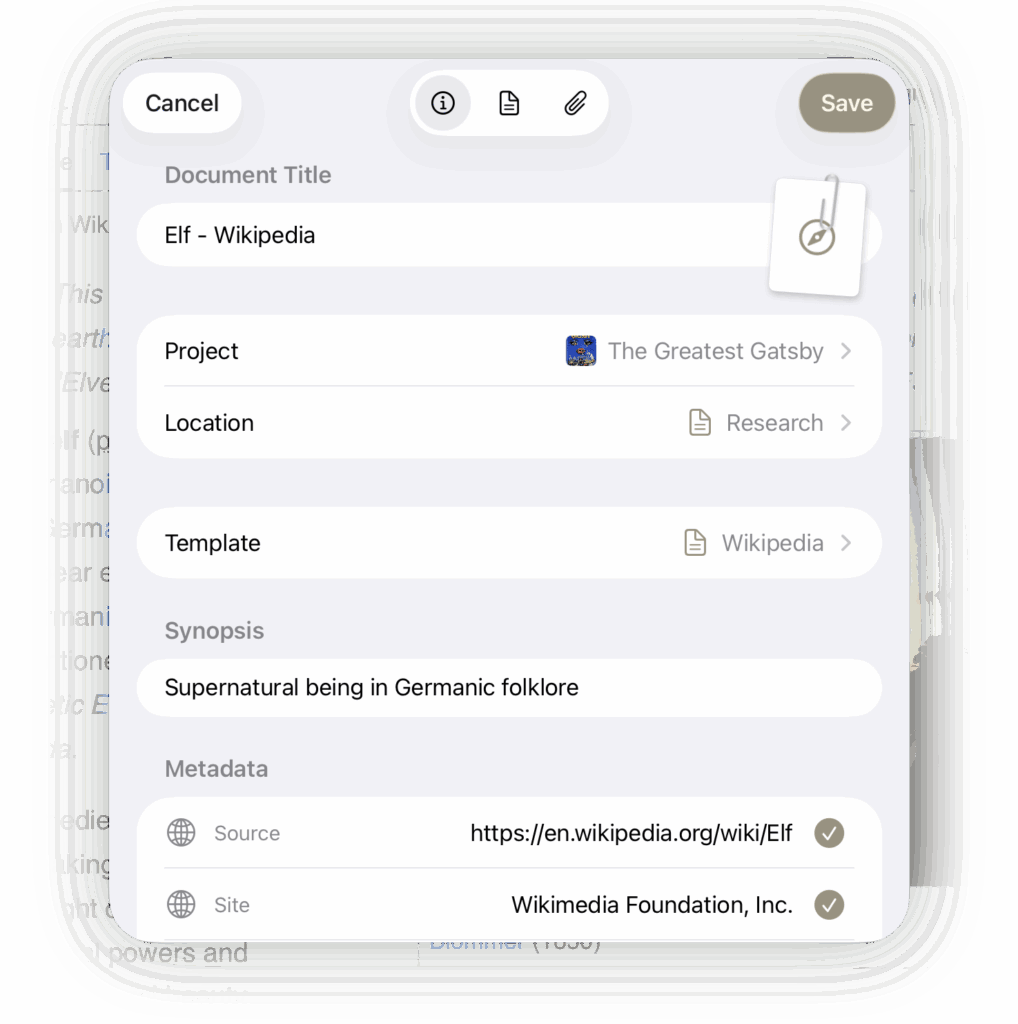
The Web Clipper pulls webpages into Atlas as clean, readable Markdown: article text extracted, images saved, navigation and ads left behind. You choose where each clip lands and what to keep. An additional Share tool goes further: send text, a link, or an image from almost any app straight into your project.
Context on Demand in the Inspector
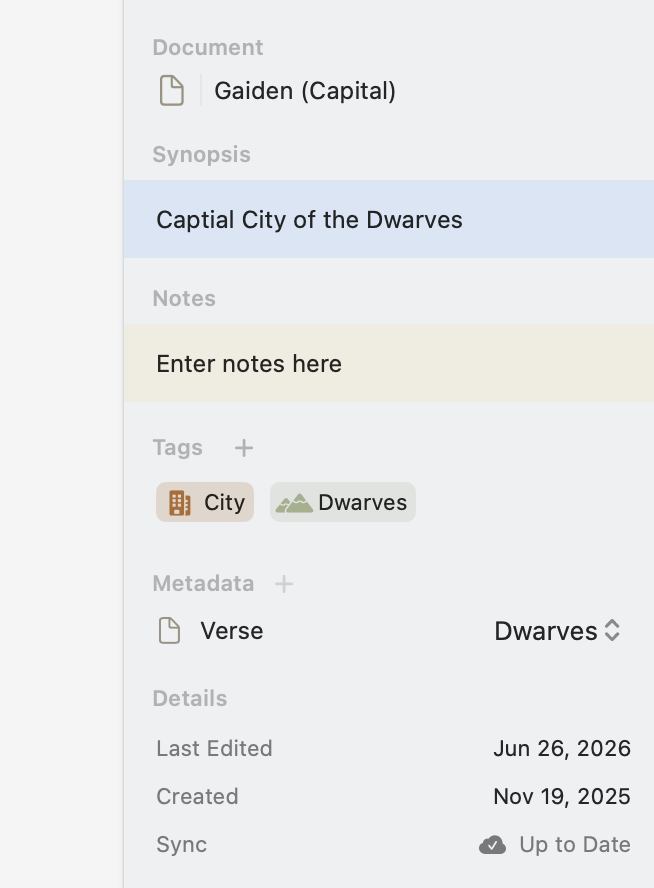
Every document carries more than text: a synopsis, writing statistics, a heading outline, the links running in and out of it. The Inspector keeps all of it in a panel beside the editor and shows only what’s relevant to what you’re looking at: word counts and an outline for writing, items and connections for a canvas, properties for an image or PDF.
Start From a Template with Variables
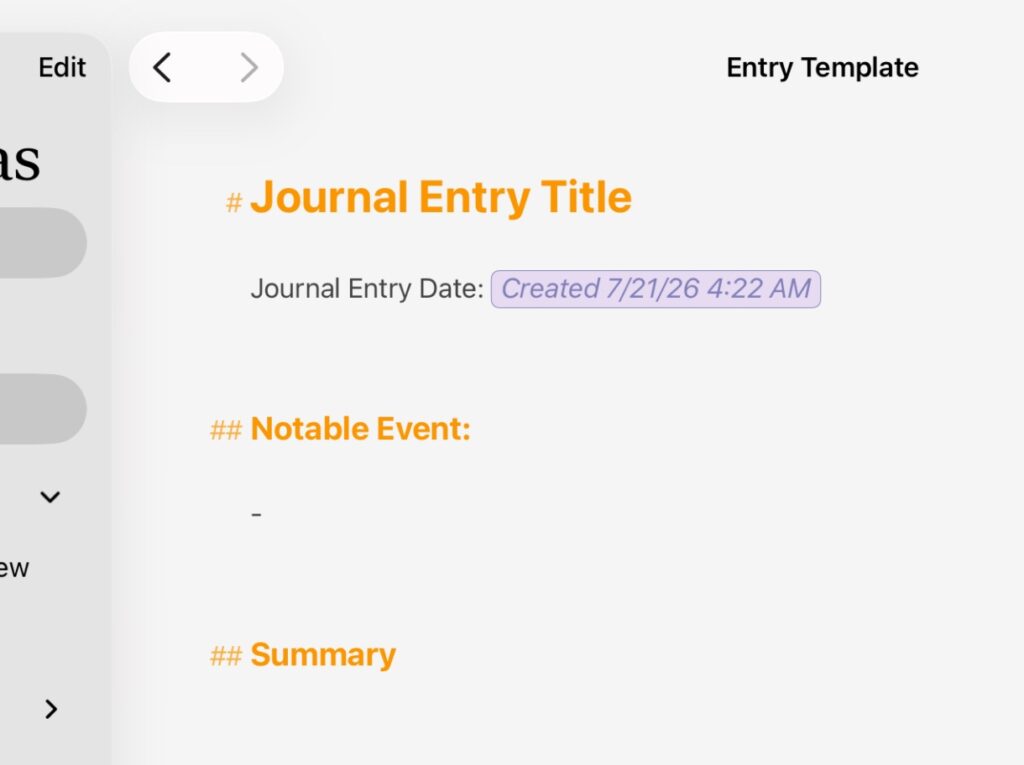
Some documents you build again and again — a character profile, a source note, the shell of a new chapter. Save any of them as a template, complete with its tags, metadata, icon, and starting content, and every new document begins fully set up. Document Variables like creation time will resolve and everything will be ready to go.
Organizing Any Way That Works for You
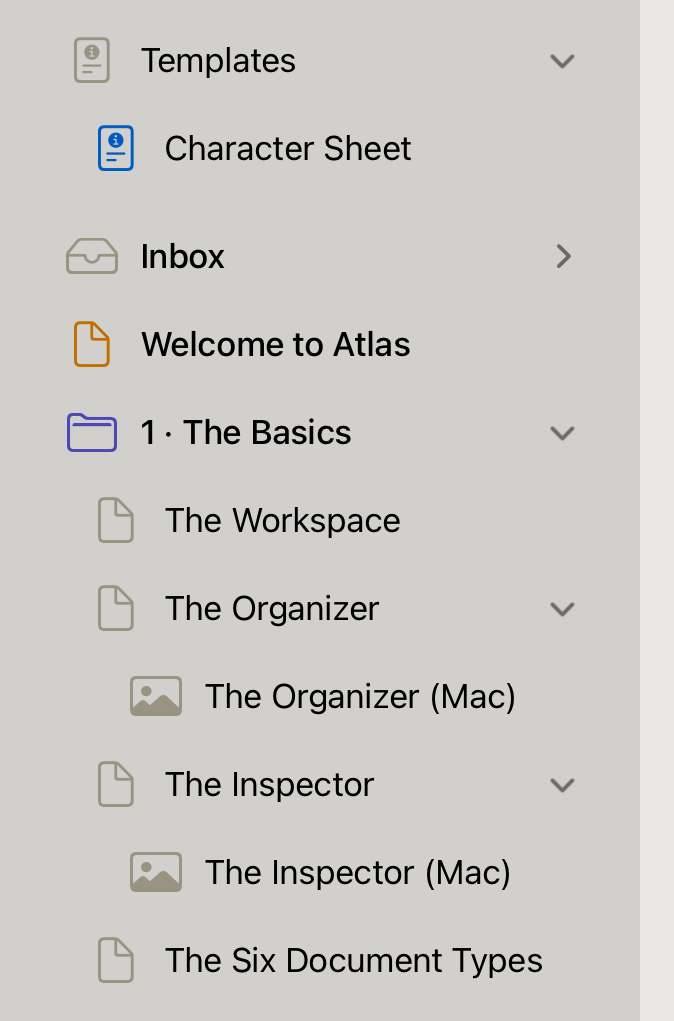
Any document can hold other documents, not just folders. A chapter can keep its own research inside it; a character profile can nest the images that inspired it. Your project ends up shaped by the way you think about it, nested as deep as it needs to go and adaptable as it grows.
An Integrated, Infinite Canvas
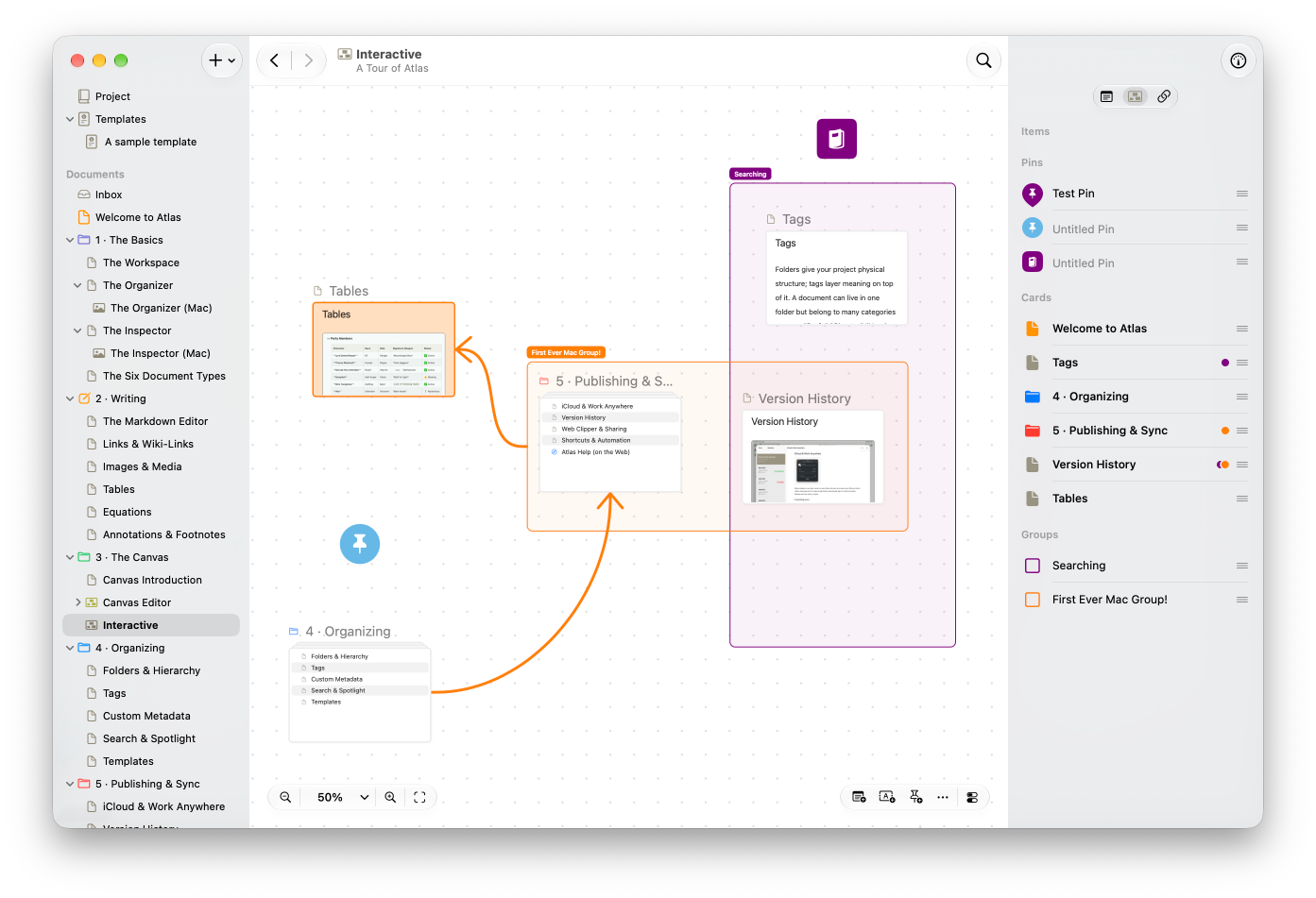
Some ideas live in sentences. Others only make sense when you can see them in relation to each other. The Canvas is an infinite space where you arrange anything from your project visually — documents, images, notes, and web pages laid out and connected—and it’s a true peer to the Markdown editor. String a plot, trace a character web, create full-blown visual maps: the shape of your thinking becomes something you can see.
Documents as Cards, Live Edit Text, Accent Themes, and More!
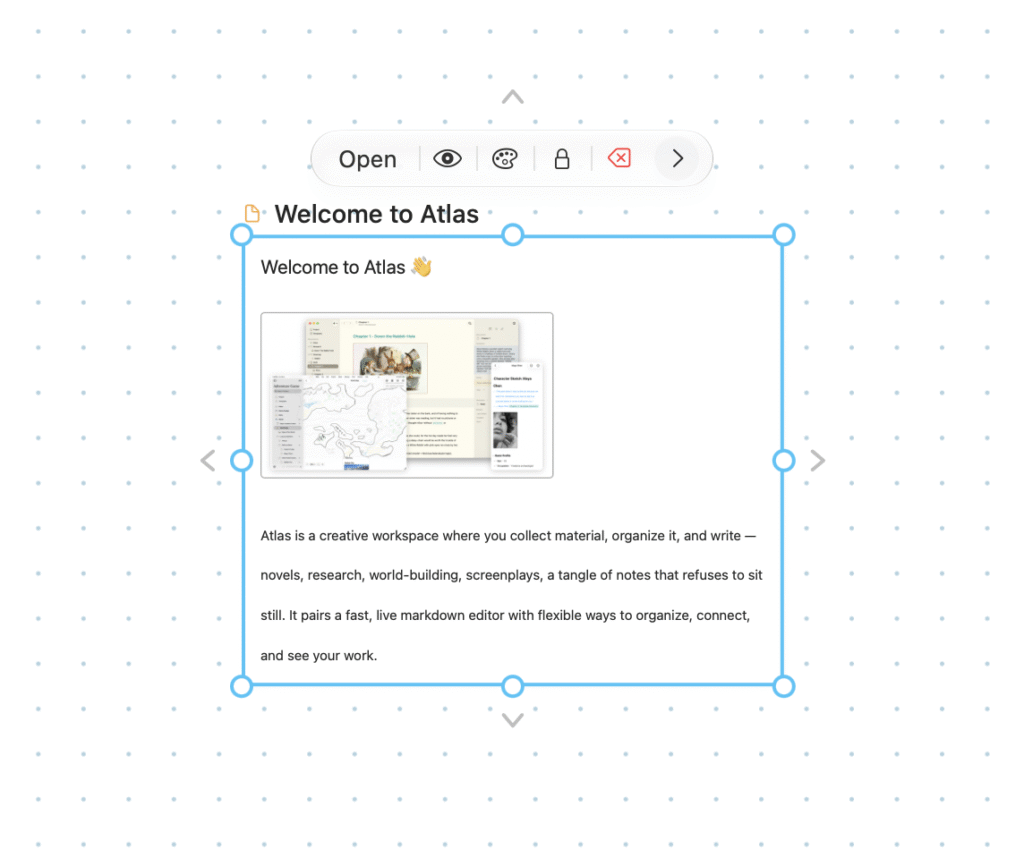
Place anything on the canvas as a card: a document, an image, a web page, a freeform text label, even a sketch. Cards can show a document’s full content or just its synopsis, so you control how much detail each one carries to create a dense working surface or a clean overview. Web pages also render in real-time, ensuring you get the latest view. Canvases can also carry an accent color, making them unique.
Draw Connections Between Anything
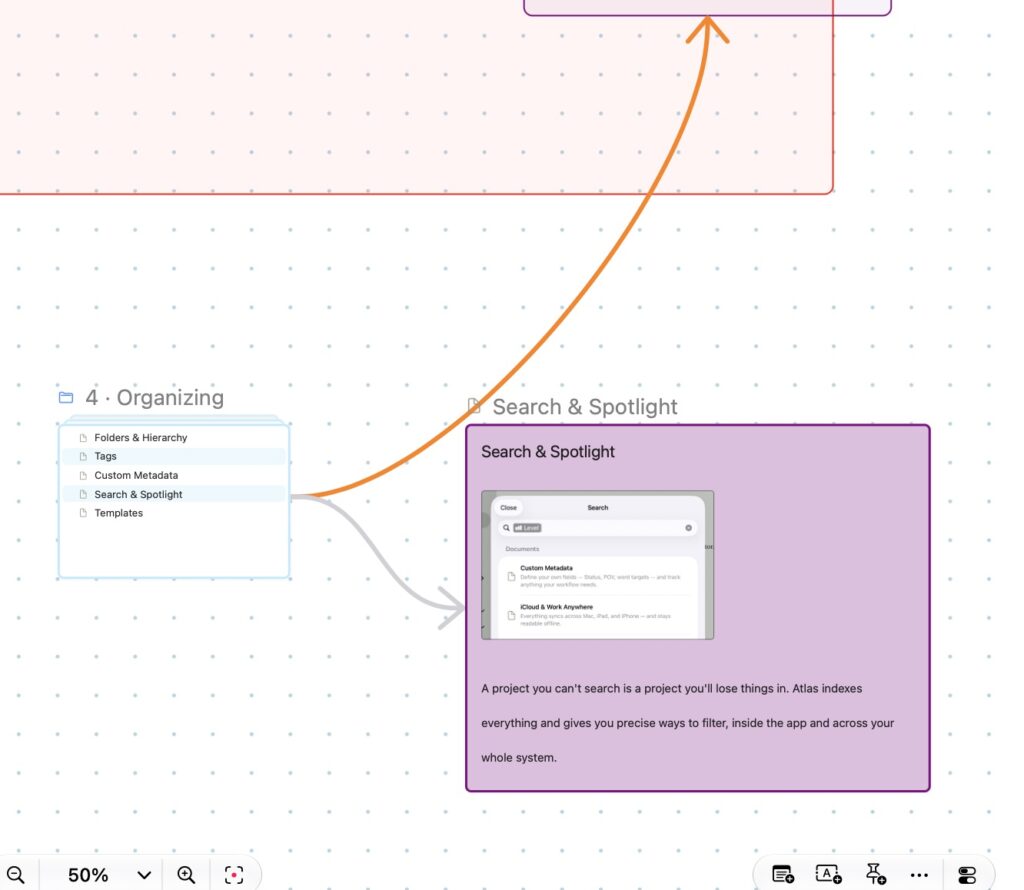
Draw a line between any two cards, pins, groups, or anything else to make a relationship explicit. Connections carry direction and labels, so a canvas can show not just what’s related but how — a plot thread running through chapters, a character’s ties to others, one idea depending on another. Color and styling let you tell different kinds of relationships apart at a glance.
Use Pins to Mark Content, Maps, Groups, and More!

Drop pin markers anywhere on the canvas in a range of shapes, icons, and colors. Leave them standalone, or link one to a document so it takes on that document’s identity and opens it with a tap. Handy for maps, story beats, card piles, or anything on the Canvas that needs to be marked.
Groups to gather your content together
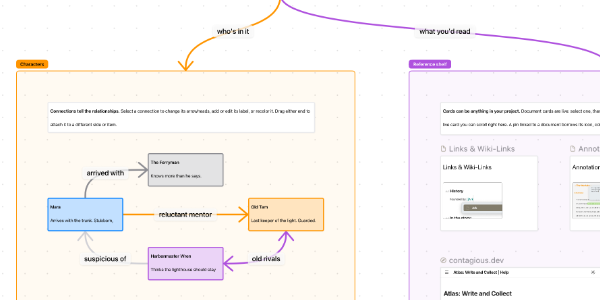
Give a cluster of cards a name and a home. Group an act of your outline, a character’s circle, or a pile of research, then move or arrange the whole thing as one. Groups keep a busy canvas readable and can be connected like any other item.
Align, Arrange, and Distribute Cards with Ease
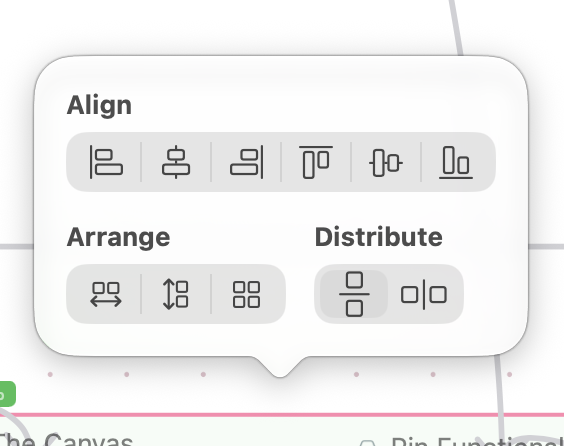
Select a handful of cards or an existing group and line them (or the contents) up in a click: align edges or centers, and distribute them evenly so the spacing stays consistent. A scattered brainstorm becomes a tidy storyboard or timeline in seconds.
Interoperability to support importing and exporting
Atlas’s Canvas supports JSON Canvas, an open format, so you can bring boards in from apps like Obsidian and take them back out. Your spatial work isn’t locked to Atlas any more than your writing is.
A Publishing (and Exporting) Powerhouse
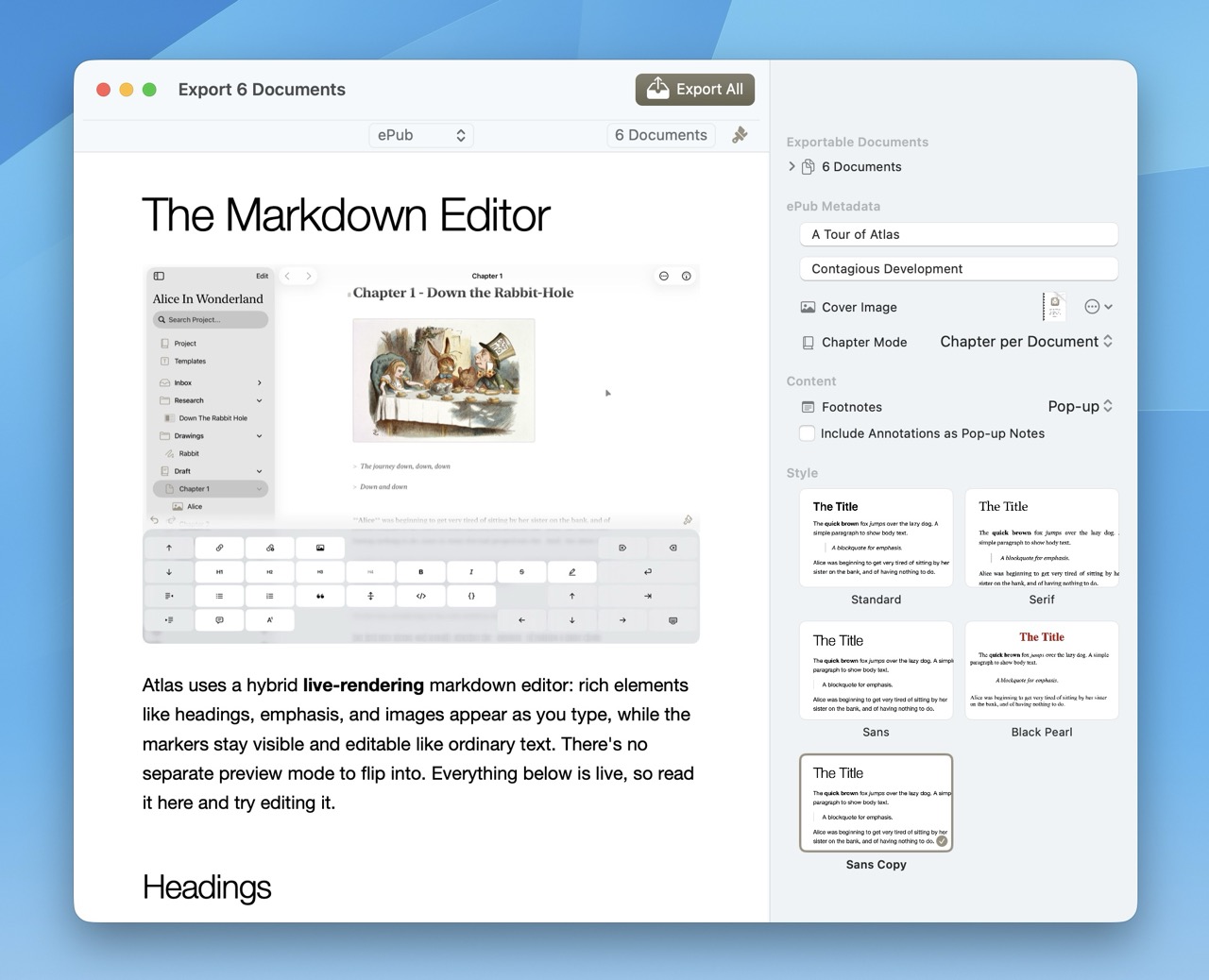
Atlas empowers your tendencies to organize your content in natural, personal ways to help you publish your project: Keep chapters in drafts? Break them into smaller scenes? Need to export pieces as separate documents? The export tool is designed to give you the best of all worlds, from creating PDF to ePub documents that can be imported into Apple Books, Kindle, Kobo, and most any other eReader with chapter markers.
Styling During Export, Not While You Write
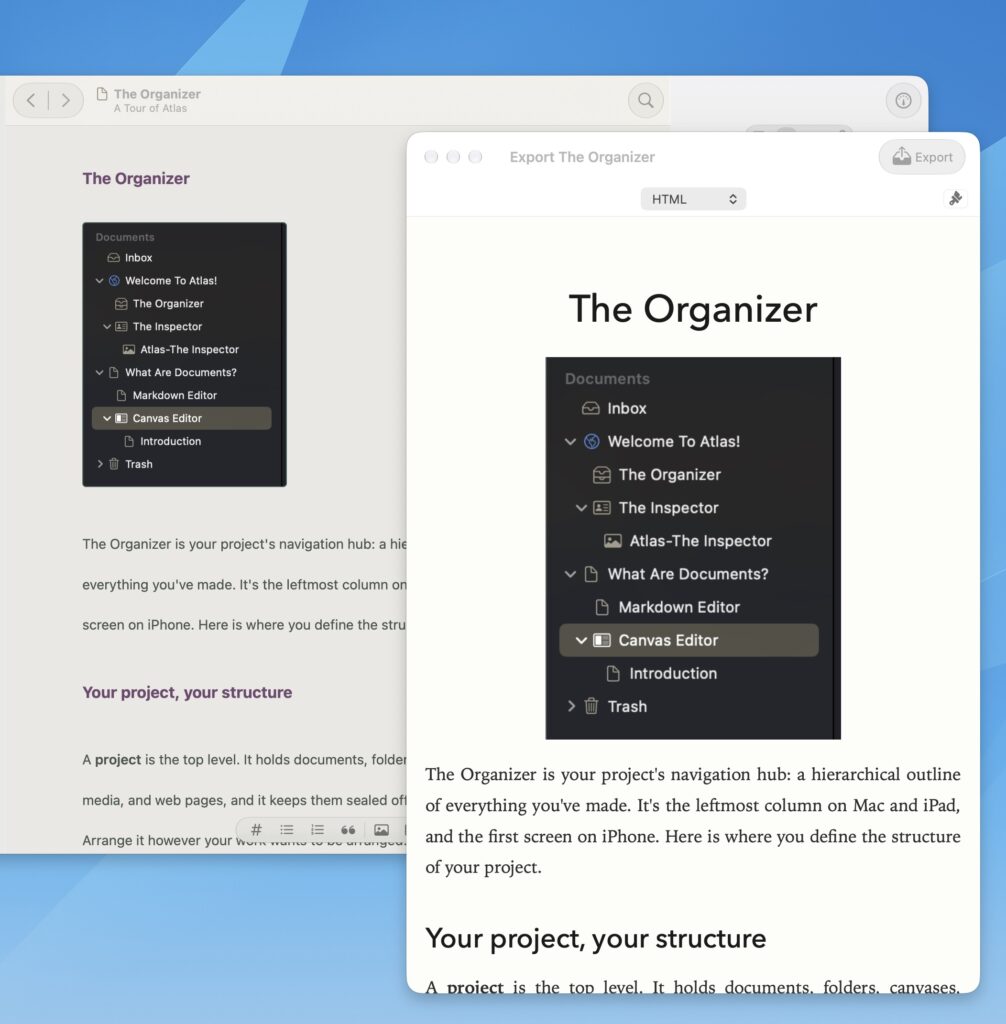
Your writing stays clean Markdown, so how it looks is a decision you make at export, separate from the words themselves. Each published format can be styled to taste. Atlas ships several polished built-in styles for PDF, ePub, and HTML, and lets you build your own, with control over typography, spacing, margins, and more, then save, share, and reuse them across projects. The built-in Novel PDF style, for instance, lays your chapters out as a trade paperback, with 5×8 pages, mirrored margins for binding, and automatic chapter breaks, without touching a word of the document itself.
Produce styled ePubs, PDFs, and More
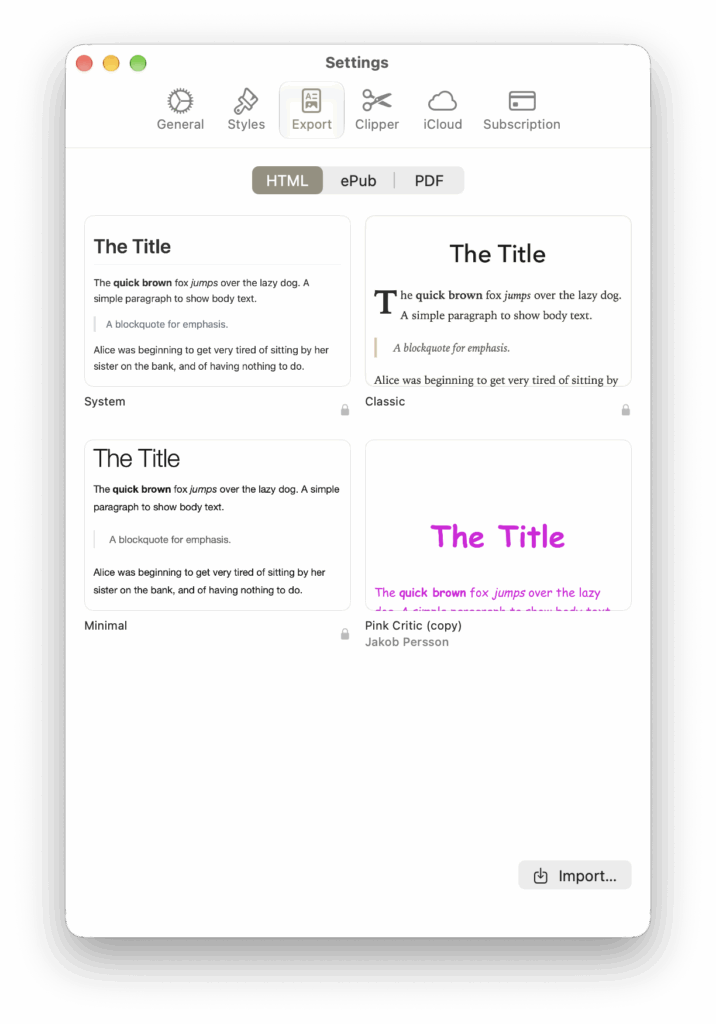
When your project is ready to become a book or a document, Atlas gives you polished, professional output support. Export print-ready PDFs, from clean documents to true trade-paperback layouts with chapter breaks and mirrored margins, or build chaptered ePubs that import into Apple Books, Kindle, Kobo, and nearly any reader. Cover art, page size, headers and footers, per-heading typography: the details that make a finished piece look how you imagined.
See a Preview of What eReaders Read
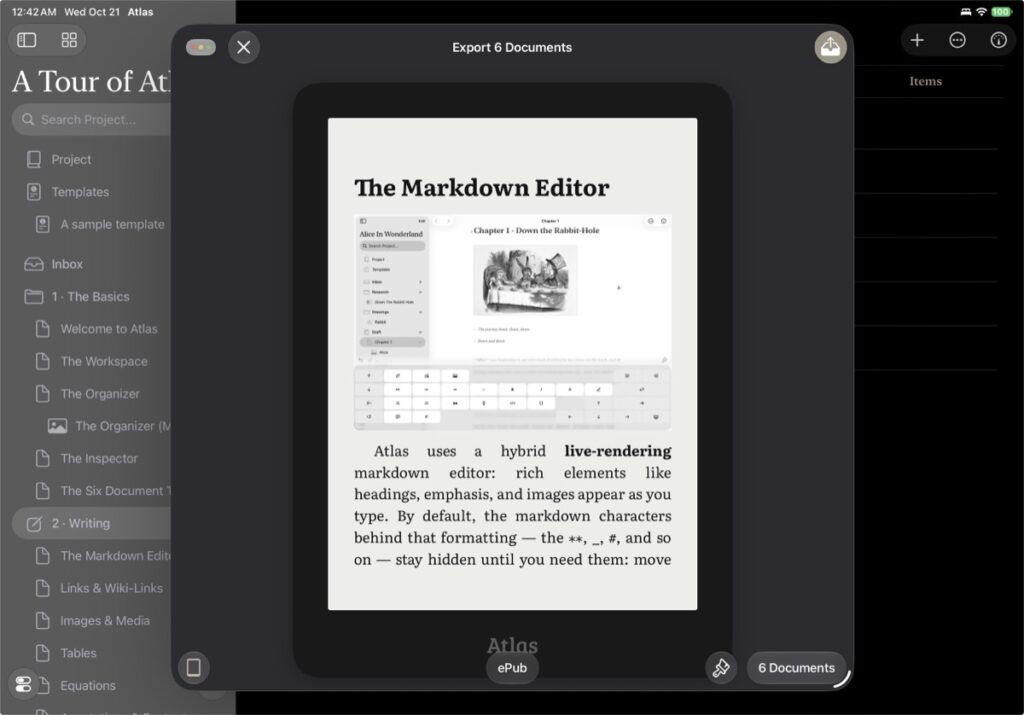
The Export Tool includes a preview mode that will take your ePub and display it in an eReader like layout so you can see what it will look like when produced.
Tap through pages, see how images and chapters would be framed, and get a sense of what your work will layout as.
Customize or Import Ulysses Export Styles
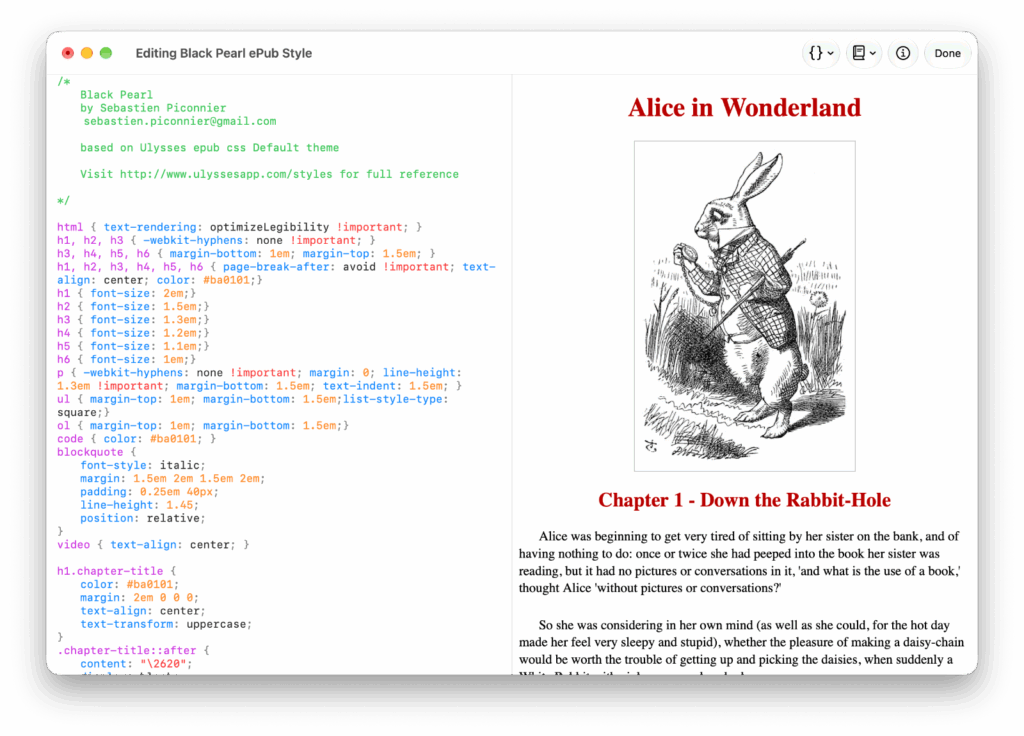
Using the built-in editor which displays a live preview or your favorite code editor, you are able to edit by starting with a built-in style to build your own, with control over typography, color, and spacing and more depending on the format. Save it to reuse across projects, or even bring over themes you already have from Ulysses.
Ebook Ready, Chapters By Your Mark
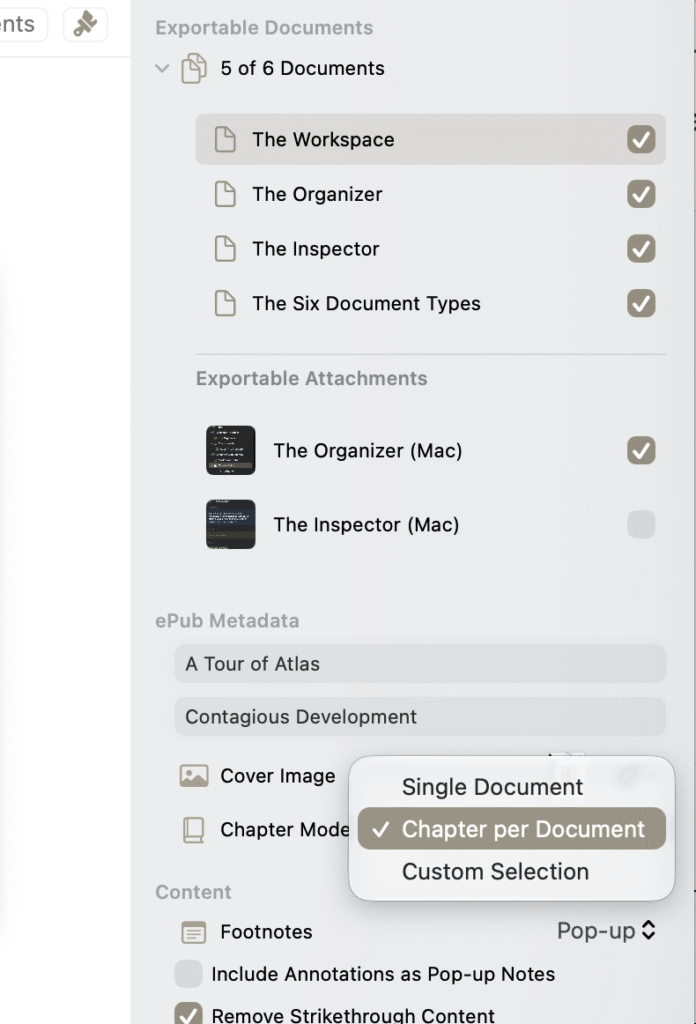
You decide where chapters begin. Atlas turns your chosen documents into chapter markers, so your ePub has a working table of contents in Apple Books, Kindle, Kobo, and other readers. Add cover art and book details before you export.
Portable Exporting with Markdown & Frontmatter
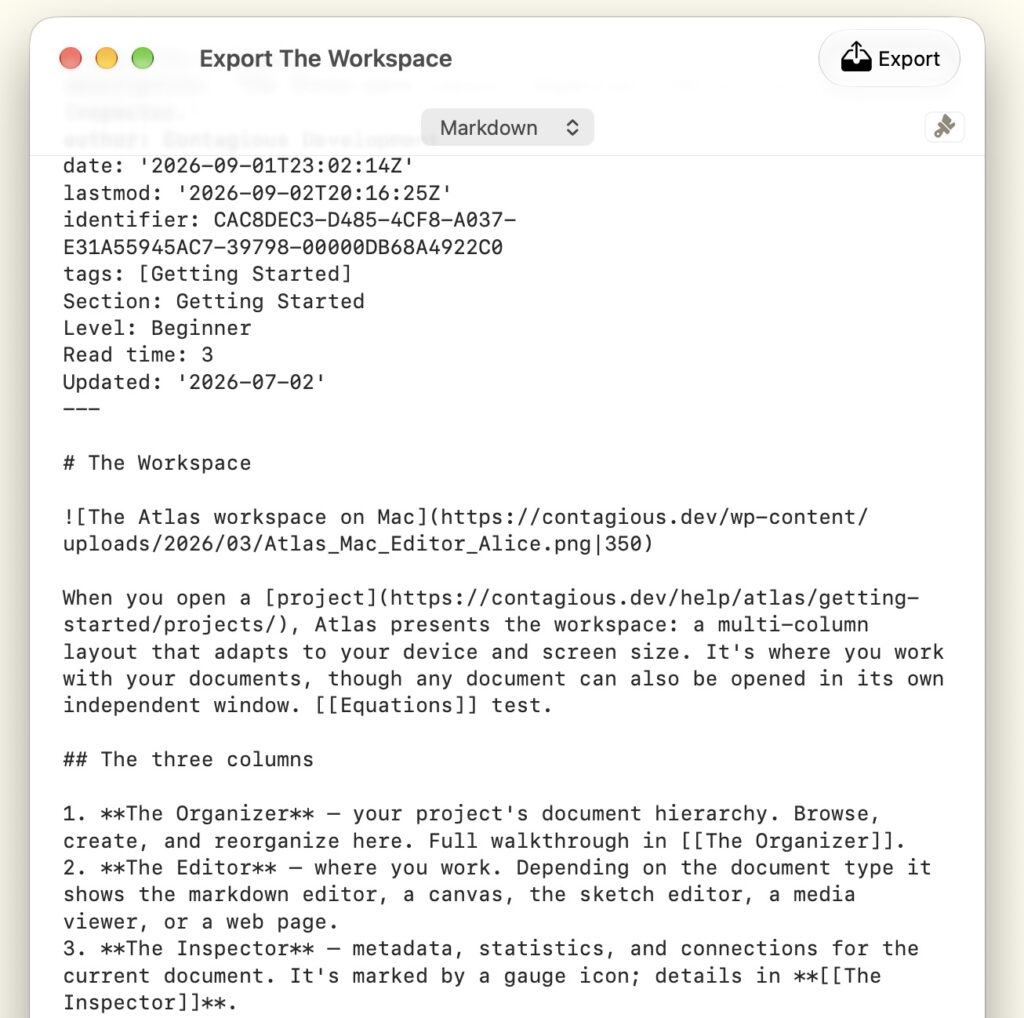
All of your content in Atlas leaves in a format that outlives it. Export Markdown with your tags and metadata preserved in YAML frontmatter, ready to drop into any other Markdown tool. Send rich text to a word processor, or take your canvases with you in the open JSON Canvas format. Publish a clean, static HTML site you can self-host or hand off anywhere — no platform, no account, no dependency on Atlas. However it leaves, your work belongs to you, in formats that don’t lock it away.
Solid Foundations
Sync Without Worries
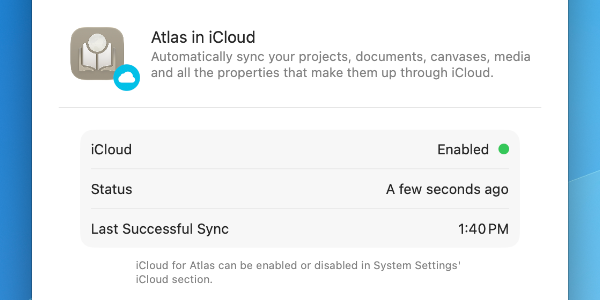
Keep your sources and inspiration nearby: images, video, webpages, other documents, your own sketches, and whatever else you need to help you build your narrative. Atlas is built to natively sync all of your gathered and created content through iCloud. Start writing on your Mac, snap inspiration from nature on your iPhone camera, save a webpage from Safari while browsing on iPad. All of it comes together without any intervention on your part.
Automations That Work
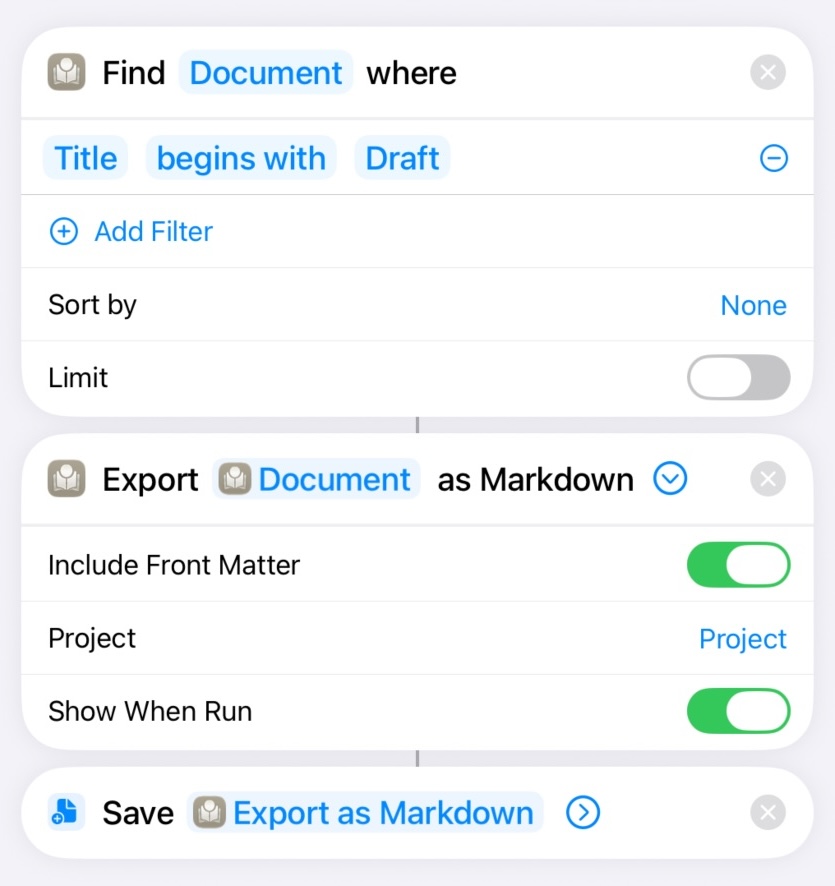
Atlas integrates with the Shortcuts app, so the things you do often can happen with a tap or on a schedule — create a document, append today’s notes, add a card to a canvas, export a draft as Markdown, or batch-tag a stack of files. Whole workflows, automated, with Atlas as one step or the whole chain.
And because Siri AI taps into the same actions, you can simply ask: on iOS and macOS 27, Siri can create, find, and update your documents on your behalf.
Built Native and Strong
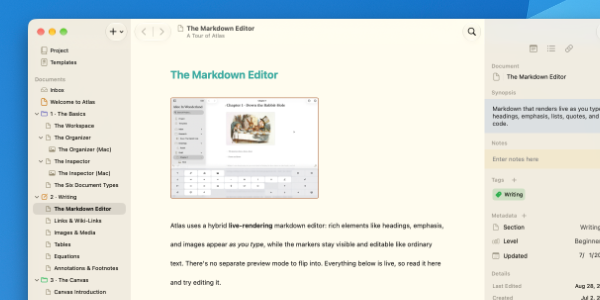
Atlas isn’t a web app in a desktop wrapper or online website, it’s built directly on each platform’s own native tooling, with purpose-built versions for Mac and iOS that respect the devices they run on. That means Spotlight finds documents, everything looks good, and everything works as you expect.
None of this arrived overnight. Atlas has been built, tested, and refined across real projects and direct customer feedback; polish that only comes from iteration.
See What Changed, Keep What Works
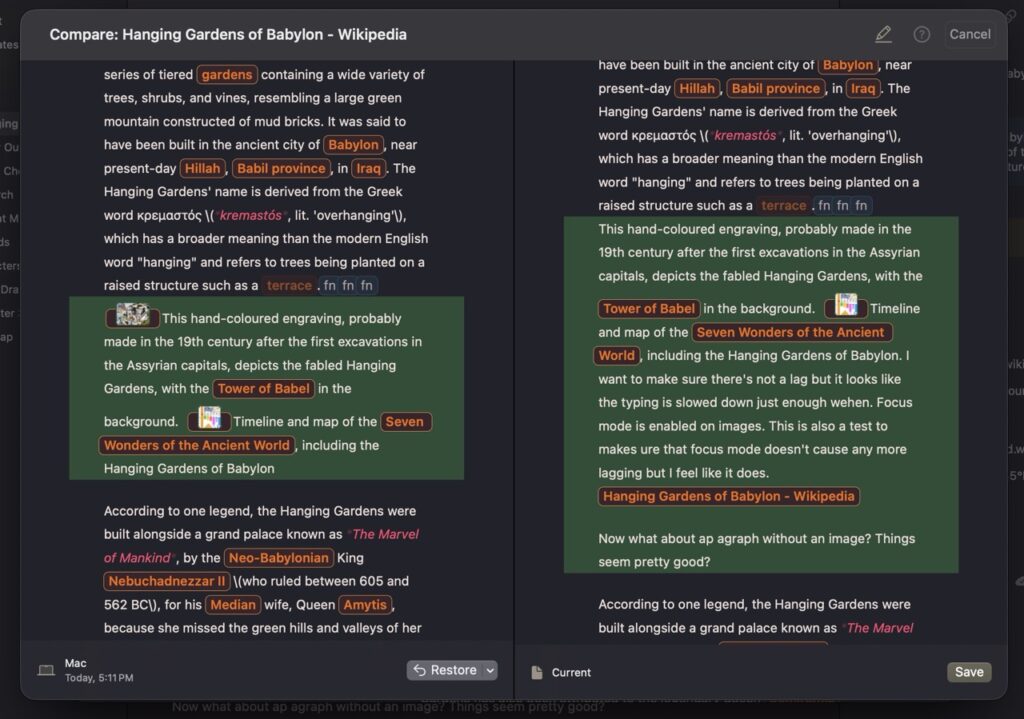
Whether you’re resolving a tricky conflict between devices or revisiting an edit from last week, Atlas’s comparison view lets you see your words across time and merge the best of each version.
And it’s fully editable. Spot a good idea in an old draft? Bring it forward right there, with no copying, pasting, or switching windows.


Atlas
Write. Collect. Publish.