Getting Started
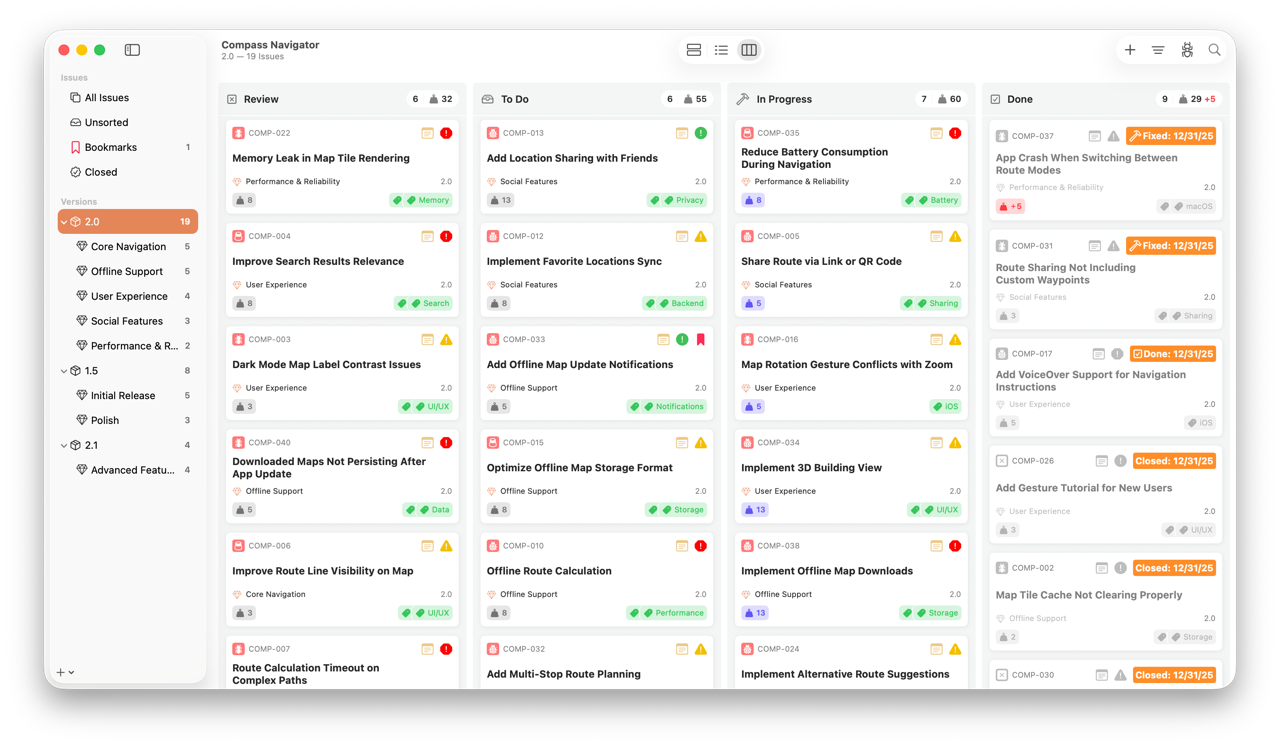
Welcome to Fox — a native issue tracker for Mac, iPad, and iPhone built for developers, designers, and anyone who wants to stay organized without the overhead of heavier project tools. Every project is its own workspace with its own issues, versions, milestones, and a kanban board, and everything syncs across your devices through iCloud.
This guide walks you through the essentials: creating your first project, navigating the workspace, working with issues, moving them across the board, and organizing them into versions and milestones. If you're brand new, start with The Basics and work your way through. If you're looking for something specific, jump straight to the section you need.
Just getting started?
If you'd rather follow a guided walkthrough for configuring a brand-new project from scratch — prefix, statuses, types, priorities, and your first batch of issues — jump to Setting Up a Project.
The Basics
Get oriented with projects, the workspace, and the three ways to view your issues. These pages cover how Fox is structured and where to find things as you move between projects and issues.
-
Create, configure, and manage your projects — title, prefix, display image, and the project picker.
-
The Navigator, Issue Browser, and Issue Detail — and the unified toolbar that ties them together across Mac, iPad, and iPhone.
-
The work unit at the heart of Fox. Learn how to create issues and what makes them tick.
-
Every Version and Milestone can be viewed as a List, Outline, or Board. Pick the shape that fits the task.
Working with Issues
Issues start simple — a title is all you need — but they grow with your work. These pages cover the properties, connections, notes, and resolution workflow that turn a bare issue into a full record.
-
Type, status, priority, tags, due dates, estimates, and actual effort.
-
Break issues into subtasks and connect related work with typed links, including cross-project references.
-
Close issues with a resolution, add resolution notes, and reopen when needed.
-
The markdown editor, wiki-links to other issues, and inline images.
Organizing Work
Versions, milestones, tags, and project archives give you a structure to plan inside — and when something is finished, it moves out of the way without being lost.
-
Group issues into releases and goals. Start flat and add structure as projects grow.
-
Flexible, project-specific labels for anything that cuts across types and statuses.
-
Tuck away finished versions, milestones, and projects while keeping them fully browsable.
-
Customizing Project Attributes
Tailor statuses, issue types, priorities, resolutions, and link types per project.
Syncing & Sharing
Fox keeps your projects in sync across every device you use, and Fox for Teams adds shared projects for working alongside others.
-
How Fox syncs projects, issues, attachments, and settings through CloudKit.
-
Share projects with Fox for Teams, assign issues, and track who changed what.
Next Steps
Once you're comfortable with the basics, explore the in-depth guides for specific workflows:
- Setting Up a Project — Configuring statuses, types, and priorities from scratch
- Board Workflows — Practical patterns for moving work across columns
- Shortcuts Automation — Quick-capture and batch-edit issues from the Shortcuts app
- The MCP Server — Let Claude and other AI tools query and manage your issues
- Keyboard Shortcuts — Fast operation on Mac and iPad