MCP Server
Fox includes a built-in Model Context Protocol (MCP) server on Mac, giving AI tools like Claude Code, Claude Desktop, and Cursor structured access to your issues. MCP is an open standard for how AI assistants talk to applications, and once Fox's server is running, your AI tool can query projects, create issues, update statuses, and more — all without leaving the chat.
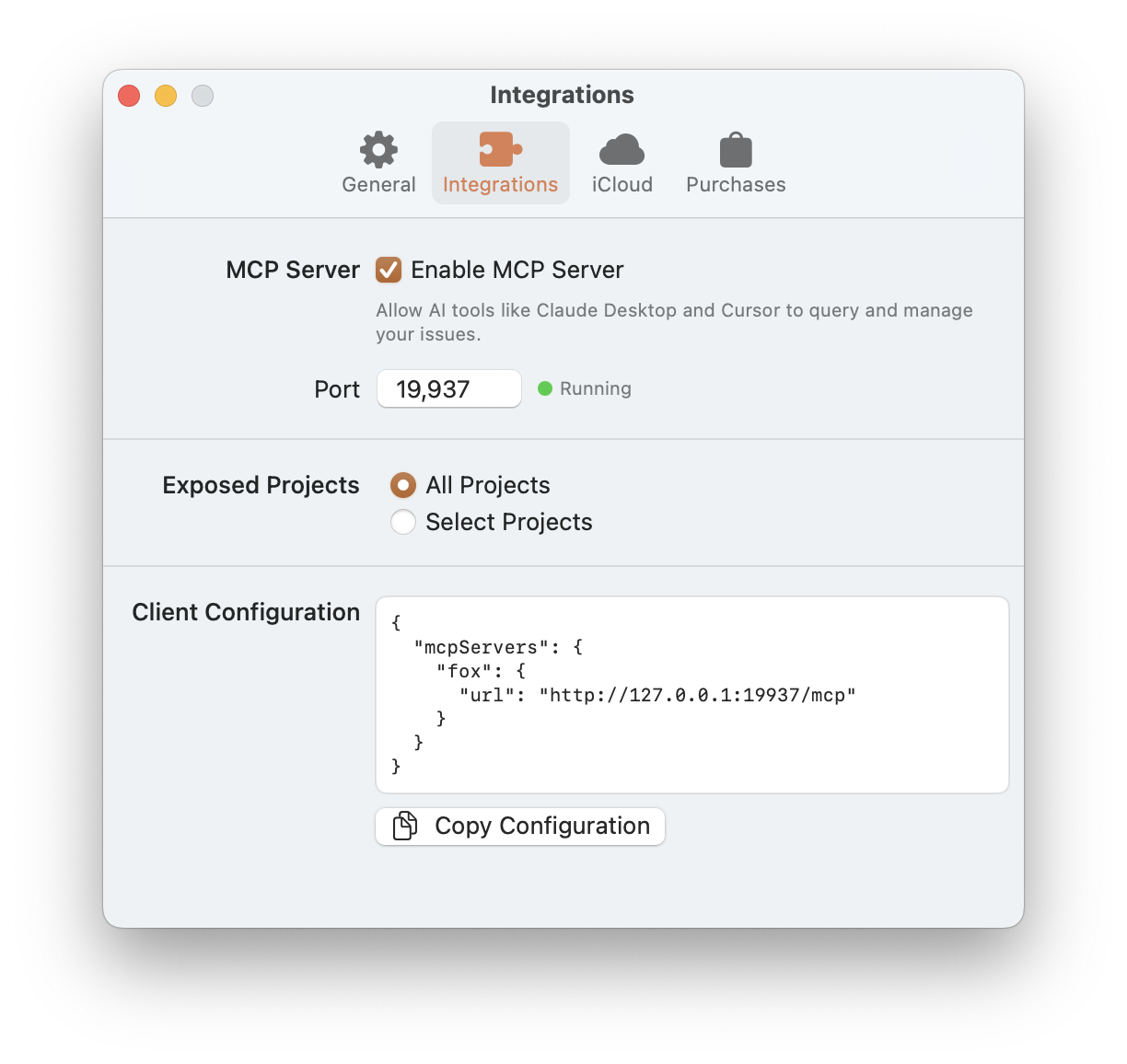
The MCP Settings on macOS
Mac only
The MCP server is available on macOS only. iOS and iPadOS don't expose an MCP server.
Enabling the Server
Open Fox's Preferences → Integrations. From this tab you can:
- Enable MCP Server — Toggle the server on or off
- Port — Set the port number (default:
19937). The server runs locally at127.0.0.1. - Status indicator — Shows whether the server is currently running or stopped
- Copy Configuration — Generates a ready-to-paste JSON snippet for your MCP client
The server starts automatically when Fox launches (if enabled) and stops when Fox quits.
Choosing Which Projects to Expose
You control which projects MCP clients can see:
- All Projects — Every active project is available
- Select Projects — Pick specific projects to expose; others stay private
This is how you keep personal projects invisible to work tools (or vice versa). Exposure can be changed at any time.
Connecting an MCP Client
Fox uses Streamable HTTP transport at:
http://127.0.0.1:{port}/mcp
The Copy Configuration button in Preferences generates the exact JSON snippet your client needs. Paste it into your client's MCP settings.
Claude Code
From the terminal:
claude mcp add --transport http fox http://127.0.0.1:19937/mcp
Here fox is the name you're assigning to this connection — you can change it to anything you like.
Claude Desktop
Add the configuration from Fox's Copy Configuration button to your claude_desktop_config.json file.
Cursor
Add the configuration to Cursor's MCP settings in preferences.
Once connected, the AI tool can immediately start working with your Fox projects.
What the AI Can Do
The MCP server exposes both resources (read-only browsable data) and tools (actions the AI can call).
Read-Only Resources
MCP resources let the AI explore your data hierarchy without making changes. Browsable via the fox:// URI scheme:
- Projects — List all exposed projects or get one by identifier
- Issues — List issues in a project or get full details for one
- Versions & milestones — Browse the organizational hierarchy
- Project attributes — Query statuses, priorities, issue types, tags, resolutions, and link types
Query Tools
list_projects— List all projects exposed to MCP clientsget_project— Get full project details including every attributeget_issue— Get complete details for an issue, including subtasks, links, and all propertiesget_issue_by_reference— Look up an issue by its human-readable reference (e.g.,FOX-042). Returns all matches, since duplicate references are possible in rare cases.get_location— Get details of a version or milestone including child milestones and issue countssearch_issues— Search and filter issues by status scope (open/closed/all), sort order, and optionally scope to a specific version or milestone
Create & Update Tools
create_issue— Create a new issue with title (required) plus optional status, priority, type, tags, details, due date, estimate, bookmark, and locationupdate_issue— Modify any issue property: title, status, priority, type, location, details, due date, bookmark, estimate, actual effort, assignee, tags (full replacement), resolution, resolution details, close, reopenmanage_subtasks— Add, update, check, uncheck, delete, or reorder subtasksmanage_links— Add or remove typed links between issues with directional control
History Attribution
Every change made through the MCP server is tracked in the issue's history, just like manual edits. MCP-originated changes are flagged so you can distinguish between edits you made yourself and edits made by an AI assistant — a full audit trail regardless of how the change happened.
Example Workflows
A few prompts that work well with an MCP-connected AI:
- "Look at the open bugs in the FOX project and suggest which ones to prioritize for the next release."
- "Create a new issue in FOX: 'Empty state for the project picker', priority Medium, type Feature."
- "Close FOX-42 with the 'Fixed' resolution — the commit went out in v3.0.3."
- "What issues are blocking FOX-100?"
- "Summarize all issues in the v3.1 milestone."
The AI can do anything you can do through the issue detail view — with full history attribution so you can see what it touched.
See Also
- URL Scheme — The
fox://format the MCP server uses for resource URIs - Issue Properties — The properties MCP tools can read and write
- Subtasks & Links — What
manage_subtasksandmanage_linksoperate on - Shortcuts Automation — A simpler automation surface for non-AI workflows