Search & Spotlight
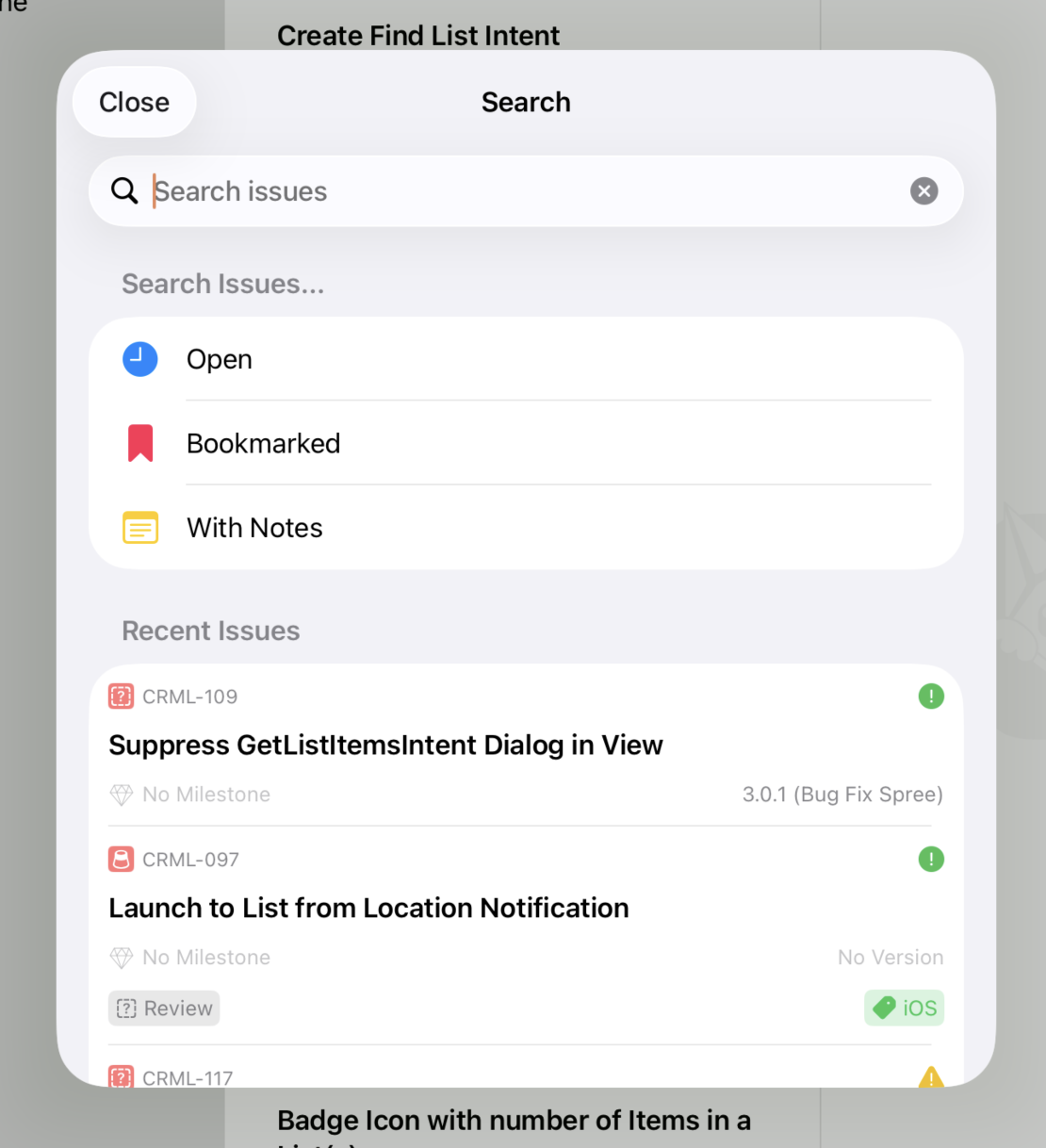
The search window on iPadOS
Fox has three layers of search: in-project search for finding something inside the project you're working on, cross-project search for jumping to an issue in another project, and system-wide Spotlight integration for finding Fox content from outside the app entirely. This guide covers all three.
In-Project Search
The fastest search in Fox is the one inside a project. Fox's search field accepts both free text and tokens — and the two work together so you can narrow a search by typing, tapping, or both.
Free text matches across:
- Issue titles
- Notes content
- Reference numbers
Search runs across the entire project by default, but it narrows automatically when the Navigator is scoped to a version or milestone — so searching inside v2.0 only matches issues inside that version.
Tokens
Tokens are visual chips in the search field that filter by a specific attribute. Fox supports tokens for:
tag:type:priority:status:resolution:
There are two ways to create a token:
- Type a
stem:valuepair and press Return — Typingpriority:highand pressing Return converts the text into a priority token matching "High". - Tap a suggestion — As you type free text, Fox's dropdown surfaces matching attribute values (tags, types, priorities, statuses, resolutions) from the current project alongside top matching issues. Tapping one of those suggestions inserts the corresponding token.
Tapping an existing token reveals its available values so you can swap without retyping. Tokens can sit alongside free text in the search field — free text filters by content, tokens filter by attribute, and both apply at once.
How Multiple Tokens Combine
Multiple tokens combine with AND across different attributes and OR within the same attribute. So:
priority:High+tag:Backend→ issues that are High priority and tagged Backendtag:Backend+tag:UI→ issues tagged Backend or UIpriority:High+tag:Backend+ free textauth→ High-priority Backend issues whose title, notes, or reference contain "auth"
This is the way to get explicit AND behavior across multiple criteria: split each criterion into its own token.
Cross-Project Search
Sometimes you know the issue you want is in a different project. Fox's search field detects another project's prefix and reroutes the query to that project automatically. Two forms work:
NTFY-225— A full reference number. Fox looks up theNTFYproject and jumps straight to issue 225.NTFY login bug— A prefix followed by free text. Fox searches theNTFYproject for "login bug" instead of the current project.
If the prefix you type matches the project you're already in, Fox falls through to a normal in-project search rather than "rerouting" to itself.
This is especially useful when:
- You're tracking a bug that spans two projects
- You want to link to an issue in another project from notes
- You maintain multiple projects and remember a reference but not which project it's in
Filtering
Search isn't the only way to narrow the view. The Issue Browser supports filters on:
- Status scope — open, closed, or all
- Priority
- Tags
- Type
- Assignment (with Fox for Teams)
- Due date
Filters combine — apply priority and tag filters to get a precise view. Filters are sticky within a session, so you can set up a working view and come back to it.
Filters + search = precision
Set filters to narrow the population, then search to find a specific item within it. Filtering to "open high-priority bugs" and then searching for a keyword is almost always faster than searching alone.
Spotlight Integration
Fox indexes your content with Core Spotlight, so issues, projects, versions, and milestones show up in macOS and iOS system-wide search. Hit Spotlight (⌘Space on Mac) and search for a Fox reference or title — matching issues appear in the results with Fox's icon and project context.
Selecting a Spotlight result launches Fox and navigates directly to the item. On iPad, this opens the issue in its own floating window.
Spotlight ranking favors:
- Recency — Recently touched issues surface higher
- Open status — Open issues beat closed issues for the same match
- Bookmarks — Bookmarked issues get a boost
The Deep-Link Alternative
When you already know the reference number and just want to open an issue, deep links are faster than search. fox://issue/FOX-042 opens straight to that issue from anywhere — Shortcuts, other apps, even the browser. See the URL Scheme guide.
See Also
- The Navigator — Where issue groups and scopes live
- Tags — Cross-cutting labels that work well with filters
- URL Scheme — Deep links as an alternative to search
- Issue Properties — The properties you can filter on