Share Extension
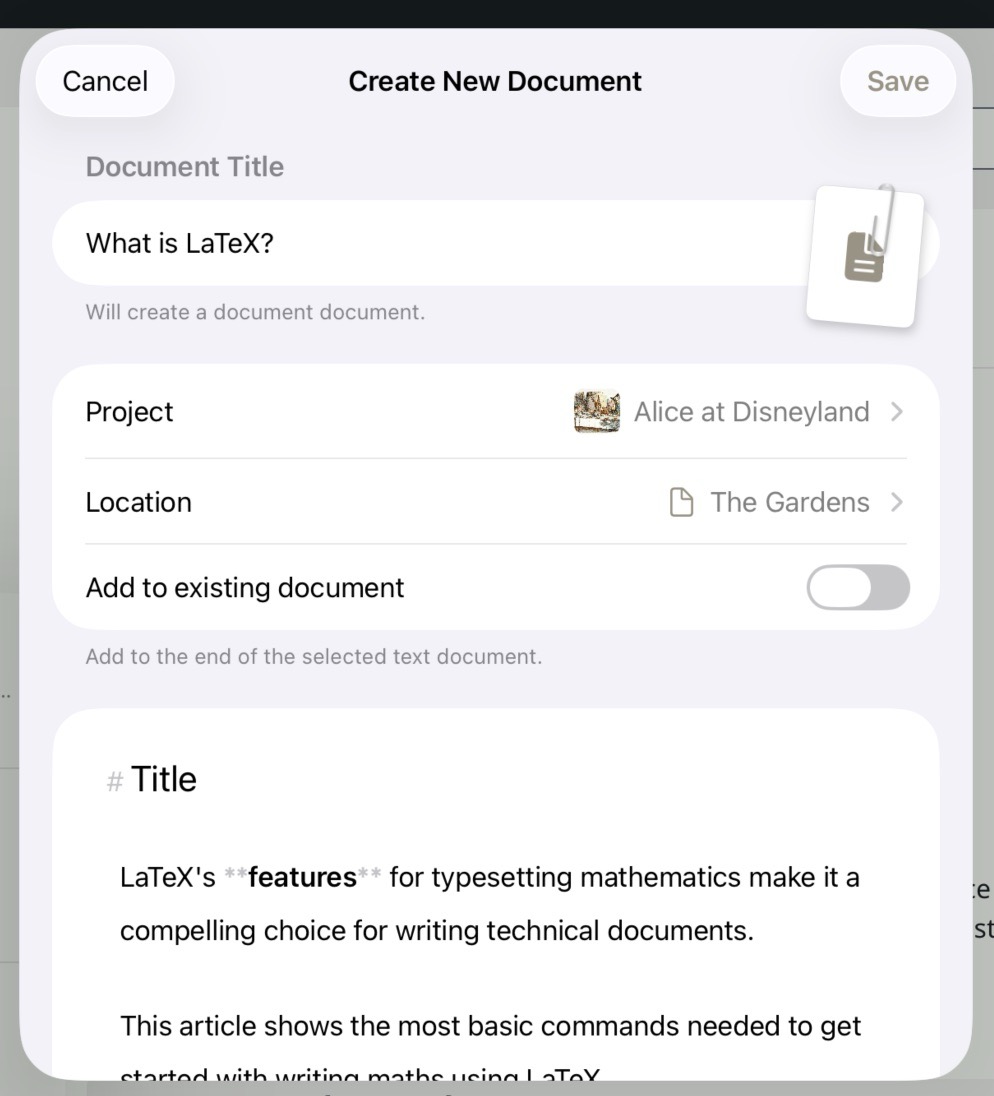
The Share Extension on iOS
The Share Extension lets you send content from any app directly into Atlas — text, links, images, and video — without switching away from what you're reading or working on. It's available on iPhone, iPad, and Mac, and works with any app that supports the system share sheet or share menu.
Tip
For web pages, the Web Clipper is a more powerful alternative: it extracts structured content from the page, lets you edit before saving, and supports templates for structured capture. The Share Extension is better suited to quick adds of any content type.
What You Can Share
- Text — from Notes, Safari, or any app that supports sharing text
- URLs — from Safari or any browser; automatically creates a web page document with a rich preview
- Images and video — from Photos, Safari, Files, or any app that can share media, including images shared directly from a web page where Atlas downloads and imports the picture.
Editing Shared Text
When you share text into Atlas, the share sheet includes a full Markdown editor so you can review and edit the content before it's saved. Use it to trim, reformat, or add context to what you're capturing. The editor supports the same live-rendering Markdown as the main Atlas editor, and renders in your active theme.
Attaching Text to Additional Documents
When sharing text through the Share tool, you can choose what to do with the content:
- Create a new document — saves the shared content as a new text document in the project and location you choose
- Attach to an existing document — appends the shared content to a document you select; useful for accumulating notes or research into a single place. The "Document Title" field will be used as a section title.
Sharing into a Canvas
If the destination you choose has a Canvas as its parent, Atlas offers the ability to automatically create a card on that canvas for the new document. The card appears on the canvas alongside existing cards, so your new content is immediately part of your spatial workspace without any extra steps.
See Also
- Importing Media and Web Pages — Other ways to bring content into Atlas
- Web Clipper — Richer capture for web pages with extraction and templates
- Documents — The document types Atlas creates from shared content