Math Equations
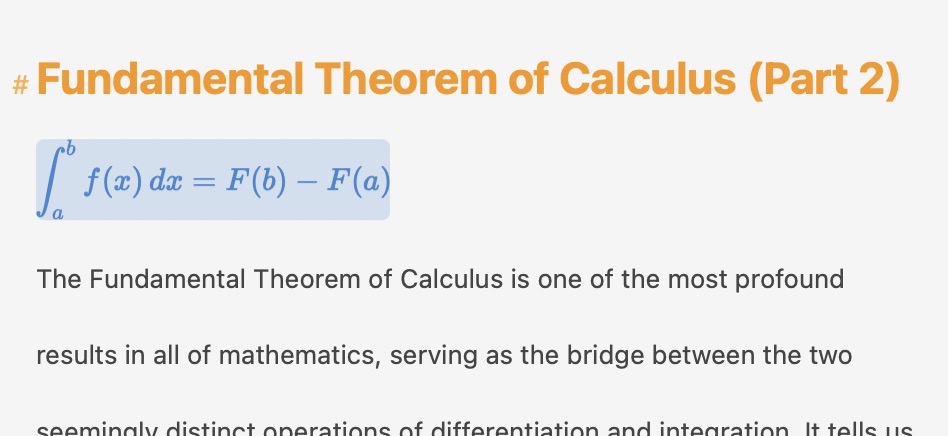
A highlighted block equation
Atlas supports mathematical equations powered by LaTeX and rendered by the KaTex Engine, letting you embed formulas and expressions directly in your documents. Whether you need an inline variable in a sentence or a standalone equation on its own line, Atlas renders them live as you work.
Inline and Block Equations
There are two ways to display an equation:
- Inline — An expression that flows within a line of text, like a variable name or a short formula alongside your prose.
- Block — A standalone equation displayed on its own line, typically used for more complex or important formulas that deserve visual emphasis.
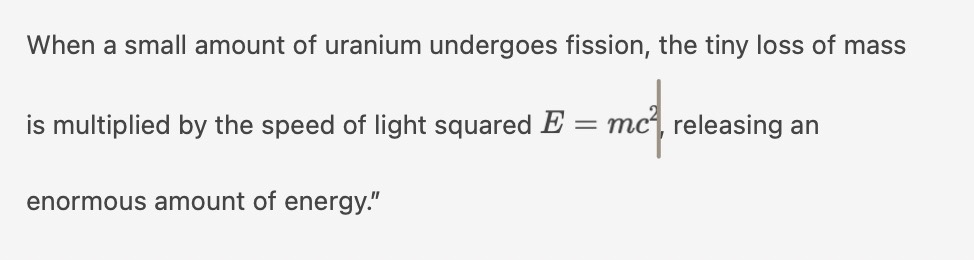
An inline equation
Both types start with the same syntax — type $$ to begin an equation. Atlas determines whether it's inline or block based on its position: an equation on its own line becomes a block; an equation within a line of text stays inline.
Creating an Equation
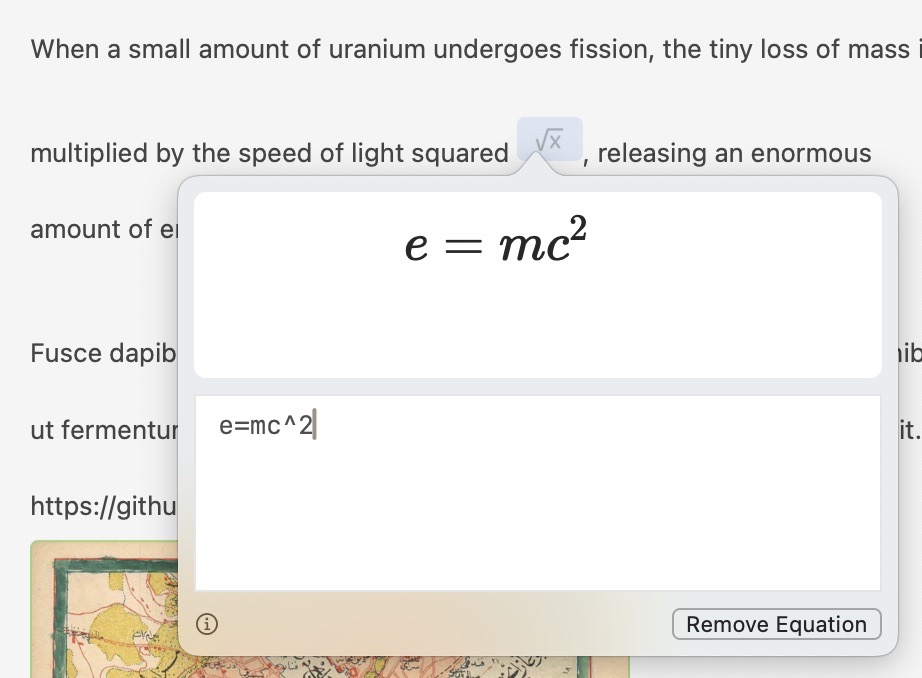
The equation editor on macOS
Type $$ in the editor to open the equation editor, where you can compose and preview your expression before inserting it.
The equation editor works differently on each platform:
- macOS — A popover appears near the cursor with a text field and live preview
- iOS — A full editor view opens for composing and previewing the equation
Equations render live in both equation editors, so you can see exactly how your expression will look as you type it.
Tip
If you're not sure where to start with LaTeX syntax, Overleaf's guide to mathematical expressions is an excellent reference covering everything from basic operators to advanced notation.
Placeholders
Empty equation blocks display a √ symbol as a placeholder, making them easy to spot in your document. This is useful when you want to mark where an equation should go and fill it in later.
Equations in Exports
Equations are supported across all export formats:
| Format | How equations appear |
|---|---|
| HTML | Rendered as images |
| ePub | Rendered as images |
| Rendered as images | |
| Markdown | LaTeX source preserved as-is |
| Plain Text | Equation syntax included as-is |
| RTF | Rendered as images |
See Exporting Your Work for more on export formats and options.
Theming Equations
Equation appearance is customizable in the Theme Editor. Both inline equations and equation blocks are stylable independently under the Code category, with controls for:
- Text color
- Background color
- Selected text color and selected background color
See The Theme Editor for details on customizing element styles.
See Also
- Writing with Markdown — Formatting syntax reference
- The Theme Editor — Customizing equation colors and appearance
- Exporting Your Work — How equations appear in each export format
- Working Offline — Equation caching and offline behavior