The Workspace
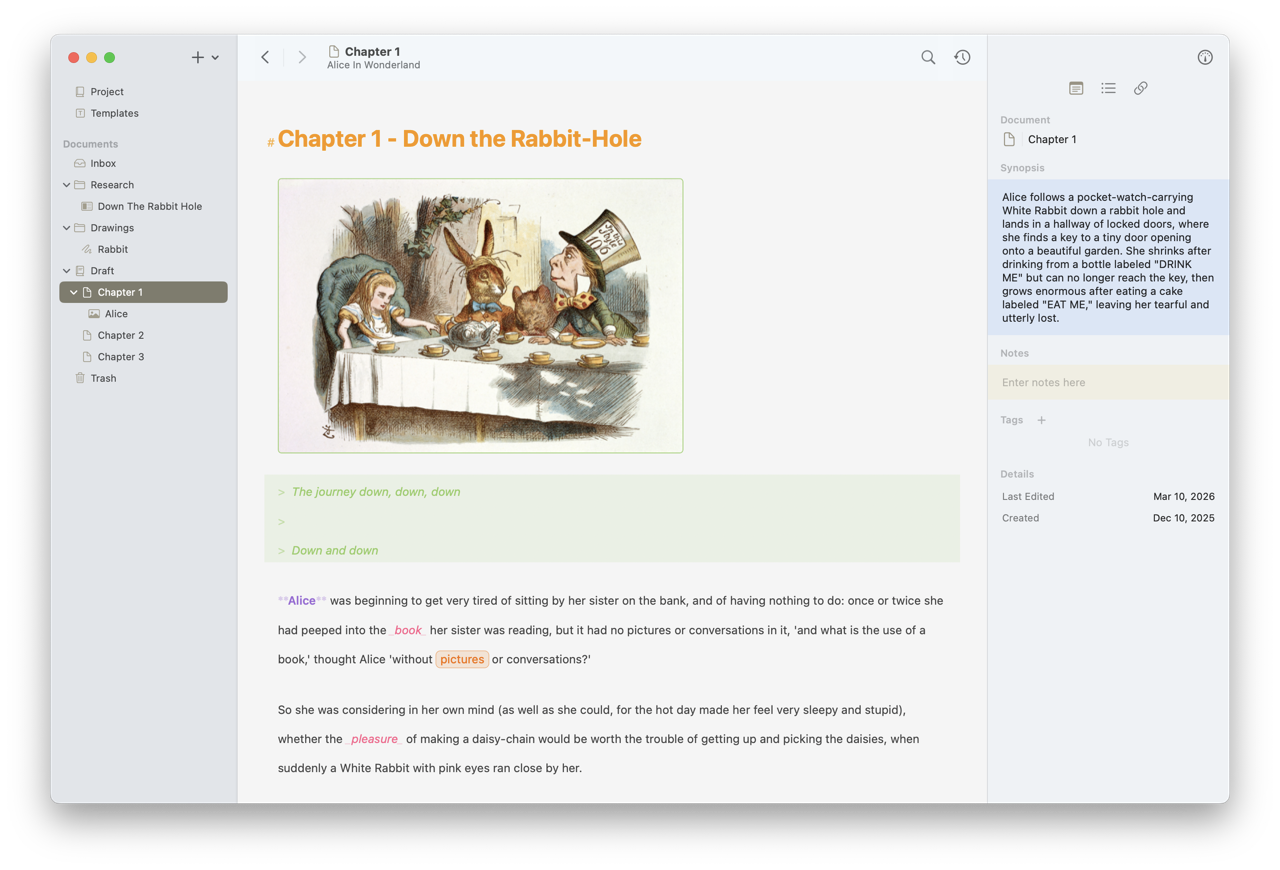
When you open a project, Atlas presents the workspace — a multi-column layout that adapts to your device and screen size. This is where you work with your documents, though any document can also be opened in its own independent window.
The Three Columns
The Organizer
The left column shows your project's document hierarchy. Browse, create, and reorganize documents here. See The Organizer for a full walkthrough.
The Editor
The center column is where you work. Depending on the document type, this area displays the markdown editor, canvas, sketch editor, media viewer, or web page. Select any document in the Organizer to open it here.
The Inspector
The right column reveals metadata, statistics, and connections for the current document. See The Inspector for details on what each tab provides.
Platform Differences
The workspace adapts to each platform:
Mac — All three columns can be visible simultaneously, with the Organizer as a persistent sidebar. A full menu bar provides access to all actions, and keyboard shortcuts are available for most operations.
iPad — On wider screens, the Organizer sits alongside the Editor. On narrower screens or iPad mini, it overlays the Editor as a slide-over panel. The Inspector is available as a trailing panel, and an equivalent menu system is accessible through the system menu bar.
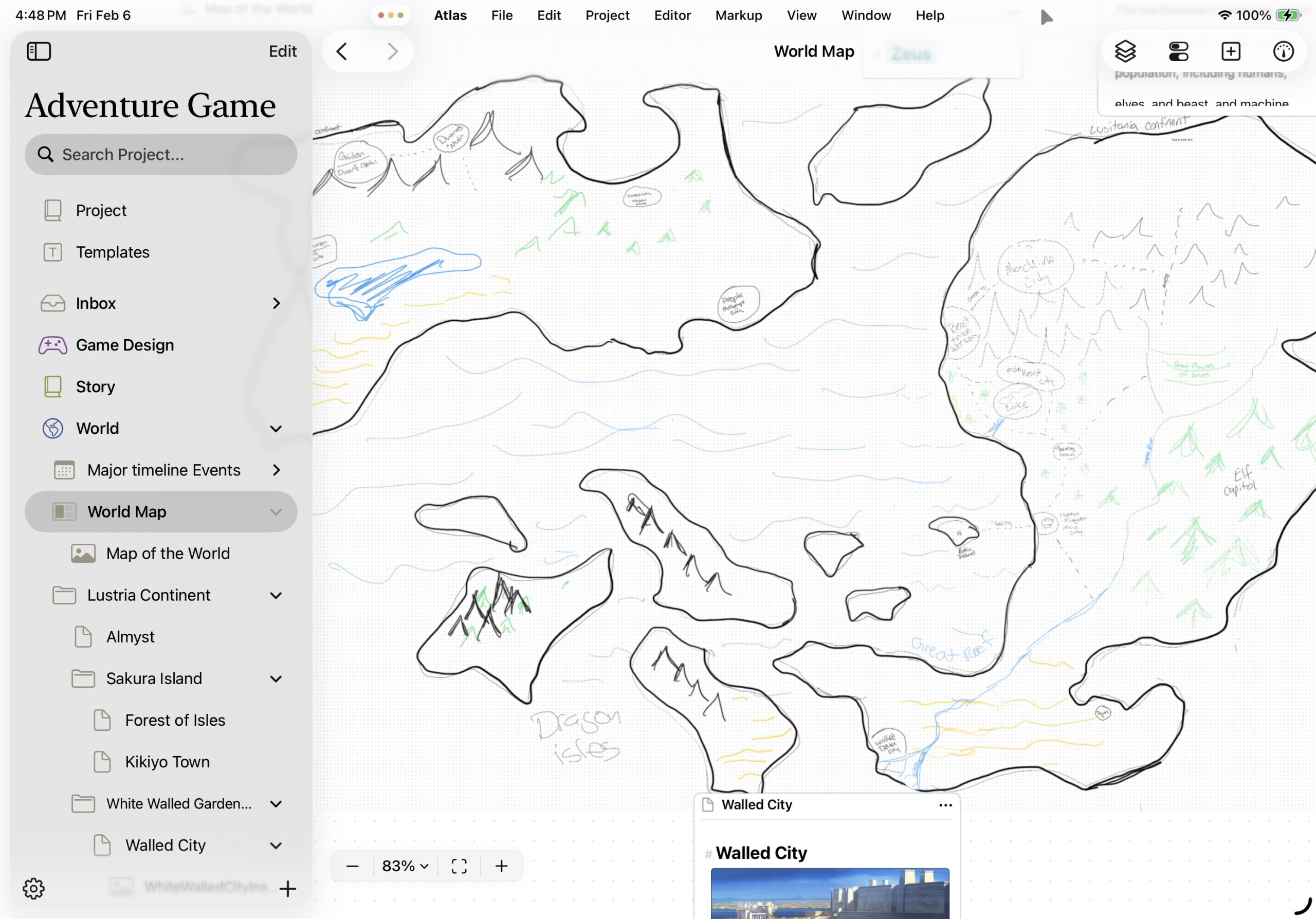
Atlas on iPad
iPhone — Projects open to the Organizer, and tapping a document opens the Editor. The Inspector is accessible from the gauge icon ().
Toggling Panels
Show or hide the Organizer sidebar with Ctrl+Cmd+S, from the View menu, or by tapping the Organizer button () in the toolbar.
Toggle the Inspector with Cmd+Option+I, from View > Show Inspector / Hide Inspector, or by tapping the Inspector button (). The Show/Hide Inspector toggle is available on macOS and on iPad/iPhone running iOS 26 or later — hide it for distraction-free writing or when you need more room on a narrow window.
The Dock Menu (Mac)
Right-click (or Control-click) the Atlas icon in the Dock for quick access without bringing the app forward first:
- Show Project Organizer — Opens the Organizer window
- Recent Projects — A submenu of your most recently opened projects (up to five); choose one to jump right back in
The same Recent Projects submenu also sits in the Window menu, directly below Show Project Organizer — on Mac, and on iPad (iPadOS 26 or later) through the system menu bar.
See Also
- The Organizer — Navigating and managing your project structure
- The Inspector — Document metadata, statistics, and connections
- Projects — Creating and managing projects